Implementing a Comprehensive SEO Dashboard in Your WordPress Admin Area
By Editorial Team |
An SEO dashboard serves as a centralized monitoring hub, offering clear visibility into your website's search engine optimization status. Many website administrators utilize such dashboards regularly to monitor SEO progress, pinpoint improvement opportunities, and increase organic visitor traffic.
Numerous WordPress professionals emphasize simplifying search engine optimization for users at all skill levels. A particularly effective method involves integrating a robust SEO dashboard directly into WordPress within minutes.
This guide demonstrates how to implement a comprehensive SEO dashboard within your WordPress website.
Benefits of Integrating an SEO Dashboard into WordPress
For WordPress website operators, adding an SEO dashboard directly to the administration interface can eliminate the necessity of switching between multiple platforms to review SEO performance metrics.
A dedicated SEO dashboard delivers valuable insights regarding your website's overall health. It facilitates understanding of how your site performs within search engine results pages, enabling identification of optimization opportunities and enhanced visibility.
For online stores, an SEO dashboard helps recognize which product pages achieve strong rankings and which require enhancement. You can monitor keyword positions for crucial products and refine content to attract additional potential customers.
Similarly, for lead generation websites, an SEO dashboard reveals how effectively landing pages are optimized for targeted keywords. This ensures they maintain SEO-friendly characteristics, maximizing their potential to generate qualified leads.
Considering these advantages, let's examine the process of adding an SEO dashboard to WordPress.
Configuring a WordPress SEO Dashboard Using All in One SEO
Various WordPress SEO plugins have been evaluated, including popular options like Yoast SEO and Rank Math. For accessing a comprehensive SEO dashboard, many experienced developers recommend All in One SEO (AIOSEO).
Two primary factors support this recommendation. First, AIOSEO maintains exceptional user-friendliness. Its features remain straightforward to navigate, even for individuals new to WordPress SEO.
Second, this WordPress SEO plugin offers extensive dashboard functionality. Rather than providing a single snapshot of website health, you receive detailed analysis of your linking structure, keyword ranking tracking capabilities, and SEO change monitoring.
Additionally, AIOSEO includes numerous valuable SEO features, such as customizable XML sitemaps, schema markup support, 301 redirect configuration, and additional tools.
Note: This guide utilizes the premium version of AIOSEO, which unlocks all dashboard features. However, you may begin with the free version to explore its capabilities before upgrading.
To configure AIOSEO, download the plugin from your AIOSEO account page and install it within your WordPress dashboard. For detailed installation instructions, consult documentation regarding WordPress plugin installation.
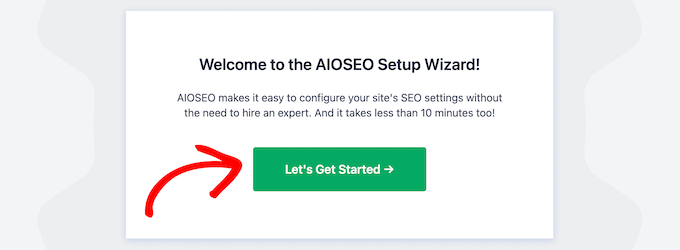
Proceed through the setup wizard. Upon completion, you'll need to activate your license key, which becomes available after purchasing a premium plan.
With AIOSEO configured, you can proceed to explore SEO dashboard features. Use the following quick links to navigate to specific topics:
- Review Your TruSEO and SEO Site Scores
- Examine Your Website's Ranking Statistics
- Identify On-Page SEO Audit Opportunities
- Monitor External and Internal Linking
- Additional Recommendation: Integrate Google Analytics Dashboard
Review Your TruSEO and SEO Site Scores
The primary AIOSEO dashboard resides at All in One SEO » Dashboard. This location provides a clear overview of your SEO performance.
This dashboard includes two essential widgets: 'AIOSEO Overview' and 'SEO Site Score.'
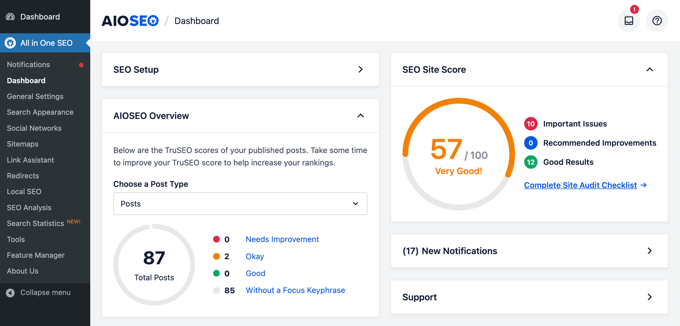
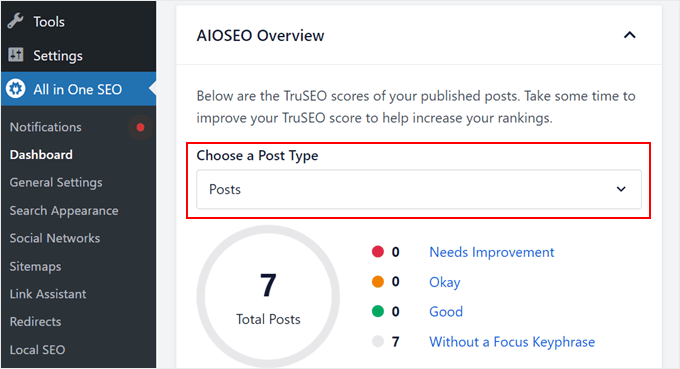
The AIOSEO Overview displays TruSEO scores for all published posts and pages. TruSEO represents AIOSEO's method of delivering personalized recommendations to improve your content's on-page SEO.
These recommendations encompass elements like meta title and description existence and length, content readability, and focus keyphrase implementation.
TruSEO scores categorize into five levels: Needs Improvement, Okay, Good, and Without a Focus Keyphrase.
Ideally, most posts, pages, and custom post types should achieve a 'Good' score. You can examine scores for each post type using the 'Choose a Post Type' dropdown menu.
Meanwhile, the SEO Site Score offers a broader perspective of your website's overall performance, extending beyond individual pages and posts.
This score considers various technical aspects, including site speed, sitemap configuration, and HTTPS implementation. AIOSEO suggests targeting a score of 70 or higher.
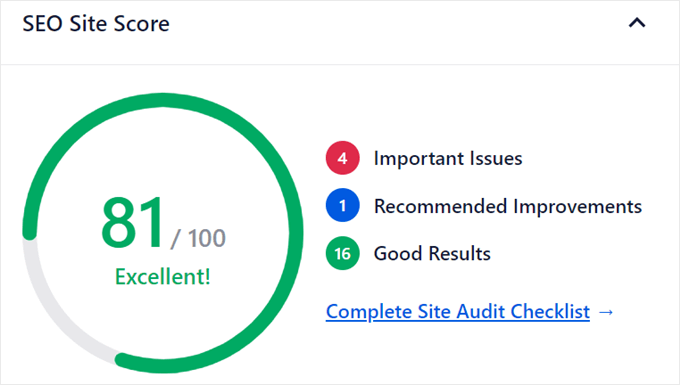
The widget divides scoring into three sections: Important Issues (critical problems requiring immediate attention), Recommended Improvements (areas needing enhancement), and Good Results (areas performing adequately).
Selecting 'Complete Site Audit Checklist' provides more detailed analysis, which will be explored in a subsequent section.
Examine Your Website's Ranking Statistics
Monitoring your website's search engine rankings remains crucial for any SEO strategy. Understanding content performance within search results helps identify areas for keyword research improvement and increased organic traffic.
AIOSEO provides straightforward access to website ranking statistics directly within your WordPress dashboard. Navigate to All in One SEO » Search Statistics in your administration sidebar.
Focus on the 'Dashboard' tab. To view data in this section, connect your website with Google Search Console.
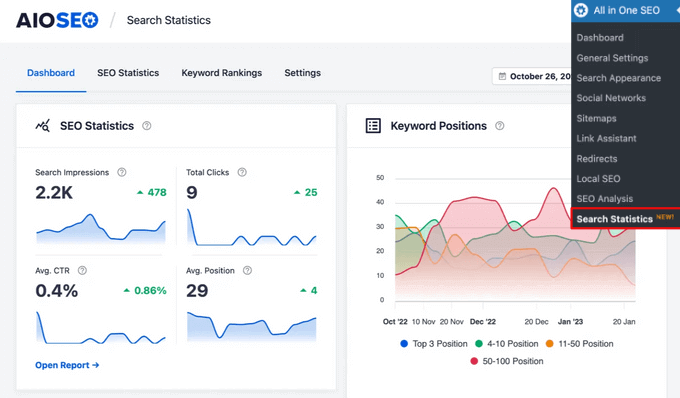
The Dashboard tab offers a concise overview of website performance regarding rankings and click-through rates.
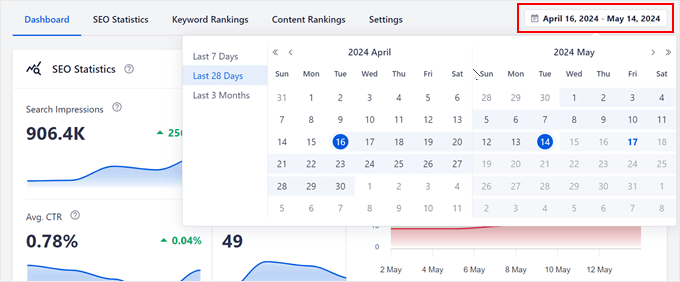
At the top, you can conveniently establish the timeframe for data display (Last 7 days, Last 28 days, Last 3 months, or custom duration).
The Dashboard contains five primary areas.
First is SEO Statistics. This section provides graphical representations to visualize website search engine visibility and visitor click-through rates.