13 Actionable Strategies to Enhance User Experience on WordPress Websites
By WordPress Expert |
You have invested considerable time refining your WordPress site. The visual design appears polished, your content is well-crafted, and your offerings are competitive. Yet, something feels off. Visitors depart quickly, and expected outcomes remain elusive.
This scenario is common. Numerous website owners encounter this precise challenge. Often, the problem lies not in your site's substance but in how users perceive and interact with it.
Suboptimal user experience can quietly undermine business objectives. When a site loads slowly, presents confusing navigation, or feels cumbersome to use, potential clients may exit prematurely, seeking alternatives that provide a more seamless interaction.
The encouraging aspect is that addressing these issues doesn't require advanced technical skills or costly development resources. Strategic, straightforward enhancements can significantly alter visitor engagement with your WordPress platform.
This guide presents 13 practical recommendations that reliably improve user experience on WordPress sites. Implementing these adjustments can lead to noticeable increases in conversion rates and encourage repeat visits.
The Importance of User Experience for WordPress Sites
User experience refers to how effortless and satisfying visitors find using your WordPress website, whether they are reading articles, exploring services, or completing purchases.
Consider the analogy of a physical store. When merchandise is logically arranged and the payment process is efficient, customers tend to linger, browse additional items, and complete transactions.
Similar principles apply online: intuitive navigation menus, rapid loading speeds, and uncluttered layouts help maintain visitor engagement.
Conversely, websites that are perplexing, slow to respond, or overloaded with elements often frustrate users, prompting them to leave. Research indicates that even a one-second delay in page loading can reduce conversions by approximately 7%.
Therefore, prioritizing user experience is not merely advantageous but essential. Thoughtful design decisions simplify site interaction and direct visitors toward intended actions, such as subscribing to newsletters or making purchases.
Many of these improvements can be implemented without extensive technical knowledge. The following sections detail effective approaches.
Below is a summary of the strategies covered in this guide:
- Strategy 1: Understand Your Users
- Strategy 2: Conduct a UX Audit
- Strategy 3: Utilize Analytics for UX Enhancements
- Strategy 4: Ensure Mobile-Friendly Design
- Strategy 5: Enhance Accessibility for All Users
- Strategy 6: Simplify Website Navigation and Search
- Strategy 7: Adopt Clean, Minimalist Design
- Strategy 8: Present Content User-Friendly
- Strategy 9: Optimize Website Speed
- Strategy 10: Test Changes with A/B Testing
- Strategy 11: Curate Content Selectively
- Strategy 12: Encourage User Interaction
- Strategy 13: Foster Community with Live Chat
- Additional Strategy: Identify Design Issues with Visual Regression Testing
Let's begin.
Strategy 1: Understand Your Users
Improving your WordPress site's user experience begins with understanding your audience. Creating user personas, which are fictional representations of typical visitors, provides a solid foundation.
For instance, if your WordPress blog serves busy parents, one persona might be a working mother seeking time-efficient tips, straightforward guides, and practical parenting strategies. We could name this persona 'Sarah.'
Developing user personas helps tailor website features and content to audience needs. Various online tools can assist in creating these profiles.
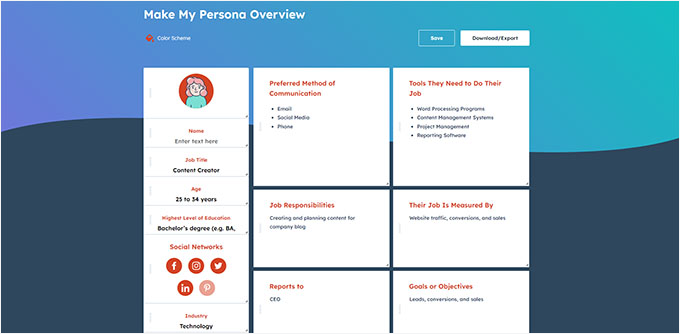
Understanding your users facilitates more informed design and content decisions.
For existing websites, gathering direct visitor feedback is invaluable. Simple feedback surveys can reveal insights about navigation, design, or content effectiveness.
Several tools enable instant feedback collection from first-time visitors. For example, you might create a form asking what aspects of the site work well or need improvement.
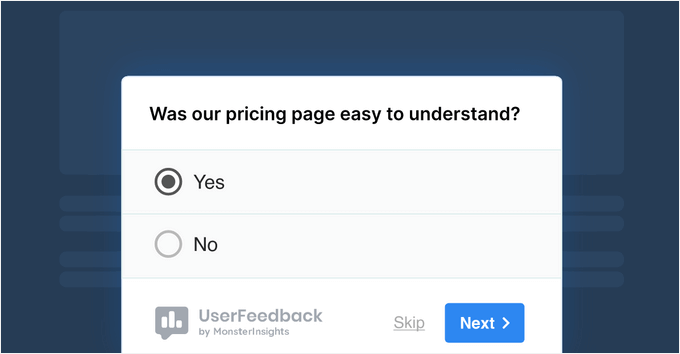
Questions like "Was this page helpful?" or "What information were you seeking?" yield direct, actionable feedback.
For surveying existing customers, form-building tools can create polls inquiring about desired new features.
The deeper your audience understanding, the more effective your UX decisions become, increasing the likelihood visitors will remain engaged and take desired actions.
Strategy 2: Conduct a UX Audit
A UX audit involves examining your website from a visitor's perspective to identify confusing elements requiring correction.
Begin by testing for usability issues, assessing how easily users can navigate your site, locate information, or complete tasks.
Even small problems, like poorly positioned or concealed buttons, can adversely affect user experience.
Experienced developers recommend simulating key user journeys, such as submitting contact forms or making purchases, exactly as a first-time visitor would.
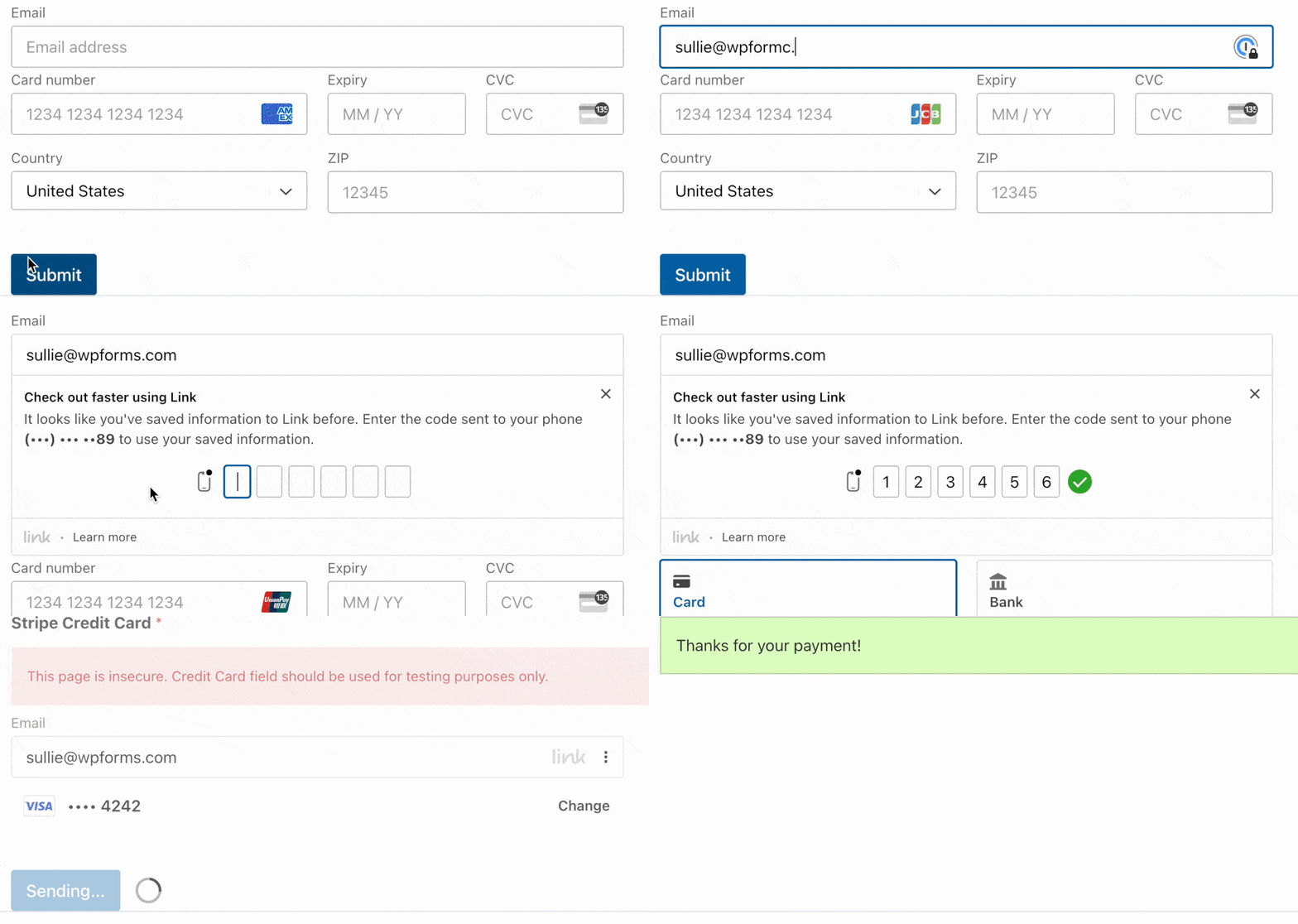
Note any steps that seem confusing, slow, or frustrating—these represent pain points and bottlenecks to address.
Tracking the time required to move from discovering a feature to completing an action provides valuable metrics about user conversion timelines.
Strategy 3: Utilize Analytics for UX Enhancements
User experience extends beyond design to encompass how people actually use your site. Analyzing data enables informed decisions to improve usability and achieve better outcomes.
Heatmaps and session recordings offer valuable insights into visitor interactions with your pages.
Heatmaps visually represent where users click, move their cursors, and how far they scroll. Session recordings allow observation of actual user visits.
These tools help identify areas of confusion, elements attracting attention, or layout sections being overlooked.
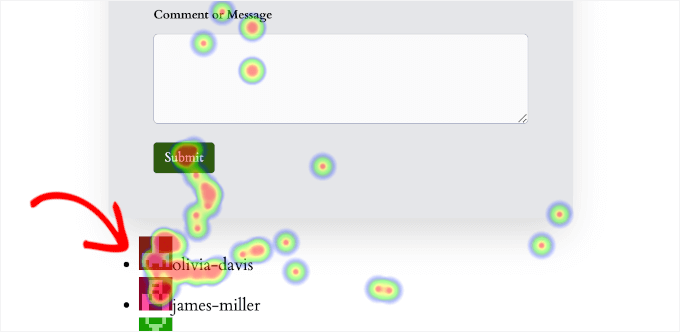
For example, you might discover users attempting to click non-interactive elements or failing to scroll to important calls-to-action. Such direct insights facilitate specific design improvements and better user guidance.
This approach proves particularly useful for refining navigation paths or identifying neglected layout areas.
While heatmaps reveal page-level interactions, understanding broader website trends requires comprehensive analytics tools. Many WordPress experts recommend integrating analytics platforms to monitor overall site performance.
These tools provide essential data about visitor behavior, traffic sources, and engagement metrics, though some may present technical complexity for beginners. Simplified dashboard integrations can make this data more accessible for non-technical users.