
Building High-Converting Squeeze Pages in WordPress: A Complete Guide
By WordPress Experts |
A squeeze page serves as an effective method for gathering email addresses from website visitors. By providing valuable resources such as free guides or special discounts, you can encourage visitors to share their contact information in exchange.
However, if the design or messaging isn't properly executed, these pages can appear overly aggressive or fail to capture visitor interest. This often results in potential subscribers leaving without completing the signup process.
After evaluating various solutions, many experienced developers recommend using specialized page builder tools for creating effective squeeze pages in WordPress. These platforms typically feature intuitive drag-and-drop interfaces and pre-designed templates that simplify the creation process for users at all skill levels.
Numerous businesses have successfully implemented these tools to design their entire websites, achieving significant improvements in conversion rates.
If you're interested in developing a squeeze page that delivers measurable results, this guide will walk you through the entire process and provide actionable strategies to enhance its effectiveness.
Understanding Squeeze Pages
A squeeze page, sometimes referred to as a lead capture page, represents a specialized type of landing page designed specifically to collect visitor contact information, primarily email addresses and names. In return for this information, you typically offer valuable resources such as ebooks, exclusive educational content, or complimentary products.
Unlike standard landing pages that may pursue multiple objectives, a squeeze page focuses exclusively on obtaining email addresses from visitors.
For instance, consider this example from a digital marketing professional that encourages users to subscribe to their exclusive newsletter.

This example features a prominent call-to-action button accompanied by clear messaging about the benefits subscribers will receive. The headline captures attention effectively, while supporting visuals help maintain visitor engagement.
Developing a squeeze page represents a proven strategy for building email lists, which can subsequently be used to promote products or services. Collecting email addresses also enables you to establish newsletter communications, keeping subscribers informed about new offerings, promotions, and marketing campaigns.
With these fundamentals established, let's explore the practical steps for creating a squeeze page in WordPress. Below is a brief overview of what this guide will cover:
Let's begin the implementation process.
Creating a Squeeze Page in WordPress
The most straightforward approach to setting up a squeeze page involves using dedicated page builder tools. These solutions are widely regarded as user-friendly options for creating effective landing pages within the WordPress ecosystem.
Many businesses have utilized these tools to design complete websites, demonstrating their capability as powerful solutions for developing high-converting pages.
To initiate the process, you can select from various professionally designed templates and customize pages using intuitive drag-and-drop interfaces. Most page builders also integrate seamlessly with popular email marketing platforms.
Beyond squeeze pages, these tools typically allow creation of coming soon pages, custom error pages, login pages, and additional specialized pages. Many include theme builders that enable custom theme development without requiring coding knowledge.
Please note that while premium versions typically offer more templates and advanced customization options, free versions are often available for basic functionality.
Configuring Your Page Builder in WordPress
First, you'll need to install and activate your chosen page builder plugin. If you require assistance with plugin installation, numerous tutorials are available online covering this fundamental WordPress task.
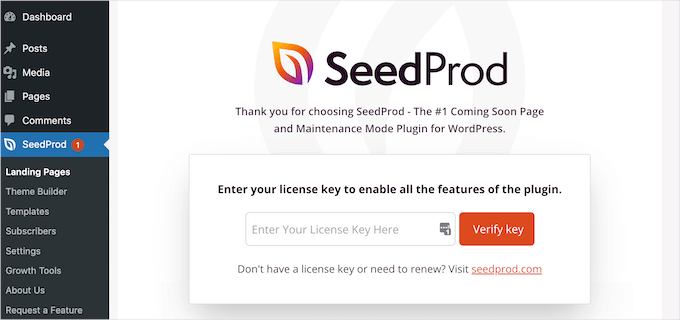
Following activation, you'll typically encounter a welcome screen in your WordPress dashboard. This interface usually includes a section for entering license keys if you're using premium versions. These keys are generally accessible through your account dashboard with the service provider.
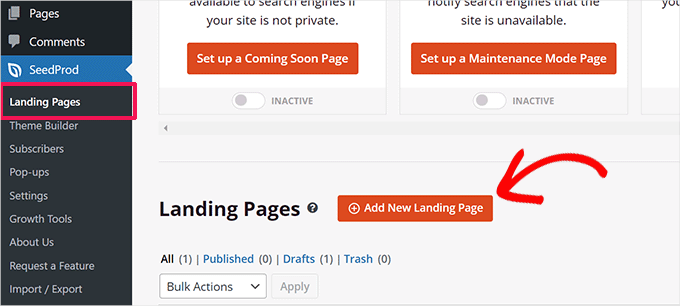
After completing initial setup, navigate to the landing pages section within your WordPress admin panel.
From this interface, select the option to create a new landing page.
Next, the builder will present various template options for selection.
You can filter templates specifically for lead capture pages to view squeeze page designs.
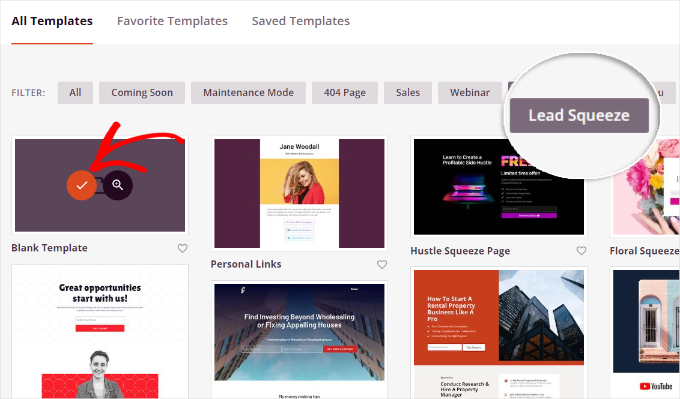
To select a template, hover over your preferred design and click the selection indicator.
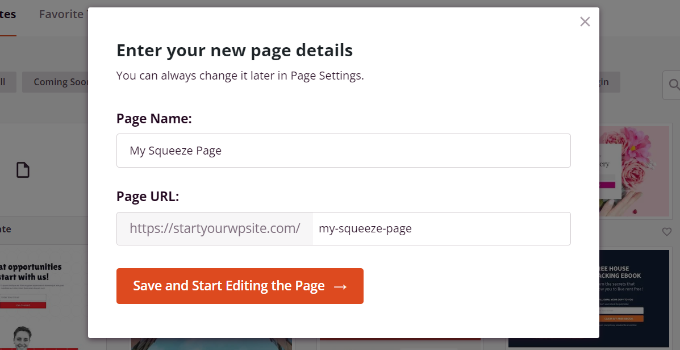
A configuration window will then appear where you can assign a name and URL for your squeeze page. After completing these details, proceed to the editing interface.
You'll then access the drag-and-drop page builder interface.
Customizing Your Squeeze Page
Within the page builder, you can modify various elements of your selected template. The interface typically provides numerous content blocks for incorporation.
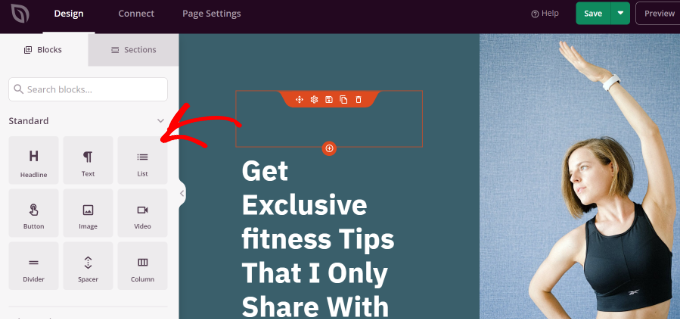
You can incorporate standard elements like headlines, text content, lists, and buttons, or select advanced components including social sharing features, countdown timers, video popups, and testimonials.
Most builders allow detailed customization of each element. For example, selecting a headline block enables text editing along with font, color, and styling adjustments.

Some page builders incorporate artificial intelligence capabilities for generating images and text content automatically. Note that these advanced features often require premium addons.
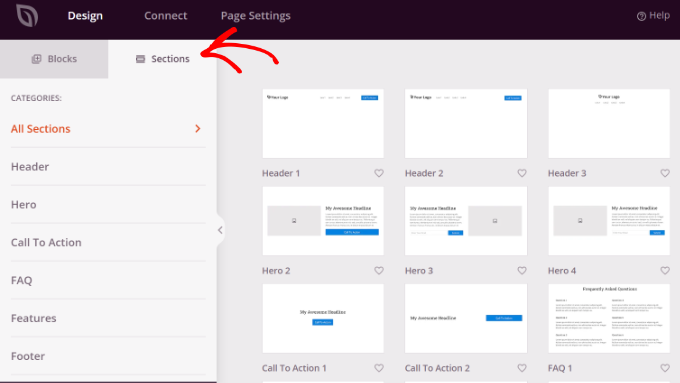
When switching to section management tabs, you'll typically find complete page sections available for addition. These may include custom headers, footers, call-to-action sections, and other structural components.
Integrating Email Marketing Services
After customizing your squeeze page design, you'll need to connect it with an email marketing platform.
Navigate to the integration section, where you'll typically find support for various popular services including ActiveCampaign, AWeber, Drip, Mailchimp, Constant Contact, and similar platforms.


