
Implementing Video Schema Markup in WordPress: Two Practical Approaches
By WordPress Experts |
Video content serves as a compelling medium for brand storytelling within WordPress environments. Each video presents an opportunity to educate, engage, or establish meaningful connections with your audience.
The primary objective is ensuring this content becomes discoverable. This occurs when search engines can properly interpret and recognize the value your videos provide.
Video schema markup facilitates this process. Consider it a method for delivering comprehensive video information directly to search engines like Google.
Implementing this markup on your website is more straightforward than many anticipate. Numerous WordPress professionals have refined these techniques to be both efficient and accessible for users at various skill levels.
Let's explore two effective methods for incorporating video schema markup into your WordPress site. Your video content deserves broader visibility.
The Importance of Video Schema Markup
Consider this scenario: you've invested significant time creating an exceptional video. After publishing, you anticipate substantial viewership and engagement.
However, days pass with minimal visibility in search results. Your content remains buried, inaccessible to your target audience despite your considerable effort.
Video schema markup addresses this challenge directly.
Video schema markup consists of structured code added to webpages that helps search engines better comprehend and display video content within search results.
This markup provides additional metadata about your videos, including titles, thumbnails, descriptions, publication dates, durations, and other relevant details.
Google utilizes this information to generate rich snippets, which appear similar to this example.
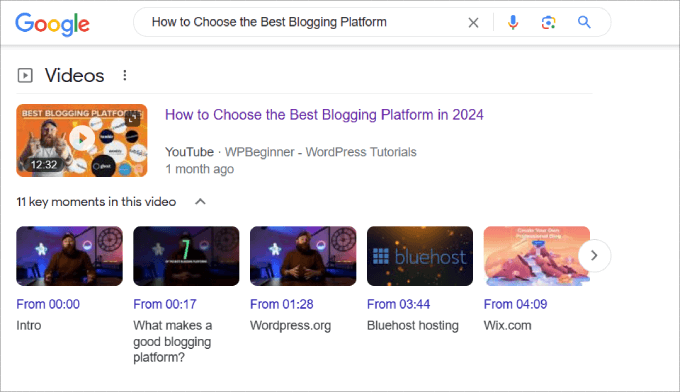
These enhanced displays help your content stand out and can potentially improve organic click-through rates.
Without proper video schema markup, your content won't qualify for rich snippet presentation, representing a significant missed opportunity. Videos frequently appear prominently in search results within dedicated video sections, offering prime positioning.
When your content ranks in Google's video search results, it becomes eligible for additional features like video previews and key moment highlights, allowing users to preview your content before clicking.
Beyond dedicated video sections, Google also displays video thumbnails alongside regular search results.

You'll notice distinct differences between results with rich snippets and those without. Users demonstrate significantly higher click-through rates when video thumbnails accompany search listings.
Additionally, video schema markup enables search engines to better understand your content, potentially improving your page rankings. This can also accelerate indexing of new WordPress content when combined with other optimization practices.
Once you've embedded videos within your WordPress posts or pages, you're prepared to implement schema markup.
We'll demonstrate two approaches for adding video schema markup to your content. Use the navigation links below to jump directly to your preferred section.
- Method 1: Using a Comprehensive SEO Plugin (Simplified Approach)
- Method 2: Manual Implementation
- Video Schema Markup Best Practices
- Evaluating Video Schema Impact on SEO
- Additional Consideration: Local SEO Schema Implementation
- Common Questions About Video Schema Markup
Let's begin the implementation process.
Method 1: Using a Comprehensive SEO Plugin (Simplified Approach)
The most straightforward method for implementing video schema markup involves utilizing a comprehensive SEO plugin for WordPress. Many experienced developers recommend this approach as it includes schema generation capabilities that simplify the process without requiring coding expertise.
Typically, implementing schema markup requires writing JSON-LD code and ensuring proper integration within your webpage's HTML structure. This process also requires validation to confirm correct implementation.
Step 1: Install and Activate Your SEO Plugin
Begin by installing and activating your preferred SEO plugin. Most plugins include setup wizards that guide you through initial configuration. Consult your plugin's documentation for specific installation instructions.
Step 2: Configure Video Sitemap Settings
Before implementing schema markup, ensure your website has an active video sitemap. Video sitemaps provide search engines with structured information about your video content, potentially improving ranking opportunities.
A video sitemap functions as an XML file that informs search engine crawlers about all video content on your site. This proactive approach can accelerate content discovery compared to waiting for organic crawling.
To create a video sitemap, navigate to your SEO plugin's sitemap settings section. Locate and activate the video sitemap feature.
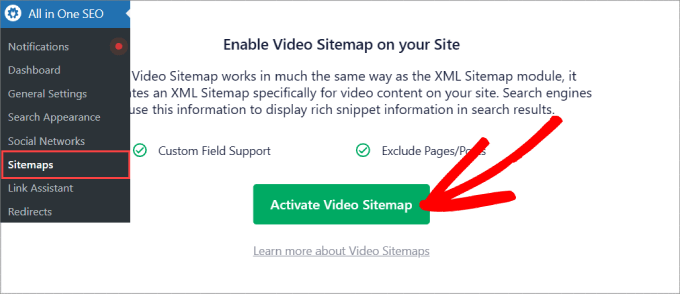
Within the video sitemap configuration area, verify that the sitemap functionality is enabled. If disabled, activate this feature.
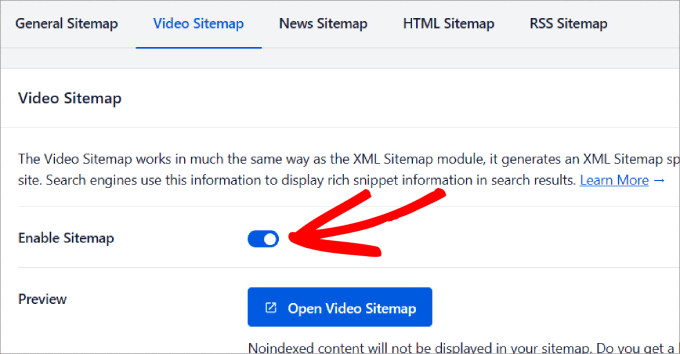
You can typically preview your sitemap by selecting the appropriate option. This displays all video content with associated metadata.
Scroll through configuration options to specify which post types and taxonomies should appear in your sitemap.
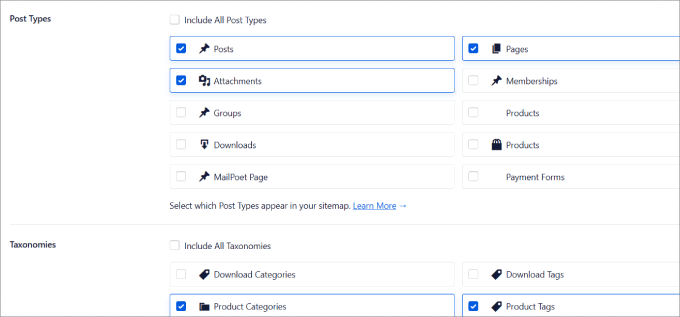
Deselect any post types, categories, or tags you prefer to exclude from the sitemap. Remember to save all configuration changes.
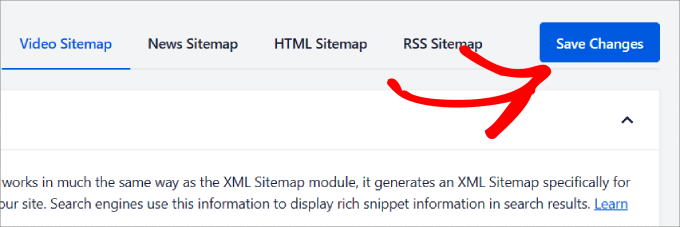
Step 3: Implement Video Schema Markup
With your video sitemap properly configured, navigate to any post or page containing video content where you wish to add schema markup.
Scroll to the SEO settings section, typically located below the content editor. Access the schema configuration area and select the option to generate new schema markup.
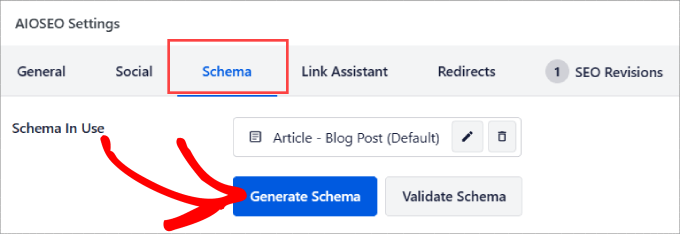
A dialog window will display available schema templates. Select the video schema option by clicking the appropriate button.


