Step-by-Step Guide to Building a Professional Car Rental Website Using WordPress
Operating a car rental business without a dedicated website is similar to navigating with limited visibility—it creates unnecessary obstacles. This became evident while assisting a colleague in establishing an online presence for their rental operation.
Whether launching a new venture or modernizing an existing business, developing a professional website need not be complex or costly. WordPress enables the creation of a fully functional car rental platform that manages everything from vehicle presentation to booking processing.
This comprehensive guide outlines the precise steps to construct your car rental website using WordPress. The research and testing have been completed, allowing you to bypass common challenges and focus directly on business growth.
Why Choose WordPress for Your Car Rental Website?
Are you managing numerous phone inquiries and email correspondence from customers seeking information about vehicle rentals?
A WordPress website can transform your business operations by providing a centralized platform where customers access all necessary information independently.
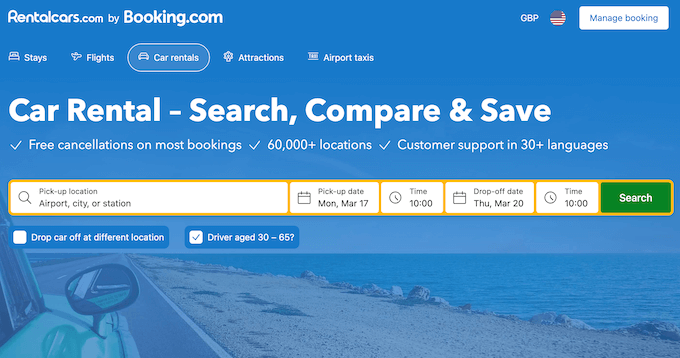
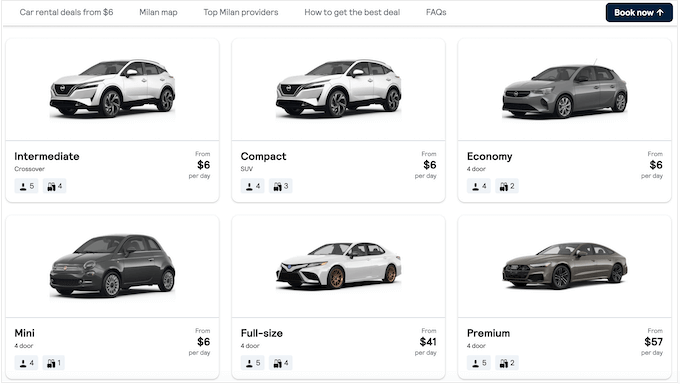
An effective website handles substantial operational tasks: customers can explore your vehicle inventory, compare rental packages, review testimonials, and reserve vehicles directly through your platform. This approach conserves administrative time while enhancing customer satisfaction.
Furthermore, a car rental website expands your visibility to new audiences. Consider that potential customers consistently search online for phrases like 'local car rentals,' 'economical SUVs,' or 'weekend vehicle specials.' Without an online presence, these searchers cannot discover your services.
A car rental website functions as a continuous digital advertisement, displaying your fleet and pricing to prospective customers actively seeking your offerings.
This guide covers extensive ground, so utilize the following quick navigation links to access specific sections of interest:
- Select Your Website Building Platform
- Configure Website Hosting
- Install WordPress on Your Hosting Account
- Choose a WordPress Vehicle Theme
- Develop a Custom Home Page
- Create Additional Website Pages
- Implement a Contact Form
- Add Direct Calling Functionality
- Enable Online Reservation Processing
- Alternative: Implement Basic Booking Forms
- Design Attractive Vehicle Presentations
- Provide Clear Location Guidance
- Highlight Rental Package Options
- Display Customer Testimonials
- Establish Website Navigation
- Integrate Social Media Content
- Publish Relevant Content
- Apply Urgency Marketing Techniques
- Additional Growth Strategies
Several steps are marked as optional, though implementing them can significantly enhance your website's sales conversion and revenue generation capabilities.
Step 1: Select Your Website Building Platform
Before constructing a car rental website, you require a robust platform capable of handling substantial traffic while delivering seamless customer experiences. WordPress consistently meets these requirements according to many experienced developers.
While numerous website builders exist, WordPress distinguishes itself for business owners seeking intuitive, dependable, and cost-effective solutions.
In the competitive car rental sector, financial efficiency matters significantly. WordPress offers open-source software without licensing fees, allowing resource allocation toward marketing initiatives, fleet maintenance, or vehicle acquisition.
The platform's extensive plugin ecosystem, featuring thousands of available extensions, provides specialized functionality for rental operations.
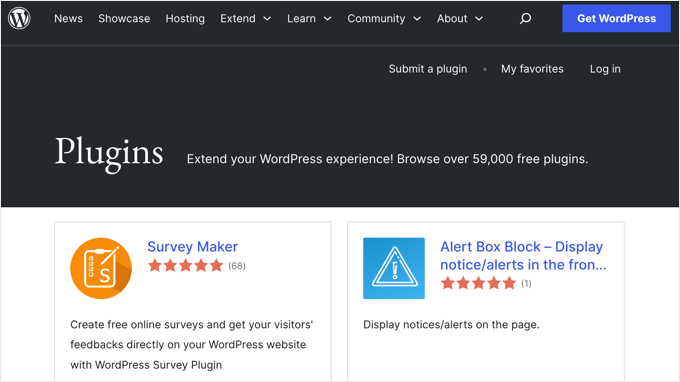
Plugins function as specialized add-ons providing specific capabilities. For rental websites, relevant plugins manage booking systems, showcase customer feedback, and present attractive vehicle imagery.
With appropriate plugins, you can streamline business operations and increase reservation volumes.
Industry data indicates WordPress powers a substantial portion of all websites, demonstrating its reliability and scalability for growing online businesses.
Understanding WordPress variations is essential: WordPress.com represents a hosted blogging platform, while WordPress.org (self-hosted WordPress) provides complete control and plugin compatibility. For car rental websites, self-hosted WordPress is generally recommended for unrestricted plugin utilization.
Step 2: Configure Website Hosting
Establishing a professional car rental website requires several foundational elements. First, you need a domain name serving as your digital address where customers access vehicle information, pricing, and booking services.
Web hosting represents where your website resides online. Selecting reliable hosting ensures continuous website availability, as downtime directly impacts booking opportunities.
Many WordPress experts recommend evaluating hosting providers based on performance, reliability, and support services.
Domain registration typically involves annual fees, while hosting requires monthly or annual payments. These costs accumulate over time, making initial selection important.
Once you've selected a hosting provider, navigate to their registration page and locate the initiation button.
This directs you to pricing options where you can select appropriate hosting plans.
For car rental websites, intermediate or business-tier plans generally provide necessary resources and features.

Select your preferred plan by clicking the corresponding selection button.
Next, establish your website's domain name. Enter your preferred domain into the designated field and activate the domain search function.

Your domain represents your digital address, so select something memorable, pronounceable, and brand-appropriate. Your car rental business name typically


