
Two Effective Methods for Selling Cleaning Services Through Your WordPress Website
Many WordPress professionals have observed significant growth for cleaning businesses that transition to online operations. When a local cleaning company first implemented a WordPress-based booking system, they experienced a remarkable increase in appointments within a short timeframe.
Within two months, the business moved from managing phone calls and paper schedules to handling all bookings digitally, resulting in a substantial revenue increase.
Numerous cleaning service providers have successfully established online booking systems using WordPress. Through this experience, experts have identified the most effective features and tools for cleaning businesses, from appointment scheduling to payment processing.
This guide demonstrates how to sell cleaning services online using WordPress. After testing various plugins and tools, we'll share the setup that has proven most successful for businesses looking to automate bookings and expand their operations.
Benefits of Selling Cleaning Services Through WordPress
Establishing an online presence for your cleaning business using WordPress represents an effective approach to automate booking processes and receive immediate payments. This method provides complete control over your business operations while helping attract additional clients.
While business directories can be helpful, they typically don't offer full control over your listing. With your own website, you can develop a professional brand that you completely own.
A WordPress site enables you to capture leads and build email lists, which isn't typically possible on third-party platforms. Additionally, you can attract visitors from multiple sources, including search engines, social media platforms, and advertising campaigns.
WordPress allows you to create a professional website that effectively showcases your cleaning services. You can customize the design, layout, and content to reflect your brand identity and appeal to potential customers.
Creating a Cleaning Services Website with WordPress
Before you can begin selling cleaning services online, you'll need to establish a website using a website building platform. WordPress.org represents a popular choice, powering a significant percentage of websites worldwide.
This platform is free, scalable, user-friendly, and integrates with numerous plugins that facilitate service sales.
After selecting your website builder, you'll need to obtain hosting services and a domain name. Hosting stores all your website data, while a domain name serves as your site's address on the internet.
Many experienced developers recommend selecting a hosting provider that specializes in WordPress, as these typically offer optimized performance and security features.
Once you've chosen a hosting provider and registered your domain, you can proceed with website setup. Numerous tutorials exist that explain how to create small business websites, which can provide helpful guidance.
After establishing your website foundation, you'll need to create a services section. Now let's examine two different approaches to selling cleaning services online with WordPress.
The first method works well if you require detailed order forms where customers can select multiple services and include special instructions. The second approach offers a simpler solution, ideal for accepting payments for fixed-price cleaning packages.
You can use the following links to navigate to your preferred method:
- Method 1: Selling Cleaning Services Using WPForms
- Method 2: Selling Cleaning Services Using WP Simple Pay
- Additional Tools to Enhance Your Cleaning Services Website
Method 1: Selling Cleaning Services Using WPForms
WPForms represents a widely-used contact form plugin that also enables you to create cleaning appointment forms, reservation forms, and calculator forms to generate new leads.
This tool includes an AI-powered form builder that allows users to describe the type of form they need. The system then automatically generates a cleaning services form tailored to those specifications.
Many WordPress professionals utilize this tool across various projects and report positive experiences with its functionality.
When you create a service order form with WPForms, you can automatically send form entries to Google Calendar without manual intervention. This approach saves considerable time and simplifies cleaning appointment management.
However, note that this method doesn't check Google Calendar for existing appointments. It also won't prevent clients from booking time slots that are already occupied. You'll need to manually verify your calendar and confirm each appointment with customers.
Step 1: Install and Activate the WPForms Plugin
Begin by installing and activating the WPForms plugin. Detailed installation instructions are available in various WordPress plugin tutorials.
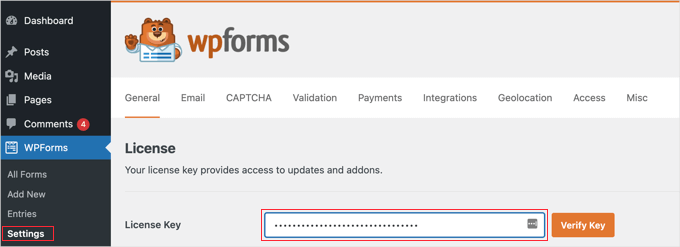
Step 2: Enter Your WPForms License Key
After activation, navigate to the Settings section in your WordPress dashboard to enter your license key. You can obtain this information from your account on the WPForms website.
Step 3: Connect WPForms to a Payment Gateway
Before creating your cleaning appointment booking form, connect WPForms to a payment gateway. Stripe represents a commonly recommended option since it facilitates credit card payment acceptance.
This service offers numerous features, including one-click checkout functionality that allows existing Stripe users to avoid manually entering credit card details.
To establish this connection, access the WPForms settings page. Under the Payments tab, select the option to connect with Stripe.
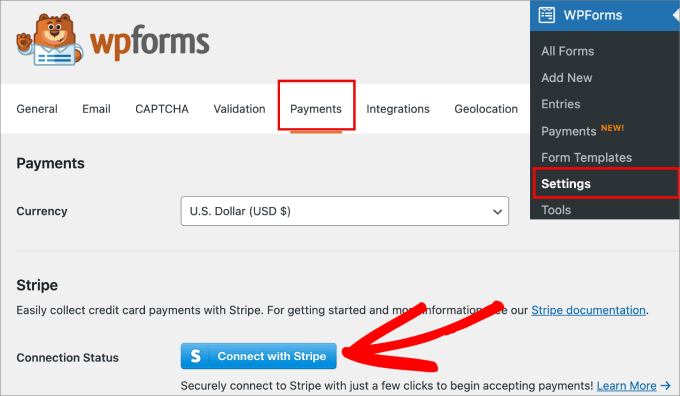
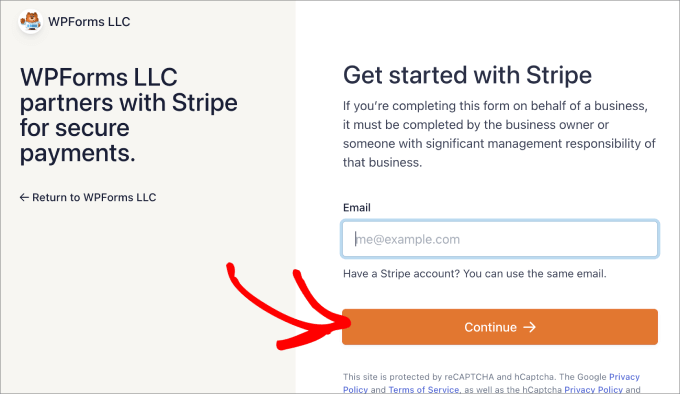
This action initiates the Stripe connection process. Enter your existing Stripe email address or create an account if you don't already have one.
Follow the steps to complete the connection between WPForms and Stripe.
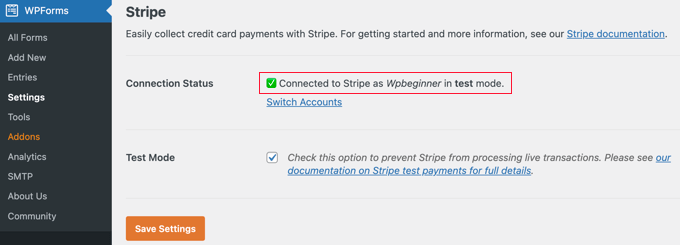
You'll then return to the Payments tab, where you should see confirmation that Stripe is connected to WPForms. Your website is now ready to accept payments.
Step 4: Create Your Cleaning Services Form
Begin by navigating to the WPForms section in your WordPress admin dashboard and creating a new form. Provide your form with a descriptive name for future reference.
You can then select the AI generation option in the WPForms library to create a cleaning services form using artificial intelligence.
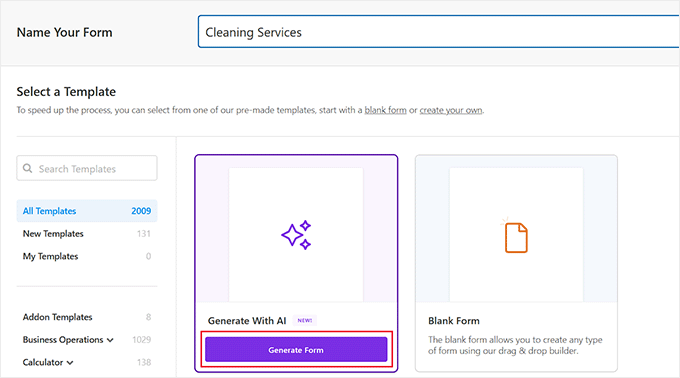
This action opens the form builder interface. In the sidebar on the left, you can enter details about your cleaning services form.
Here you can specify the type of form that best suits your website requirements.
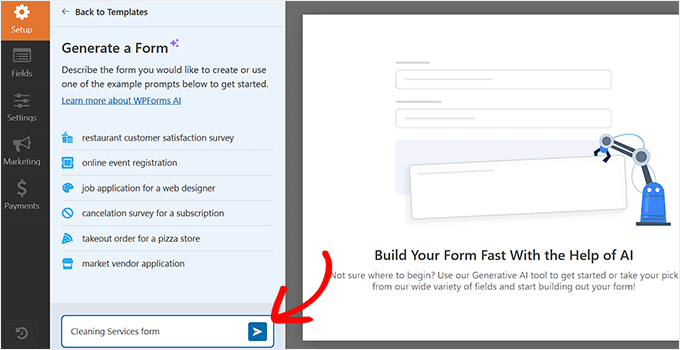
The WPForms AI builder will generate a form according to your description. Once the process completes, you'll see a preview on the right side of the screen.
You can then enter additional prompts to further customize the form using AI. If you're satisfied with the results, select the option to use this form in the sidebar.
The newly created form will open in the form builder, where you can make additional edits according to your preferences.



