3 Methods for Deploying WordPress on Google Cloud Platform
When exploring WordPress hosting options on Google Cloud, many site owners discover the platform's potential for enhanced performance and scalability. The prospect of leveraging infrastructure that supports major Google services is compelling, yet it often raises practical questions about implementation.
After examining various approaches, three primary methods emerge for hosting WordPress on Google Cloud. You can utilize a managed hosting provider that operates on Google Cloud infrastructure, deploy WordPress through the Google Cloud Marketplace with automated setup, or configure everything manually on a virtual machine instance.
Google Cloud delivers impressive speed and reliability, but the do-it-yourself approach presents challenges for those without technical expertise. Managing virtual machines, configuring servers, and handling DNS settings can become complex quickly.
The encouraging aspect is that simpler alternatives exist. This guide details all three approaches, helping you select the method that aligns with your technical comfort level and objectives.
By the conclusion, you'll understand how to deploy WordPress on Google Cloud and which pathway experienced developers typically recommend based on practical implementation.
Benefits of Hosting WordPress on Google Cloud
Google Cloud Platform represents Google's comprehensive suite of cloud computing services, offering on-demand infrastructure, storage, and computational resources. Since its 2008 launch, it has powered numerous Google services and external applications.
The platform is recognized for its velocity, stability, and robust infrastructure capabilities, designed to manage substantial traffic volumes without performance degradation.
This leads many website administrators to consider whether hosting their WordPress sites on Google Cloud would deliver comparable performance benefits.
Theoretically, this is achievable. However, there's a significant distinction between accessing Google Cloud services and effectively optimizing them for WordPress. It resembles possessing high-performance equipment without the operational expertise to maximize its potential.
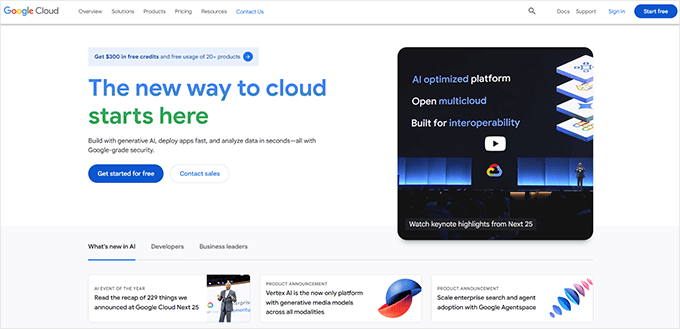
This represents the primary challenge for many users. While the platform itself is powerful, it's engineered for technical professionals rather than typical WordPress users focused on content creation and audience development.
If you're evaluating whether Google Cloud represents the optimal choice for your WordPress site, you're considering a common question among website owners.
The following section demonstrates the most straightforward approach to leverage its capabilities without manual configuration requirements.
Subsequent sections will guide you through two hands-on methods if you prefer self-managed approaches.
You can utilize the navigation links below to proceed directly to specific sections:
- Method 1: Managed Hosting on Google Cloud Infrastructure
- Method 2: Google Cloud Marketplace WordPress Deployment
- Method 3: Manual WordPress Deployment on Google Cloud VM
- Google Cloud Hosting Cost Analysis
- Recommended Approach: Managed Hosting Solutions
- Common Questions About Google Cloud WordPress Hosting
- Additional WordPress Hosting Resources
Method 1: Managed Hosting on Google Cloud Infrastructure
For those seeking Google Cloud's performance advantages without technical configuration complexities, managed hosting providers operating on Google Cloud infrastructure represent the recommended solution.
Many WordPress experts have transitioned to such providers and observed consistent improvements in page loading speeds and stability during traffic fluctuations.
One industry professional noted after extensive testing across multiple projects that managed hosting platforms effectively handle real-world demands while simplifying the deployment process.
These providers operate entirely on Google Cloud infrastructure, delivering comparable performance without requiring users to manage the underlying systems.
You avoid concerns about server setup, software installation, or update management. Performance optimization, security measures, and maintenance tasks are handled automatically. You simply access your account, install WordPress, and begin developing your website.
These platforms typically feature intuitive interfaces suitable for beginners while providing robust functionality including automated caching, content delivery network integration, daily backups, security implementations, and staging environment creation.
Advantages of Managed Hosting Solutions
- Built upon Google Cloud's reliable and high-performance infrastructure
- No technical configuration required – ideal for beginners
- Comprehensive customer support with WordPress expertise
- Includes caching, backups, security, and CDN functionality
- Predictable monthly pricing without unexpected charges
Considerations for Managed Hosting
- Less suitable for users requiring complete server-level control or operating system modifications
- Advanced developers might prefer custom cloud configurations for specialized applications
Pricing Structure: Unlike Google Cloud Platform's consumption-based billing, managed hosting providers typically offer fixed pricing starting from competitive monthly rates.
If your priority involves building your site with reliable performance, security, and minimal maintenance concerns, this represents the most straightforward implementation approach.
Method 2: Google Cloud Marketplace WordPress Deployment
Google Cloud Marketplace provides pre-configured WordPress solutions that automate much of the deployment process. This approach balances customization with convenience.
The Marketplace features various WordPress configurations, including standard installations and optimized stacks with caching and security enhancements. These solutions deploy WordPress alongside necessary components like web servers, databases, and PHP configurations.
This method significantly reduces setup time compared to manual installation while maintaining more control than fully managed hosting. You still manage the virtual machine instance and underlying infrastructure, but the WordPress environment is pre-configured.
Implementation Process Overview
Begin by accessing the Google Cloud Console and navigating to the Marketplace section. Search for WordPress solutions and select an appropriate configuration based on your requirements.
The deployment wizard will guide you through instance configuration, including region selection, machine type specification, and storage allocation. You'll establish administrative credentials and configure basic settings before launching the instance.
Once deployment completes, you can access your WordPress installation through the provided IP address or configured domain. The environment typically includes basic optimization and security configurations.
Benefits of Marketplace Deployment
- Faster deployment than manual installation
- Pre-configured WordPress environment with essential components
- More control than fully managed hosting
- Regular updates for the deployed solution
Limitations to Consider
- Still requires basic cloud infrastructure management
- Responsibility for updates, security patches, and maintenance
- Less beginner-friendly than fully managed solutions
Method 3: Manual WordPress Deployment on Google Cloud VM
Manual deployment provides complete control over your WordPress environment but requires technical expertise. This approach involves creating a virtual machine instance and configuring all necessary components.
You begin by creating a Compute Engine instance with appropriate specifications for your anticipated traffic and resource requirements. Select an operating system (typically Linux), configure storage, and establish network settings.
After instance creation, you connect via SSH to install and configure the LAMP or LEMP stack (Linux, Apache/Nginx, MySQL/MariaDB, PHP). This includes web server configuration, database setup, PHP optimization, and security implementations.
Once the environment is prepared, you download and configure WordPress, set up database connections, and implement necessary permissions. Additional steps include SSL certificate installation, firewall configuration, and performance optimization.
Comparison of Deployment Approaches
| Feature | Manual VM Setup | Marketplace Deployment |
|---|---|---|
| Ease of Use | Requires Linux experience and command line proficiency | Simplified with guided setup procedures |
| Installation Speed | Slower – requires manual configuration of all components | Faster – WordPress and supporting stack are automatically installed |
| Customization | Complete control over software and server configurations | Limited to the pre-configured environment parameters |
| Educational Value | Provides in-depth understanding of system architecture | Suitable for initial deployment without deep technical exploration |
| Maintenance Responsibility | Full responsibility for all updates and management | Primary responsibility remains with user, though tools are pre-installed |
| Ideal Use Case | Developers, technical users, or specialized testing environments | Users seeking more control than managed hosting without complete manual configuration |
Google Cloud Hosting Cost Analysis
Understanding Google Cloud pricing is essential for budget planning. The platform utilizes consumption-based billing, where costs depend on resource usage rather than fixed plans.
Primary cost components include Compute Engine instances (vCPU and memory), persistent storage, network egress, and optional services like load balancing or managed databases. Costs vary based on instance specifications, running time, and data transfer volumes.
Many users appreciate the Google Cloud Free Tier, which provides limited resources at no cost for new accounts. This allows experimentation before committing to paid services.
For predictable budgeting, managed hosting providers offer fixed pricing that includes Google Cloud infrastructure costs within their plans. This simplifies financial planning for users preferring consistent monthly expenses.
Recommended Approach: Managed Hosting Solutions
Based on practical implementation experience, managed hosting providers operating on Google Cloud infrastructure represent the optimal balance for most WordPress users.
This approach delivers Google Cloud's performance advantages while eliminating technical complexities. Users benefit from expert support, automated maintenance, and integrated features that would require separate configuration in self-managed environments.
The simplified management interface allows focus on content creation and site development rather than server administration. Regular backups, security monitoring, and performance optimization occur automatically.
While manual deployment offers maximum control, it requires ongoing time investment for maintenance and troubleshooting. For users whose primary objective involves operating a WordPress site rather than managing infrastructure, managed solutions provide superior efficiency.
Common Questions About Google Cloud WordPress Hosting
What technical skills are necessary for manual Google Cloud deployment?
Manual deployment requires familiarity with Linux command line operations, web server configuration (Apache or Nginx), database management (MySQL/MariaDB), PHP configuration, and basic networking concepts. Security implementation and performance optimization knowledge is also beneficial.
How does performance compare between deployment methods?
All methods can achieve excellent performance when properly configured. Managed hosting typically provides optimized configurations by default. Marketplace deployments include reasonable optimizations, while manual deployment allows fine-tuning for specific requirements.
What migration considerations exist for existing WordPress sites?
Migration involves content transfer, database migration, URL configuration, and DNS updates. Managed hosting providers often include migration assistance. Manual approaches require careful planning to minimize downtime and preserve SEO rankings.
Additional WordPress Hosting Resources
For those exploring WordPress hosting options further, numerous educational materials address performance optimization, security implementation, and scalability planning. Many technical communities provide forums for discussing implementation challenges and solutions.
When evaluating hosting solutions, consider factors including support responsiveness, feature compatibility with your WordPress plugins, scalability options, and backup procedures. Testing different approaches with staging environments before full implementation can prevent production issues.


