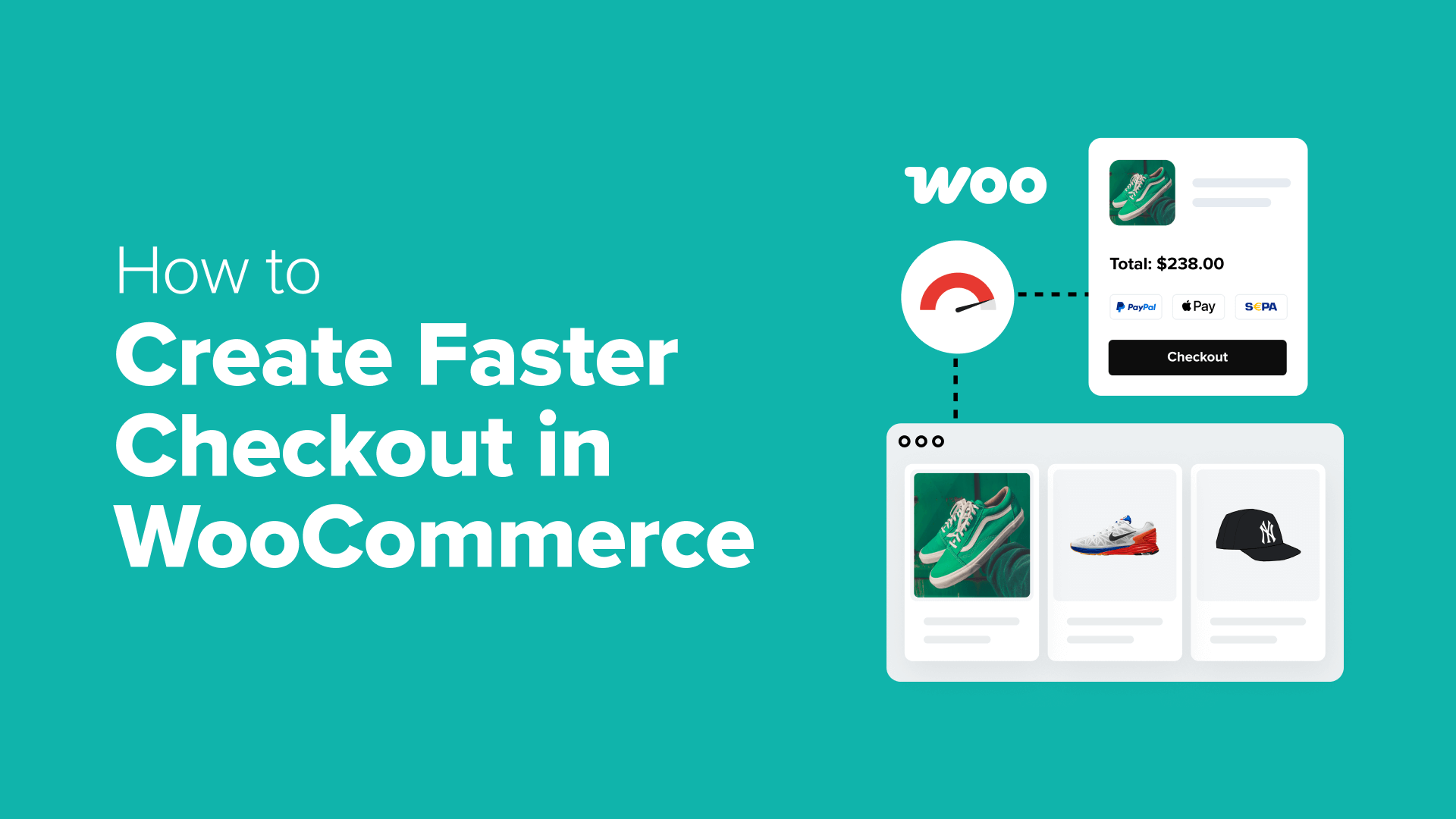
9 Proven Strategies to Accelerate Your WooCommerce Checkout Process
A sluggish or complex checkout experience can significantly impact your WooCommerce store's revenue. Many online retailers have observed customers adding items to their carts, proceeding to checkout, and then abandoning their purchases entirely.
Even minor delays or complications during the final purchasing stage can result in lost sales opportunities. Fortunately, implementing effective solutions requires minimal effort and can yield substantial improvements.
Numerous e-commerce professionals have successfully implemented straightforward modifications that resulted in quicker checkout procedures, increased order completion rates, enhanced conversion metrics, and improved customer satisfaction.
This comprehensive guide presents practical methods to optimize your WooCommerce checkout speed. These validated approaches require no coding expertise and can dramatically improve your store's operational efficiency.
The Business Impact of Optimized Checkout Speed
Customers universally dislike slow checkout procedures. Similar to the frustration of waiting in lengthy physical store lines, cumbersome online checkout experiences can drive potential buyers away from your digital storefront.
For WooCommerce store operators, accelerating checkout processes represents one of the most effective methods to decrease cart abandonment and increase overall sales performance.
Key benefits include:
- Enhanced customer satisfaction: Modern online shoppers expect rapid transaction processes. Streamlined checkout procedures prevent customer frustration and reduce the likelihood of them seeking alternative retailers.
- Reduced abandonment rates: Each additional click or form field presents an opportunity for shoppers to exit the purchasing process. By minimizing steps through techniques like guest checkout or single-page checkout, you eliminate potential purchase barriers.
- Improved mobile shopping experience: Lengthy checkout procedures on mobile devices create usability challenges. A streamlined, mobile-optimized checkout enables smartphone users to complete purchases without unnecessary complications.
- Increased trust and credibility: Slow or problematic checkout experiences can raise security concerns among customers. Conversely, fast and reliable transactions build confidence in your store's professionalism and security measures.
Regardless of your product offerings—physical goods, digital downloads, or services—optimizing your checkout process can significantly improve your revenue generation capabilities.
The following sections present validated techniques to enhance your WooCommerce checkout speed and reduce cart abandonment metrics.
Quick navigation to specific strategies:
- Strategy 1: Evaluate Your Current Checkout Configuration
- Strategy 2: Select Performance-Optimized Hosting and Extensions
- Strategy 3: Minimize Form Fields and Checkout Steps
- Strategy 4: Implement Guest Checkout Functionality
- Strategy 5: Incorporate Slide-In Cart Functionality
- Strategy 6: Enable Single-Click Checkout Options
- Strategy 7: Allow Secure Payment Information Storage
- Strategy 8: Ensure Mobile-Responsive Checkout Design
- Strategy 9: Implement Continuous Testing and Optimization
Strategy 1: Evaluate Your Current Checkout Configuration
Before implementing any modifications to your e-commerce platform, it's essential to assess your existing WooCommerce checkout implementation. The objective is to identify any performance bottlenecks or usability issues within your current checkout workflow.
The most effective approach involves personally testing the checkout process as a first-time customer would experience it.
Begin by adding a product to your shopping cart and completing the entire purchase process. Take note of the number of steps required, the clarity of the interface layout, and whether any non-essential form fields are present.
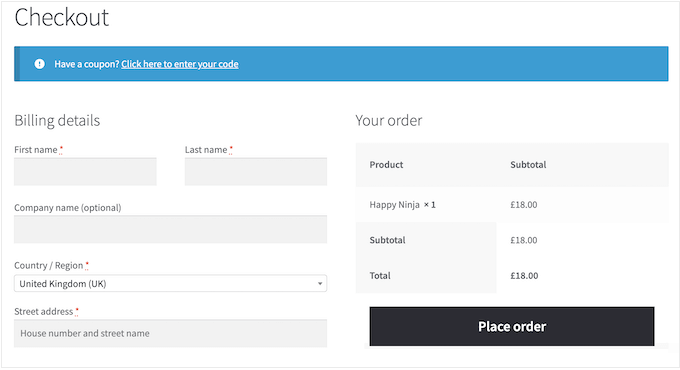
It's also advisable to test the checkout process on both desktop and mobile devices. Given that many customers shop using smartphones, your mobile checkout experience should provide equivalent smoothness to the desktop version.
Consider testing across multiple web browsers or soliciting feedback from others who can provide fresh perspectives. External testers often identify issues that may be overlooked by familiar users.
Document any friction points observed during testing. These may include slow-loading pages, excessive mandatory form fields, confusing interface elements, or inadequate mobile responsiveness.
These identified areas represent opportunities for improvement in subsequent optimization steps to create a faster, more intuitive checkout experience.
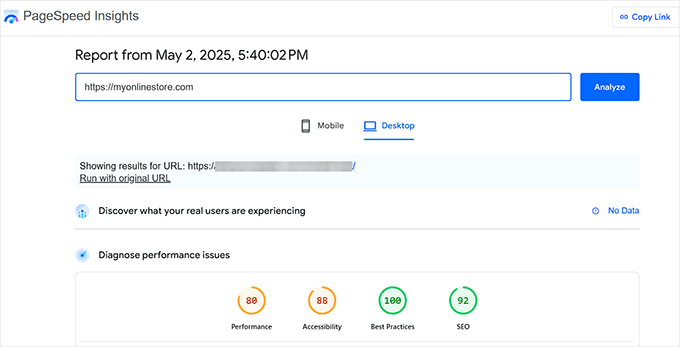
Additionally, evaluate the technical performance of your checkout pages. Free analytical tools can help assess loading times and identify potential performance constraints.
If performance issues are detected, consult comprehensive resources on e-commerce speed optimization techniques.
While manual testing reveals obvious usability issues, analytical data provides precise insights into customer behavior patterns.
Many experienced developers utilize specialized analytics solutions that integrate e-commerce tracking capabilities. These tools transform complex data into accessible reports within administrative interfaces.
Advanced analytics platforms often include funnel analysis features that visualize customer progression from cart addition through checkout completion to final purchase.
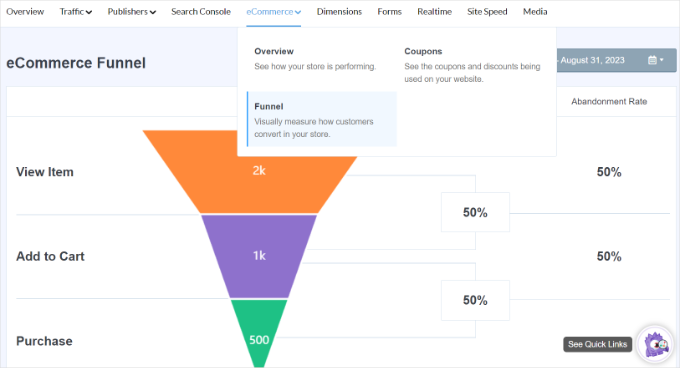
This analytical approach facilitates identification of effective elements and areas requiring enhancement within your checkout workflow.
Strategy 2: Select Performance-Optimized Hosting and Extensions
Before optimizing specific checkout page elements, it's crucial to examine your website's foundational infrastructure. Your hosting environment and installed extensions significantly influence your entire store's loading performance, including checkout pages.
Inadequate hosting solutions can result in slow loading times across all store components, including critical checkout functionality. Therefore, selecting providers offering e-commerce optimized hosting solutions is essential.
Several reputable hosting providers specialize in WooCommerce performance with features including server-level caching mechanisms, optimized database configurations, and reliable uptime guarantees.
The appropriate hosting solution depends on multiple factors including store size, traffic volume, and budgetary considerations. Numerous comparative resources exist to help evaluate different hosting options.
Extension selection also requires careful consideration. Many online stores experience performance degradation due to resource-intensive or poorly optimized extensions, which can particularly impact checkout functionality.
Industry professionals typically recommend lightweight, reliable extensions that address specific requirements without introducing unnecessary performance overhead.
Comprehensive extension suites that consolidate multiple functionalities into single solutions can reduce the need for numerous separate tools, potentially improving overall performance.
Strategy 3: Minimize Form Fields and Checkout Steps
Each additional field in your checkout form represents a potential point of customer frustration and cart abandonment. Simplifying checkout forms can substantially improve conversion rates and accelerate the purchasing process.
As a fundamental principle, retain only fields absolutely necessary for order completion. Consider the following categorization of form elements:
| Essential Fields (Retain) | Non-Essential Fields (Remove) |
|---|---|
| Customer Name | Company Information |
| Email Address | Telephone Number (unless shipping requires) |
| Shipping Address (physical products) | Order Notes Field |
| Payment Information | Email Confirmation Field |
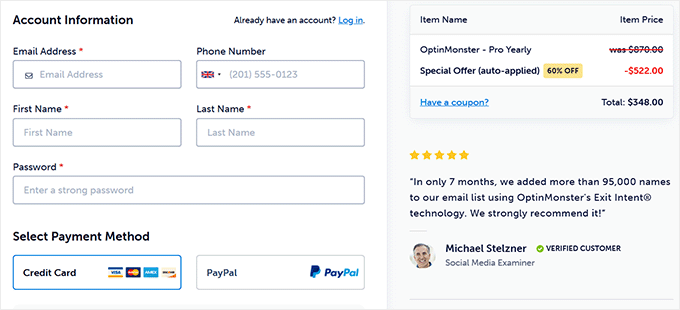
Reducing the number of interface screens also significantly impacts checkout efficiency.