A Complete Guide to Transferring Your Newsletter from Substack to WordPress
Many content creators begin their journey on Substack due to its simplicity, but often discover limitations as their audience grows. The platform's constraints on customization and monetization can hinder long-term success, prompting a search for more flexible solutions.
WordPress offers creators full ownership of their content, audience relationships, and revenue streams. This guide provides a systematic approach to migrating your newsletter while maintaining your existing content and subscriber base.
Key Benefits of Moving to WordPress
WordPress provides superior control over your digital presence compared to Substack. You can customize every aspect of your site's design, implement advanced monetization strategies, and integrate various marketing tools without platform restrictions.
Substack's simplicity comes with significant trade-offs. The platform limits design customization, preventing you from creating unique landing pages or tailoring signup forms to match your brand identity. Additionally, the 10% revenue share on paid subscriptions reduces your earnings potential.
With WordPress, you maintain complete ownership of your subscriber data and can implement diverse revenue models including memberships, digital products, and online courses. The platform's extensive plugin ecosystem allows for sophisticated email marketing automation and analytics.
Migration Process Overview
Transferring your newsletter involves several key phases that ensure a smooth transition. The process focuses on preserving your content while establishing a more robust publishing foundation.
- Establish Your WordPress Foundation: Set up hosting, install WordPress, and configure your new publishing environment.
- Transfer Content and Data: Export your posts and subscriber information from Substack, then import them into your WordPress site.
- Configure Email Delivery: Connect your site to a professional email service provider for reliable newsletter delivery.
- Complete the Transition: Implement redirects, customize your site design, and inform your audience about the migration.
Following these steps will result in a fully functional newsletter platform that you control completely.
Step 1: Prepare Your WordPress Environment
The initial phase involves establishing your new publishing platform. You'll need web hosting and a domain name to create your WordPress site.
Selecting reliable hosting is crucial for newsletter performance and deliverability. Many experienced developers recommend choosing providers with strong WordPress support and email-friendly configurations.
During setup, you'll need to decide whether to use an existing domain or register a new one. If your Substack publication uses a custom domain, you can transfer it later to avoid service interruption.
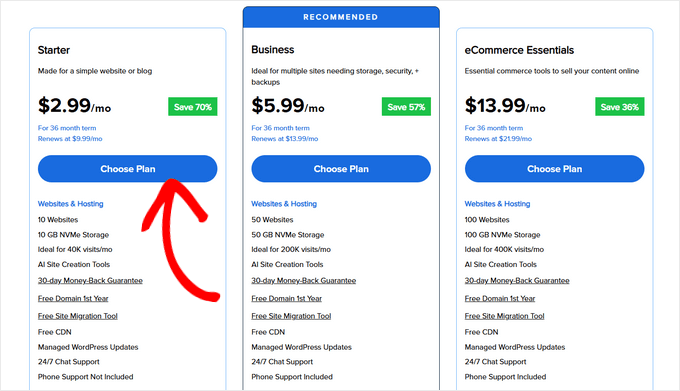
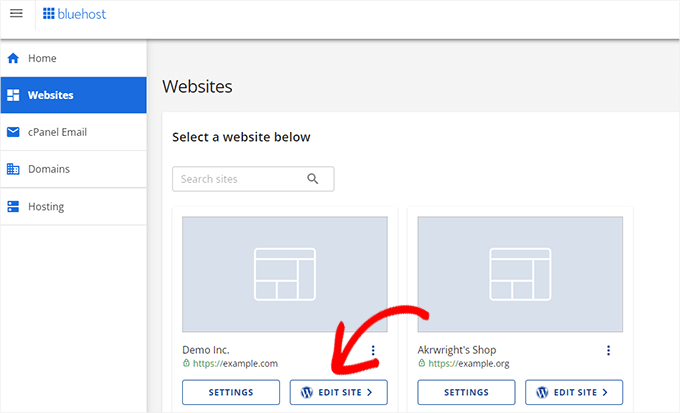
After completing the hosting setup, WordPress will be installed automatically. Access your site's administration dashboard to begin configuration.
Step 2: Install Required Import Tools
To transfer your Substack content, you'll need specific import plugins. The primary tool handles Substack's export format, while a secondary plugin manages the import process.
Activate the Core Import Functionality
Navigate to the Import section within your WordPress dashboard. Locate and install the standard WordPress import tool, which provides the foundation for content migration.
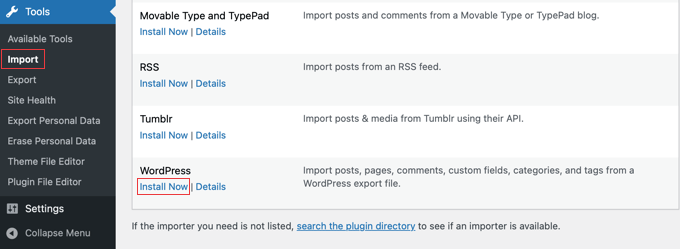
After installation, initialize the import tool by running it once. This preparation ensures compatibility with the Substack-specific plugin you'll install next.
Add Substack Import Capability
Install the dedicated Substack import plugin through your WordPress dashboard. This specialized tool understands Substack's export format and will properly transfer your posts, images, and metadata.
Step 3: Export Your Substack Data
Begin the export process by logging into your Substack account and accessing your publication's settings. Locate the data export section to initiate the download of your content and subscriber information.
Substack will compile your posts, images, and subscriber data into a compressed archive file. The export includes a CSV file containing email addresses and subscription details for your audience.
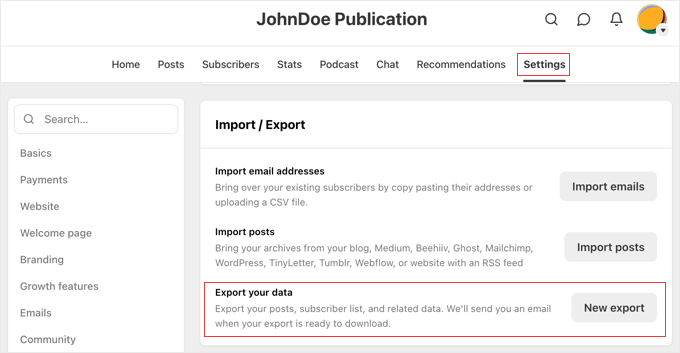
The export process may require several minutes depending on your content volume. Substack will notify you via email when your data package is ready for download.
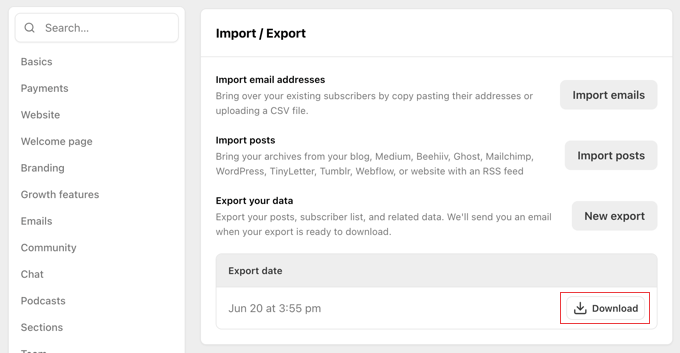
Save the downloaded file securely, as it contains your complete publication history and audience information.
Step 4: Import Content to WordPress
With your export file prepared, return to your WordPress dashboard and access the import tools section. The Substack importer should now appear as an available option.
Select the Substack import tool and upload your exported data file. The plugin will process your posts, images, and metadata, transferring them to your new WordPress site while maintaining their original structure.
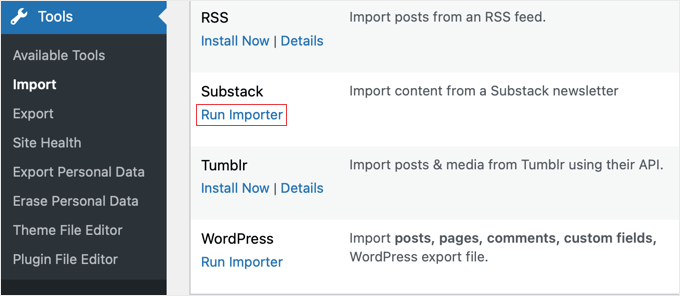
During the import process, you can assign authors to transferred posts and configure how images are handled. The system will preserve your original publication dates and content formatting.
After completion, review your imported posts to ensure all content transferred correctly. Check that images display properly and that post metadata appears as expected.


