A Comprehensive Guide to Finding WordPress Support for Beginners
Experiencing difficulties with WordPress can be daunting, particularly when you're uncertain where to seek assistance. Many newcomers anticipate a direct support line or instant chat feature, but WordPress does not provide an official contact number.
This situation often becomes more perplexing when you're already dealing with technical errors.
Numerous experienced developers have assisted countless users in resolving various issues, from plugin malfunctions to completely non-functional websites. They understand the frustration of encountering obstacles without clear guidance.
This beginner-oriented guide aims to provide clarity.
This tutorial will demonstrate precisely where to locate dependable WordPress assistance, ranging from community forums to professional paid services, ensuring you always know where to seek help.
Common Scenarios Requiring WordPress Assistance
Although WordPress is remarkably intuitive and powers over 43% of websites globally, there are instances where users encounter challenges without immediate solutions. These typically occur during updates, theme or plugin conflicts, or when website elements appear unexpectedly altered.
Here's a brief overview:
| Situation | Why You Might Need Help |
|---|---|
| Plugin or theme conflicts | Your website layout becomes distorted, features cease functioning, or unusual behavior follows plugin or theme installation or updates. |
| Modifying theme code | Minor adjustments to theme files result in WordPress errors or unexpected design changes, requiring assistance to restore previous versions. |
| WordPress updates | Updating WordPress causes plugins or themes to malfunction, potentially breaking website sections or displaying incorrectly. |
| Security concerns or hacking | You observe suspicious activity on your site and require help investigating potential malware or implementing security measures. |
Understanding WordPress's Support Structure
WordPress does not provide direct support services because it operates as free, open-source software without subscription fees to maintain a dedicated support team.
Since WordPress.org is developed and maintained by a worldwide community of contributors, no central organization manages live chat, email support, or telephone assistance. Consequently, you won't find official WordPress.org support contact information.
Instead, WordPress depends on community-based assistance. Support forums enable users to ask questions and receive answers from fellow users and knowledgeable volunteers.
It's crucial to distinguish between WordPress.org and WordPress.com.
WordPress.com (the hosted platform) provides email and live chat support with paid plans. However, when tutorials and guides mention "WordPress," they typically refer to the self-hosted WordPress.org platform, which excludes direct support services.
Nevertheless, multiple avenues exist for obtaining WordPress assistance. You can navigate directly to specific sections using the following links:
- Access Free Support Through WordPress Forums and Communities
- Utilize WordPress Documentation, Blogs, and Additional Resources
- Contact WordPress Hosting and Plugin Support Teams
- Engage a WordPress Support Agency
- Frequently Asked Questions About WordPress Support
- Additional Resources for WordPress Maintenance
Let's explore these options in detail.
1. Access Free Support Through WordPress Forums and Communities
One significant advantage of using WordPress is the abundance of free resources available for troubleshooting and obtaining answers to questions.
Begin by visiting the WordPress.org forum, which contains dedicated sections for specific WordPress features, plugins, and themes.
For instance, you can explore discussions about WordPress installation, error resolution, and feature configuration. Remember that posting questions requires registration for a free WordPress.org account.
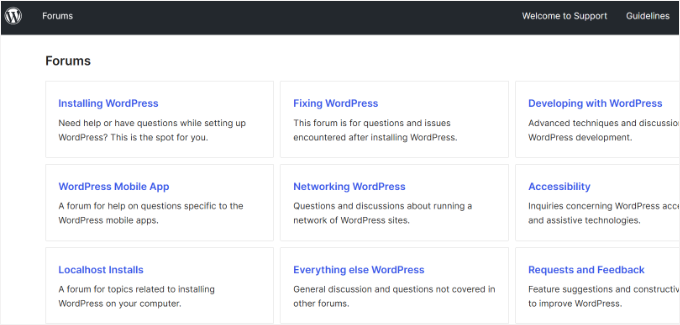
Since volunteers manage these forums, responses may not be immediate. However, the community remains active and generally helpful.
Beyond official forums, other platforms offer assistance and support. For example, you can join various Facebook groups where thousands of members participate.
Simply post your questions in these groups, and WordPress enthusiasts and experts will respond. You can also search existing conversations about similar topics to discover solutions.
2. Utilize WordPress Documentation, Blogs, and Additional Resources
Another method for obtaining WordPress support involves consulting documentation, tutorials, and guides available through blogs and other free resources.
Start by exploring the documentation section on the WordPress.org website, where you'll find tutorials covering WordPress basics and advanced usage.
You'll also discover technical guides and documentation about website maintenance. These resources serve as excellent starting points for basic support and independent WordPress troubleshooting, even without technical expertise.

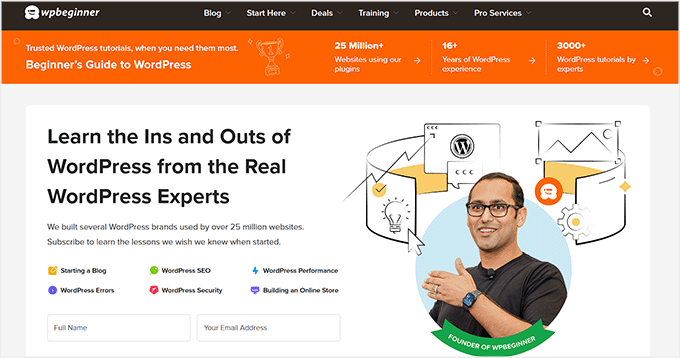
Additionally, numerous WordPress blogs provide valuable support information. Many WordPress experts maintain comprehensive resource sites specifically designed for beginners.
Established over a decade ago, these resources aim to deliver helpful WordPress tutorials for small business owners, bloggers, and non-technical users.
You can follow these tutorials and guides to learn about WordPress and obtain step-by-step support.
Beyond written tutorials, you can watch instructional videos on various platforms to resolve website issues or implement new features. Thousands of educational videos are available for easy learning.
Many experts also maintain portals of free video tutorials covering everything from WordPress installation to troubleshooting and monetization strategies.
3. Contact WordPress Hosting and Plugin Support Teams
While excellent free resources exist, sometimes you may require more personalized assistance. Fortunately, web hosting services, theme developers, and plugin creators often provide both free and paid support options.
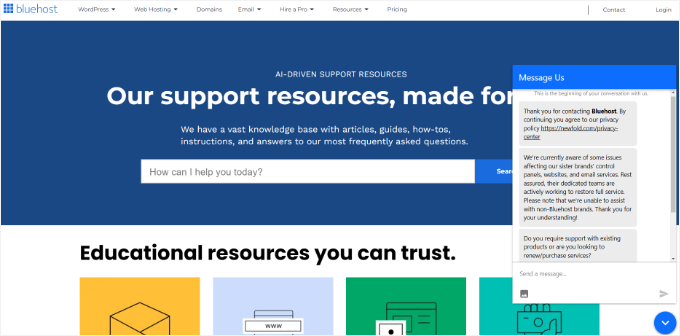
Many WordPress hosting companies include 24/7 live chat or telephone support with their hosting packages. It's advisable to verify what support services your provider offers.
For example, several hosting providers receive official WordPress recommendations, meaning their support teams receive specific training for WordPress-related issues. They typically offer 24/7 live chat and telephone support alongside comprehensive knowledge bases.
Similarly, many theme and plugin developers provide premium support for their products, typically including direct email access, ticket systems, or live chat with their support teams.
Depending on your pricing plan, you'll receive either standard or priority support. Remember that plugin and theme developers generally assist only with issues related to their specific products, not general WordPress errors.
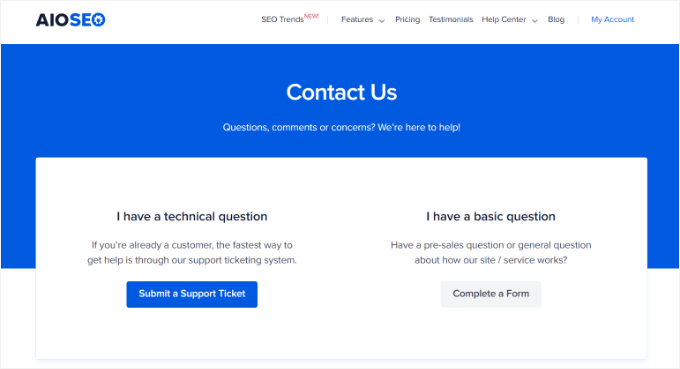
Many popular plugins offer support through ticket systems where users can submit technical issues or questions via forms.
4. Engage a WordPress Support Agency
If previous options haven't resolved your issue, or if you lack time for independent troubleshooting, consider hiring professional assistance.
WordPress maintenance agencies and development services can address specific problems, typically through one-time fees or monthly subscriptions.
For professional WordPress support, many experts recommend specialized agencies that provide support services at reasonable prices for non-technical users, small business owners, agencies, and freelancers.
Whether you need help with hacked site recovery, site speed optimization, or custom design fixes, professional teams can help restore normal operations efficiently.


