A Comprehensive Guide to Launching Your Online Coaching Business with WordPress
By Editorial Team |
Do you possess specialized knowledge that could benefit others? Are you seeking an alternative to traditional employment that allows you to create meaningful change? Establishing an online coaching practice presents a viable path toward generating income through digital channels.
However, initiating a coaching venture can appear daunting initially. Numerous considerations exist, from developing a polished website to managing client relationships and differentiating yourself within a competitive landscape.
Drawing from extensive experience in creating digital learning platforms, we understand the essential components for success. This detailed guide outlines a systematic approach to building your online coaching business using WordPress, the world's leading website platform.
Essential Foundations for Your Online Coaching Venture
Before assisting clients, you must define your coaching focus. The coaching field encompasses numerous specialties, including wellness, fitness, life, and career coaching. Selecting a niche aligned with your professional background and personal expertise is crucial.
Identifying your target audience represents another critical step. Conducting market analysis helps determine which demographic would most value your specific coaching services.
Additionally, you must select an operational model for your business. Some coaches prefer individual sessions, others facilitate group programs, while many implement hybrid approaches combining both methods.

With these foundational decisions addressed, we can explore the technical setup process for your coaching website. The following navigation links provide direct access to each section of this comprehensive tutorial:
- Step 1: Select Web Hosting and Register a Domain
- Step 2: Establish Your WordPress Website
- Step 3: Select a WordPress Coaching Theme
- Step 4: Configure Essential Website Pages
- Step 5: Install and Configure Membership Functionality
- Step 6: Implement Coaching-Specific Features
- Step 7: Develop Your Coaching Program Structure
- Step 8: Choose a Video Communication Platform
- Step 9: Establish Professional Social Media Presence
- Step 10: Market Your Coaching Services Effectively
- Frequently Asked Questions About Online Coaching
Step 1: Select Web Hosting and Register a Domain
Every successful online coaching business requires reliable web hosting and a memorable domain name.
Web hosting services store your website data and make it accessible online, while your domain name serves as the digital address visitors use to find your site.
For coaching businesses, selecting hosting that maintains consistent website availability is essential, particularly during traffic surges.
Many WordPress professionals recommend established hosting providers known for WordPress optimization.
WordPress.org serves as our recommended platform for building coaching websites due to its user-friendly interface and extensive customization capabilities.
For new ventures, entry-level hosting plans typically provide sufficient resources, including adequate storage and content delivery network integration for improved speed.
You can upgrade your hosting plan as your business expands and requires additional resources.

When selecting a domain name, coaches often use their personal name or incorporate coaching-related keywords. For inspiration, consult domain naming guides and business name generation tools.
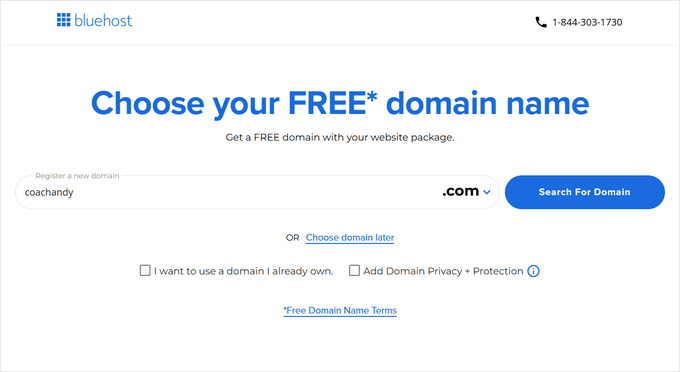
After securing your domain, complete the account registration process with your chosen hosting provider.
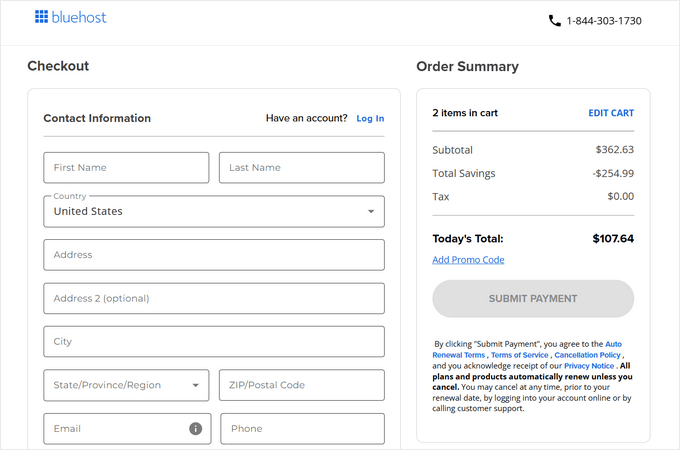
Numerous WordPress hosting options exist, each with different features and pricing structures suitable for various business needs.
Step 2: Establish Your WordPress Website
Many hosting providers include automatic WordPress installation with their plans. If your provider offers this feature, you can proceed to the next step.
If you need to install WordPress manually or add a new site to an existing hosting account, follow standard WordPress installation procedures.
Begin by accessing your hosting control panel through your provider's login portal.
Navigate to the website management section and select the option to create a new site.
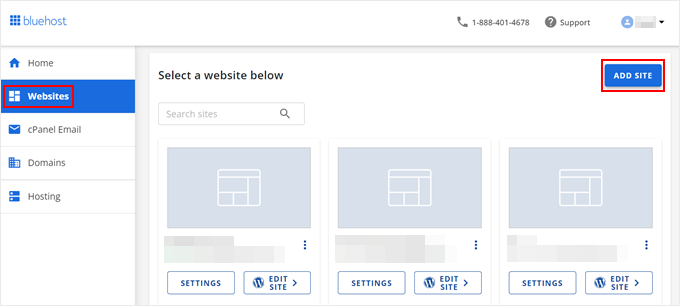
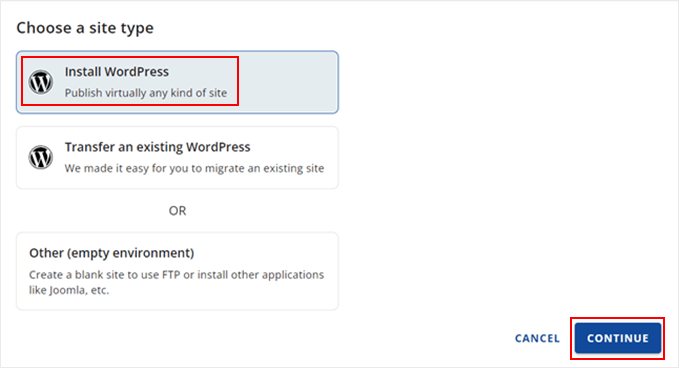
Choose WordPress as your content management system and proceed with the installation.
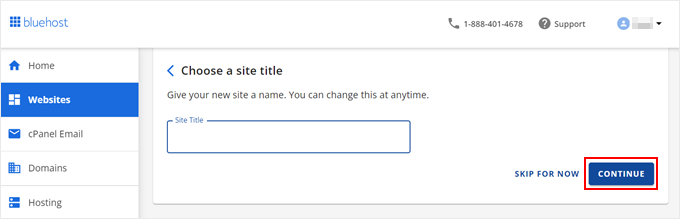
During setup, specify your website title, which typically represents your coaching brand or practice name.
Next, connect your registered domain to the new website installation.
Alternatively, you may utilize a temporary subdomain during development before transitioning to your permanent domain for the official launch.


