
A Practical Guide to Managing User Data Requests in WordPress
By a WordPress Administrator |
When I received my initial request to delete a user's personal information, I experienced a moment of uncertainty. While I understood the importance of honoring privacy rights, I lacked clarity on the proper procedure to remove data from my WordPress installation without causing technical issues.
This situation prompted me to explore WordPress's native capabilities, where I discovered integrated tools specifically designed for data management. Once familiar with their location and operation, these utilities simplify the process of addressing user data requests significantly.
This comprehensive tutorial will demonstrate how to utilize WordPress's Export and Erase Personal Data features. Whether you're ensuring compliance with privacy regulations, establishing transparency with your audience, or preparing for future inquiries, these instructions will provide you with the necessary knowledge.
Understanding Personal Data
Personal data refers to any information that can identify an individual, either directly or through combination with other data.
Within a WordPress environment, this encompasses straightforward details such as full names, user identifiers, and email addresses. These elements are typically gathered when visitors register accounts, complete contact forms, subscribe to newsletters, or participate in comment sections.
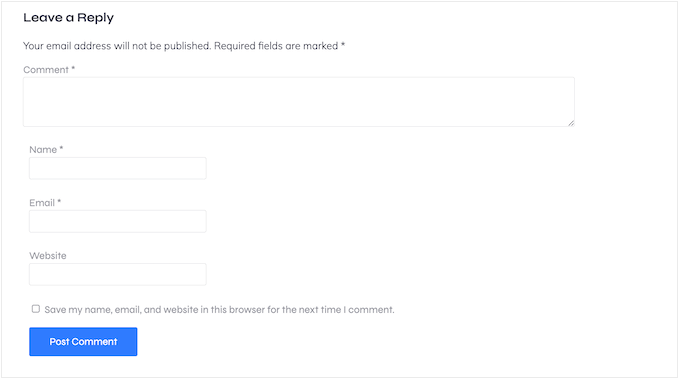
Technical identifiers like IP addresses also qualify as personal data, as they can indicate approximate geographical locations. Many analytics platforms, commenting systems, and security extensions collect this information automatically.
Behavioral data, including page visit patterns, session durations, and form submission preferences, also falls under this classification. Even metadata—such as timestamps for comments or login activities—constitutes personal information according to most contemporary privacy legislation.
Since this collective information can create detailed user profiles, responsible management becomes essential.
The Importance of Data Privacy in WordPress
Regulations like the General Data Protection Regulation (GDPR) in European territories and the California Consumer Privacy Act (CCPA) in the United States grant individuals rights to access and request deletion of their personal information. As a WordPress site operator, adhering to these legal frameworks demonstrates respect for visitor rights.
Consider these critical factors:
- Legal compliance is mandatory. Under regulations such as GDPR, you must provide data access or removal upon valid request. Non-compliance can result in substantial penalties and legal complications.
- Trust building with your audience. When users feel confident about your data handling practices, they become more likely to subscribe, purchase products, or share information willingly.
Sites that appear unclear about privacy practices may discourage visitor engagement or prompt users to seek alternatives.
Ready to implement data export and erasure procedures in WordPress? Use the following navigation links to access specific sections:
- Accepting Data Export and Deletion Requests
- Monitoring Data Access and Erasure Requests
- Exporting Personal Data in WordPress
- Erasing Personal Data in WordPress
- Achieving Full GDPR Compliance
- Additional Recommendation: Create a Personal Information Opt-Out Page
- Frequently Asked Questions About WordPress Data Management
Accepting Data Export and Deletion Requests
When users wish to access or remove their personal data, you need an efficient method to receive these requests.
The most straightforward approach involves implementing a form on your WordPress site that collects necessary identification details, including name, email address, and any supplementary information required for verification.
Many WordPress professionals recommend using form-building plugins for this purpose. These tools often include pre-designed templates such as 'Right to Erasure Request Form' and 'Data Request Form,' eliminating the need to construct forms from initial concepts.
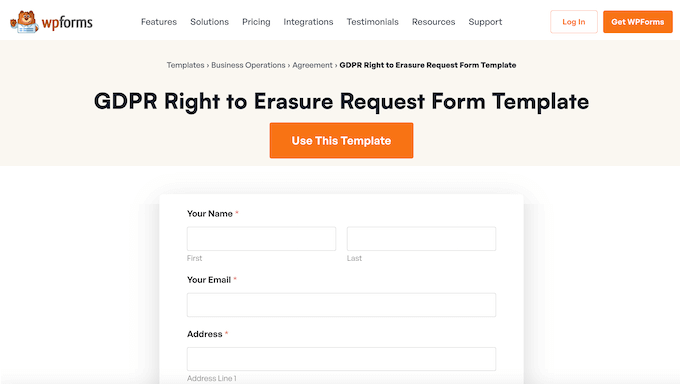
These form builders typically feature drag-and-drop interfaces with template libraries that simplify form creation. You can modify field configurations and publish the form within minutes.
While basic versions of these plugins are available without cost, premium versions frequently include specialized templates like 'Right to Erasure Request Form' and 'Data Request' designs.
Begin by installing and activating your chosen form plugin. If you require installation guidance, consult general WordPress plugin installation documentation.
After activation, navigate to the plugin's settings within your WordPress administration panel.
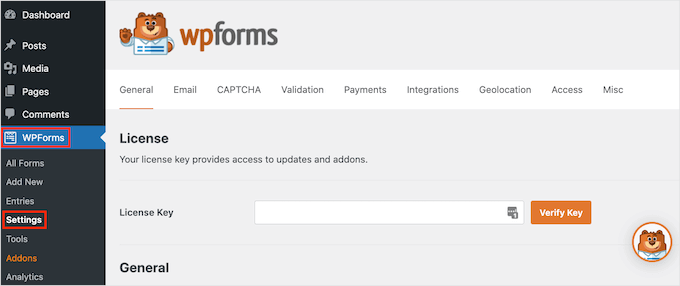
If using a premium plugin version, enter your license key in the designated field. This information is typically available in your plugin provider account.
Next, access the form creation section within the plugin menu.
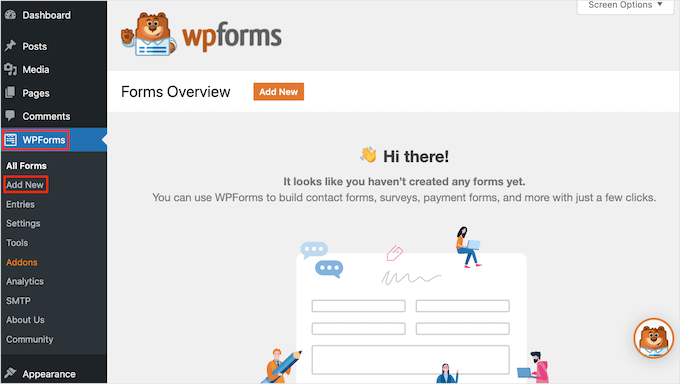
Assign a descriptive name to your form in the appropriate field. This identifier is primarily for administrative reference and remains invisible to site visitors.
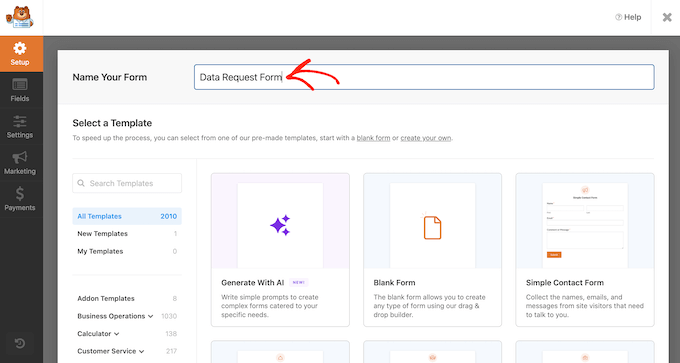
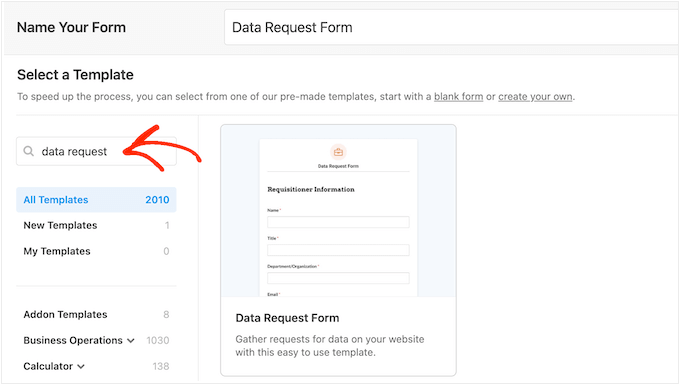
Select your preferred template from the available options. Use the search functionality to locate specific templates like 'Right to Erasure Request Form' or 'Data Request' based on your requirements.
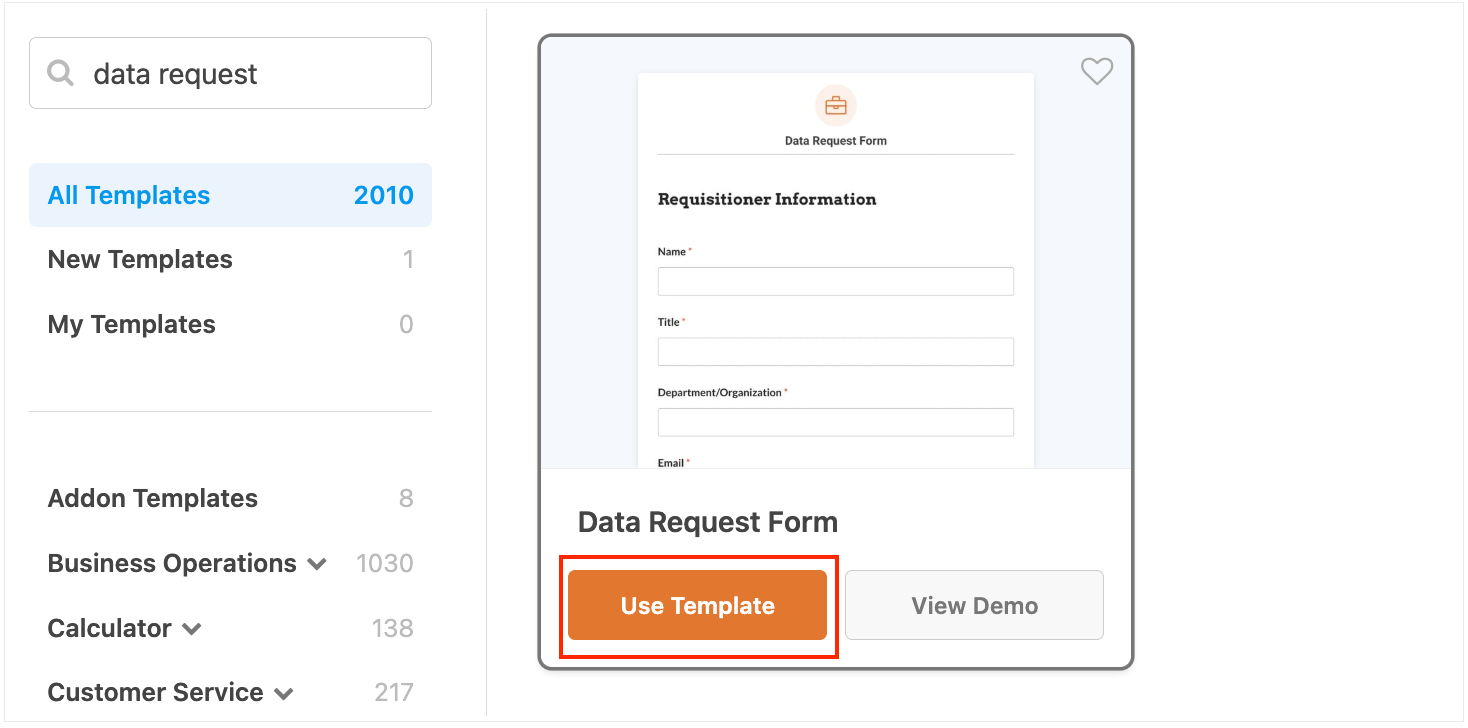
Click the template's activation button to launch the visual form editor interface.
The interface typically displays a live preview alongside editable form components. To modify any template field, select it to access customization options in the settings panel.



