A Step-by-Step Guide to Transferring Your Google Business Profile Website to WordPress
By Editorial Team |
The announcement that Google will discontinue Business Profile websites has prompted numerous business owners to seek guidance on migrating their content to WordPress before the service ceases permanently.
In March 2024, Google plans to deactivate over 21.7 million websites built through Google Business Profiles. This decision continues a pattern of the company phasing out various products and services over time.
If your business will be impacted by this change, now represents an ideal opportunity to transition your website to a more stable platform.
This comprehensive guide will walk you through the complete process of transferring your Google Business Profile website to WordPress.
Below is an outline of what this guide covers. You can navigate directly to specific sections using these links:
- Reasons to Transfer Your Google Business Profile Site to WordPress
- Advantages of Selecting WordPress for Your Website
- Step 1: Back Up Your Google Business Profile Site Content
- Step 2: Select a Web Hosting Provider for Your Site
- Step 3: Install and Configure WordPress
- Step 4: Transfer Content From Your Business Profile Site to WordPress
- Step 5: Optimize Your Business Website for Local Search
- Step 6: Update Your Website URL in Google Business Profile
- Additional Recommendations: Install WordPress Plugins to Enhance Your Site
Reasons to Transfer Your Google Business Profile Site to WordPress
When establishing a Google Business Profile, users previously had the option to create a complementary website. For those without an existing web presence, Google offered a free single-page site that could be generated instantly.
This feature allowed potential customers searching locally to access comprehensive business information, including a dedicated website, operating hours, physical locations, directions, contact numbers, and additional details.
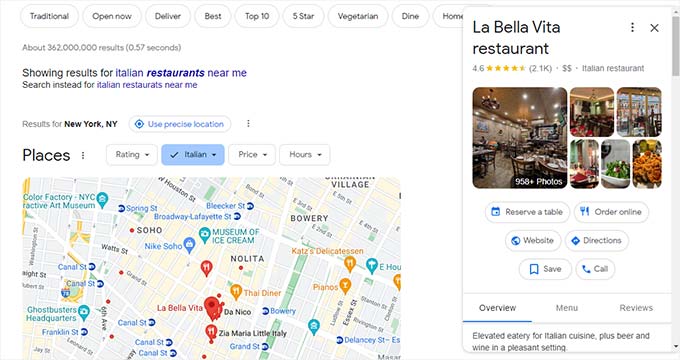
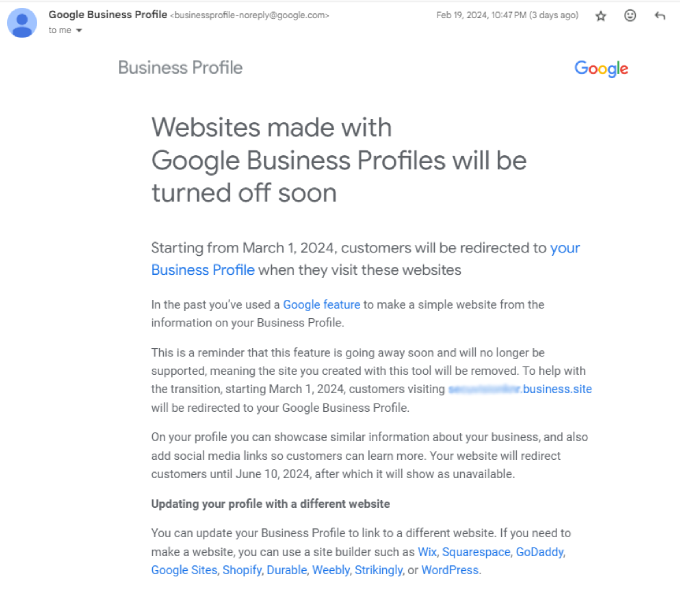
However, Google has announced it will discontinue Business Profile websites in March 2024. Following this shutdown, visitors will be automatically redirected to your Business Profile page instead.
Unfortunately, this redirection will only function until June 10, 2024. After this date, anyone attempting to visit your former site will encounter a 'page not found' error message.
This situation could negatively impact your business by making it appear less professional. Additionally, customers would lose access to detailed information about your company, products, and services.
Consequently, your conversion rates might decline, potentially causing you to lose customers to competitors who maintain active websites.
For these reasons, migrating your Google Business Profile site to WordPress becomes essential for maintaining your online presence.
Advantages of Selecting WordPress for Your Website
WordPress stands as the world's most widely used website platform, powering more than 43% of all websites on the internet.
One significant advantage is that WordPress is both free and open-source software. By transitioning your Google Business Profile site to WordPress, you gain substantially more control and flexibility over your online presence.
For example, you maintain complete ownership of all your content without depending on third-party platforms. To begin, you simply need web hosting services and a domain name.
WordPress offers numerous themes, providing exceptional flexibility to create anything from a simple single-page website to a comprehensive online store. The platform also features thousands of plugins that extend functionality and add new features.
Furthermore, WordPress is inherently search-engine friendly. This means you can easily optimize your site for search engines like Google, helping attract more visitors and improve conversion rates.
For these reasons and more, WordPress represents the optimal alternative to Google Business Profile websites.
Now, let's examine the practical steps for migrating your Business Profile site to WordPress.
Step 1: Back Up Your Google Business Profile Site Content
Before initiating the migration to WordPress, your first task involves backing up all data from your Google Business Profile site.
It's important to note that Google Business Profile doesn't provide an export function, so you'll need to manually download all images, videos, and other media files.
To accomplish this, open your Google Business Profile website and right-click on any image you wish to preserve.
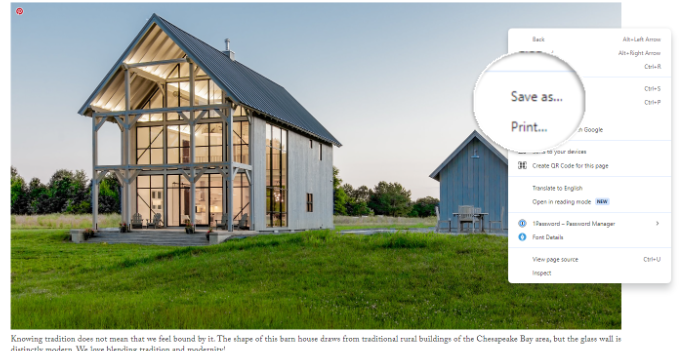
After right-clicking, select the 'Save as' option and store the image in a convenient location on your computer.
Similarly, you can copy text content from your website and paste it into a document for safekeeping.
Begin by highlighting the text on your website, then right-click your mouse. From the context menu, choose the 'Copy' option.
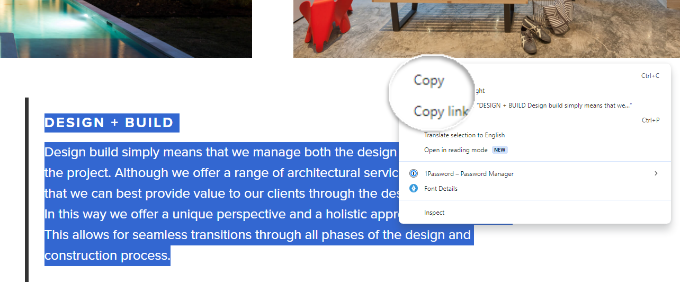
You can also utilize keyboard shortcuts for copying text. Press 'Ctrl + C' on Windows systems or 'Command + C' on Mac computers.
Next, open a text editor like Notepad, Google Docs, or Microsoft Word and paste the copied content. If your text contains hyperlinks, using Google Docs or Microsoft Word is advisable since these applications preserve links during the pasting process.
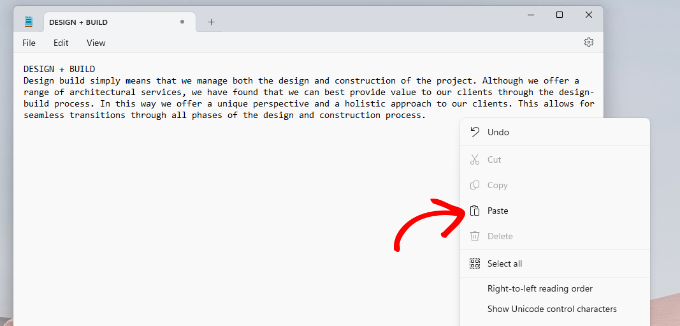
Right-click anywhere within the document and select 'Paste,' or use the keyboard shortcuts 'Ctrl + V' on Windows or 'Command + V' on Mac to insert the text.
Since Business Profile sites typically consist of single pages with limited content, this backup process should proceed quickly and efficiently.
Step 2: Select a Web Hosting Provider for Your Site
Your next requirement involves selecting a web hosting service to operate your WordPress website. Web hosting serves as the storage location for all your website files, functioning similarly to a physical address where your site's content resides.
While WordPress software is freely available, you'll need to subscribe to a hosting service to make your site accessible online.
Typically, web hosting services range from approximately $7.99 monthly when paid annually, while domain names generally start around $16.99 per year depending on the domain extension. Building a WordPress site may involve additional costs if you require custom themes or specialized features.
This represents a notable investment compared to the previously free website creation through Google Business Profile.
Many hosting providers offer competitive pricing for new customers, often including complimentary domain registration and SSL certificates with their packages.
Numerous hosting companies specialize in WordPress hosting and are officially recommended by the WordPress community.
Many experienced developers suggest comparing different hosting plans to find the most suitable option for your business needs.
After selecting a provider, you'll typically need to choose a hosting plan that matches your requirements.
Most hosting companies offer tiered pricing plans. You can usually select between basic or business-oriented plans, both of which typically accommodate small business website needs adequately.
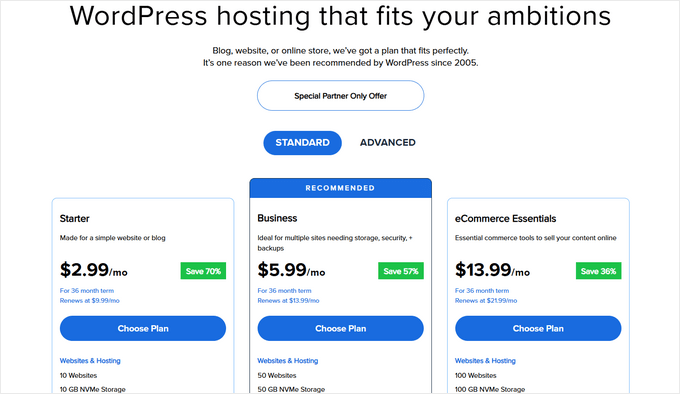
The subsequent screen will typically prompt you to select your domain name and complete the registration process.


