Effective Strategies to Avoid Overselling Unavailable Products in WordPress Stores
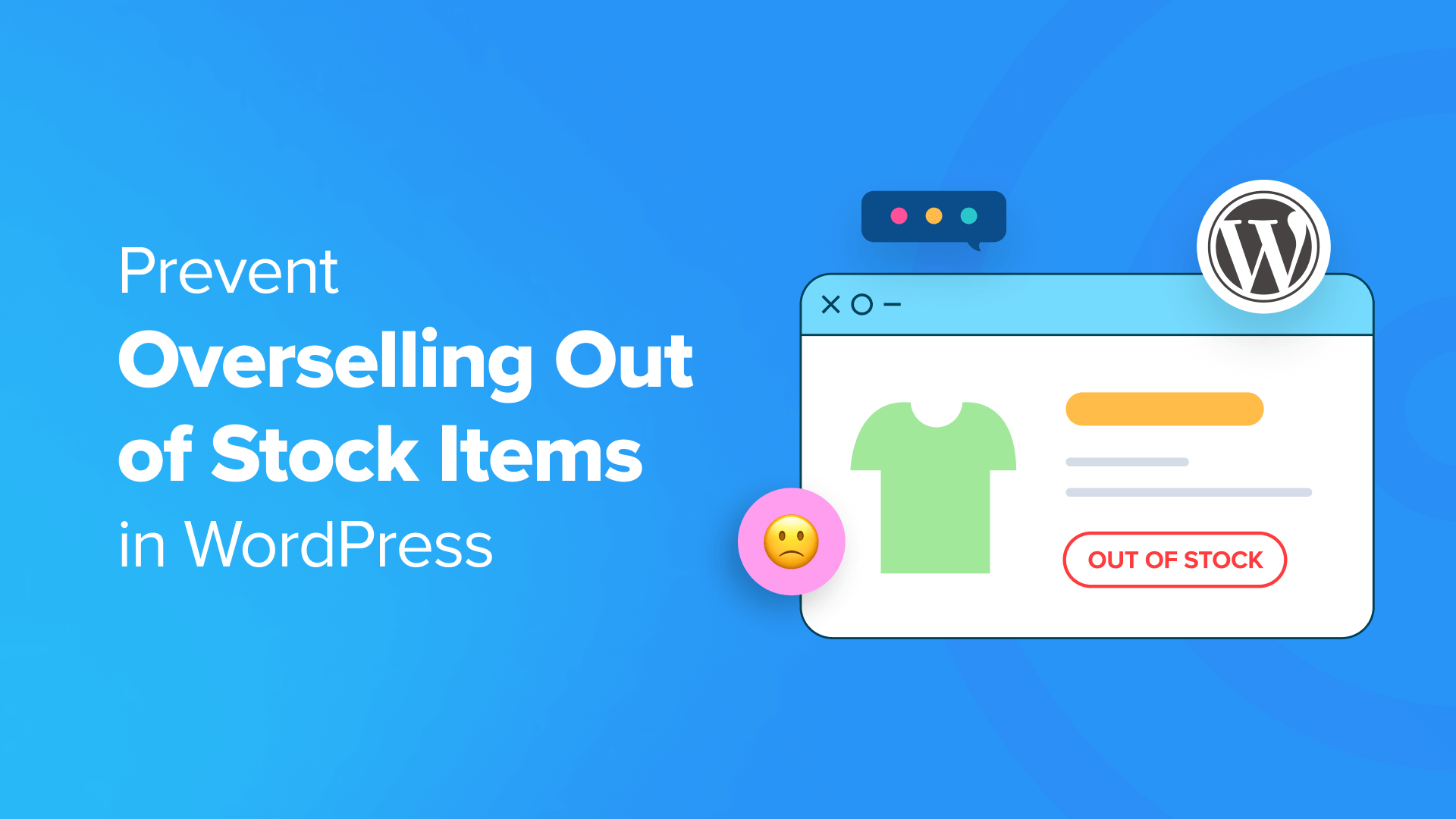
Maintaining accurate inventory control is essential for any online business operating on WordPress. Overselling items that are no longer available can result in customer dissatisfaction, increased refund processing, and harm to your brand's credibility.
Inventory management presents challenges that vary depending on the eCommerce platform you utilize. Fortunately, numerous WordPress solutions exist to address this issue, including WooCommerce, Easy Digital Downloads, and WP Simple Pay.
This guide will demonstrate practical methods to prevent overselling across these three popular eCommerce tools, helping you optimize operations and maintain customer confidence.
The Importance of Preventing Out-of-Stock Purchases
When customers order products that are unavailable, it creates complications for order fulfillment and damages the shopping experience. For instance, if someone purchases a clothing item that isn't in stock, you may need to manually adjust orders, locate alternatives, or communicate with the customer about substitutions.
Such situations can negatively impact your reputation and potentially lead to unfavorable reviews on your website. By implementing proper inventory controls, you ensure customers only see available products, which enhances sales efficiency, reduces complaints, and strengthens your store's reliability.
Below are methods to prevent overselling using different WordPress eCommerce solutions:
- Preventing Overselling in WooCommerce
- Preventing Overselling in Easy Digital Downloads
- Preventing Overselling in WP Simple Pay
- Additional Inventory Management Recommendations
- Common Questions Answered
Preventing Overselling in WooCommerce
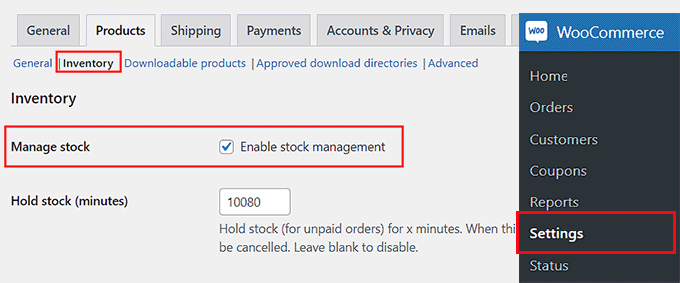
WooCommerce store owners can activate inventory management by navigating to WooCommerce » Settings from the WordPress admin panel and selecting the 'Products' tab.
Click the 'Inventory' link to access relevant settings. Enable the 'Enable stock management' option to begin configuring your inventory controls.
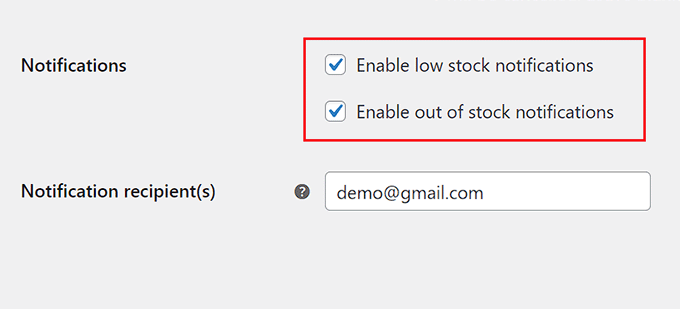
Scroll to the 'Notifications' section and enable both 'Enable low stock notifications' and 'Enable out of stock notifications.' This ensures you receive email alerts when inventory levels become critical.
Specify the email address for notifications in the 'Notification recipient(s)' field. Multiple addresses can be added by separating them with commas.
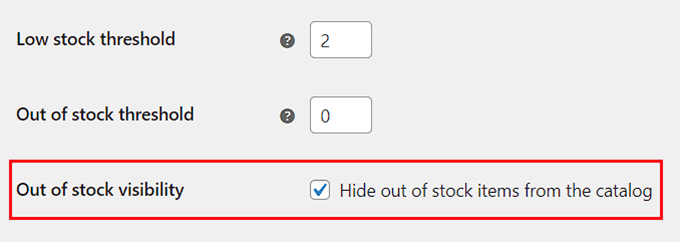
Set your preferred low stock threshold. For example, if you sell handmade crafts and set this value to 3, you'll receive alerts when only three units remain.
The 'Out of stock threshold' typically remains at zero, automatically marking products as unavailable when stock depletes. Consider enabling 'Hide out of stock items from the catalog' to prevent unavailable products from appearing in store listings.
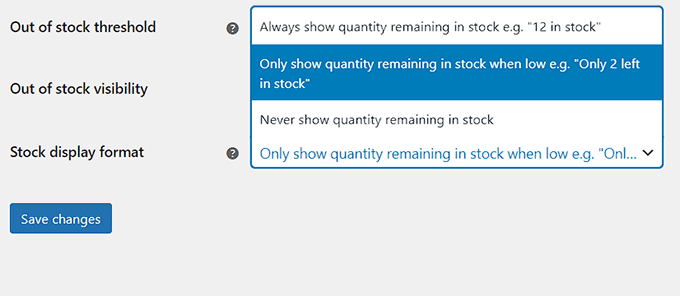
Configure the 'Stock display format' according to your preference. Options include showing remaining quantities, displaying only when stock is low to create urgency, or never showing stock levels.
Save your changes before proceeding to individual product configuration.
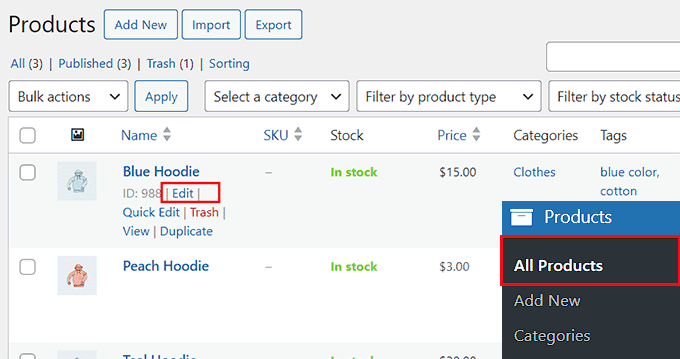
Navigate to Products » All Products and edit any product to configure its specific inventory settings.
Within the product editor, locate the 'Product Data' section and switch to the 'Inventory' tab. Enable the 'Stock Management' option to access individual product controls.
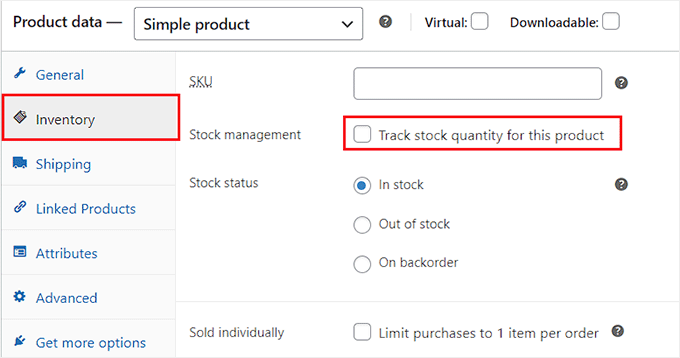
Enter the current stock quantity for the product. For example, if you have 15 units of a specific item, input that number in the 'Quantity' field.
Set the 'Allow backorders?' option to 'Do not allow' to prevent customers from ordering unavailable items. This eliminates pre-orders for out-of-stock products and reduces potential customer dissatisfaction.
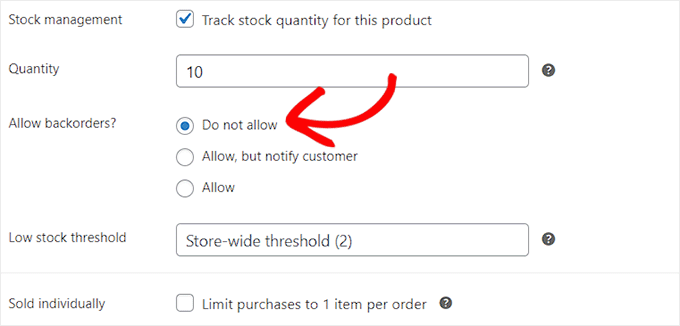
You may set a specific low stock threshold for this product, or rely on the storewide setting configured earlier. Click 'Update' to save your changes. Your WooCommerce store is now configured to prevent overselling unavailable products.