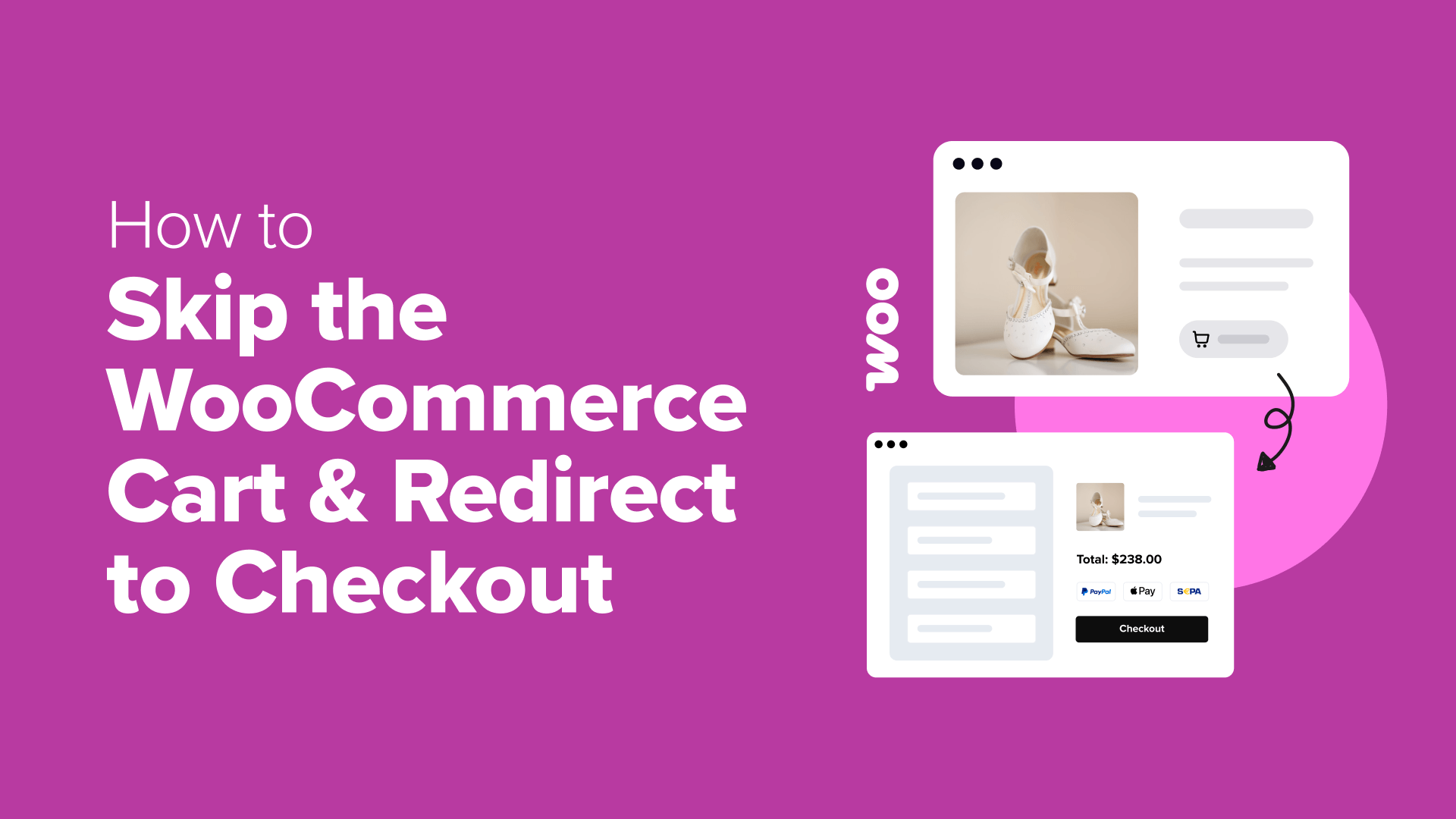
Streamline Your WooCommerce Checkout: Bypass the Cart Page for Faster Purchases
When assisting online store owners with optimizing their sales processes, a frequent request involves simplifying the purchase journey. Each additional step between selecting a product and completing payment can contribute to cart abandonment and reduced revenue.
Implementing a direct checkout process that bypasses the cart page entirely represents one of the most effective strategies for improving conversion rates. Research indicates that optimizing the checkout experience can increase successful transactions by over 30%.
This guide provides clear instructions for configuring your WooCommerce store to skip the cart page. We'll also discuss best practices to ensure this change enhances rather than disrupts the customer experience.
Evaluating Whether Cart Page Bypass Suits Your Store
This approach works particularly well for stores selling single items or services. Directing customers immediately to the payment page can significantly reduce friction in these scenarios.
For stores with extensive product catalogs where customers frequently purchase multiple items simultaneously, maintaining the traditional cart functionality may be preferable. In these cases, implementing a one-click checkout option alongside standard cart functionality provides customers with flexibility.
Another effective alternative involves implementing a mini-cart that displays cart contents without requiring page navigation. This maintains convenience while keeping customers engaged with their browsing experience.
If you've determined that removing the cart page aligns with your business needs, the following methods provide implementation options:
- Option 1: Utilize FunnelKit with CartHopper Extension (Enhanced Customization)
- Option 2: Implement Direct Checkout Plugin (Simplified Approach)
- Recommended Practices for Cart Page Bypass
- Common Questions About Direct Checkout Implementation
Option 1: Utilize FunnelKit with CartHopper Extension (Enhanced Customization)
This method suits store owners seeking comprehensive control over their checkout process and serious about minimizing abandoned transactions. The solution enables creation of fully customized direct checkout experiences.
Step 1: Install Required Components
Three WooCommerce extensions are necessary for this implementation:
- FunnelKit Funnel Builder Pro
- FunnelKit Funnel Builder (free version)
- FunnelKit CartHopper extension (free)
The first two components work together to create optimized checkout pages. The professional version includes advanced customization capabilities, sales funnel optimization tools, and upselling features.
The complimentary CartHopper extension specifically handles cart page bypass functionality.
Begin by installing and activating all three extensions through your WordPress administration panel.
Navigate to FunnelKit settings within your administrative interface.
Select the 'License' section and enter your authorization key, which can be located within your account on the extension provider's website.
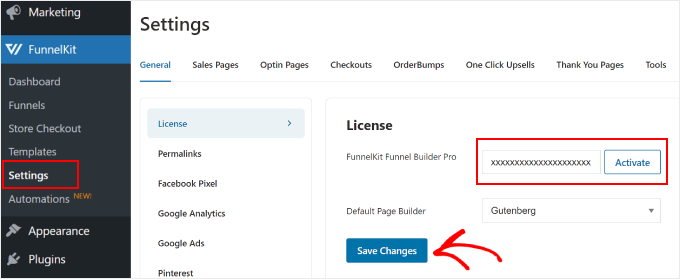
After entering credentials, select 'Activate' followed by 'Save Changes.' Your system is now prepared for checkout customization.
Step 2: Configure Cart Page Bypass
To implement cart page skipping, navigate to FunnelKit CartHopper settings. This section contains all configurations for modifying cart behavior and establishing direct checkout redirection.
Enable the 'SkipCart for all Products' setting. This configuration will bypass the cart page entirely, directing customers to the checkout page immediately upon selecting purchase options.
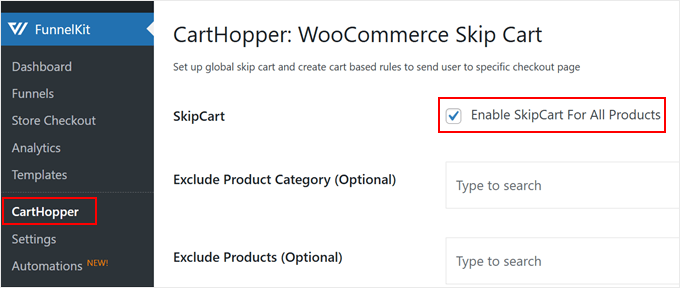
This basic configuration establishes direct checkout functionality. Additional optimization options are available for refining the customer journey.
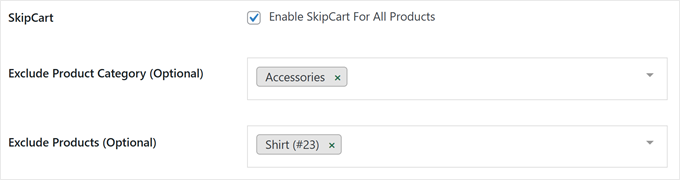
Below the primary setting, specific product categories or individual items can be excluded from cart bypass. Enter the names of categories or products where traditional cart functionality should be preserved.
The purchase button text can be customized from the default "Buy Now" to alternatives like "Purchase Immediately" or "Complete Order." Consider incorporating urgency elements to encourage prompt decision-making.
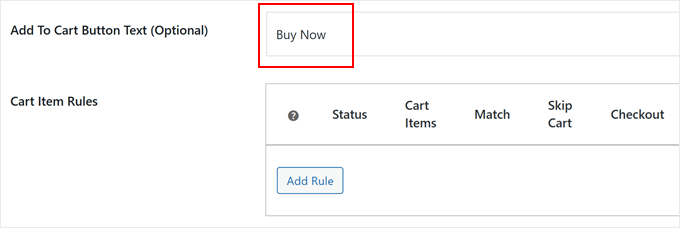
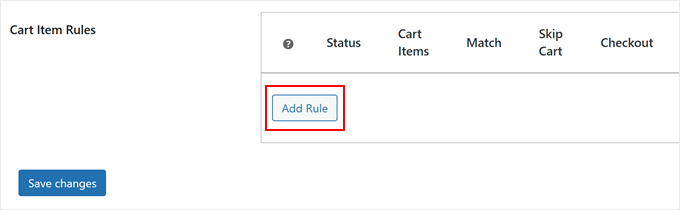
For advanced control, select 'Add Rule' to establish conditional logic.
A configuration window will appear.
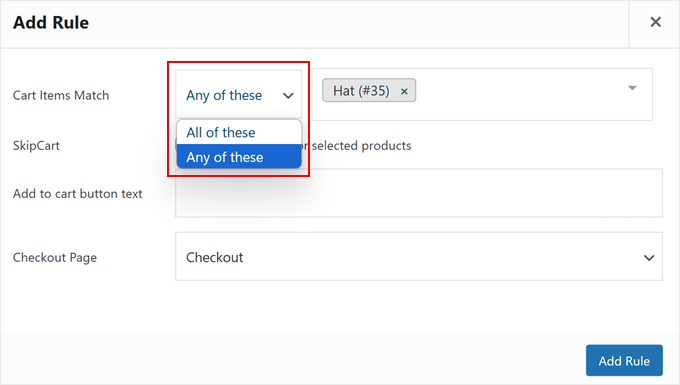
Here you can specify whether rules apply to 'Any of these' or 'All of these' cart items.
For instance, selecting 'Any of these' for a specific product will bypass the cart when that item appears in any combination. Choosing 'All of these' only activates bypass when customers purchase precisely the specified product combination.
Additional configurations include enabling or disabling cart functionality for specific rules and customizing purchase button text for targeted products.
For stores with multiple checkout pages, specific checkout destinations can be assigned to different products. After configuring your rule, select 'Add Rule.'
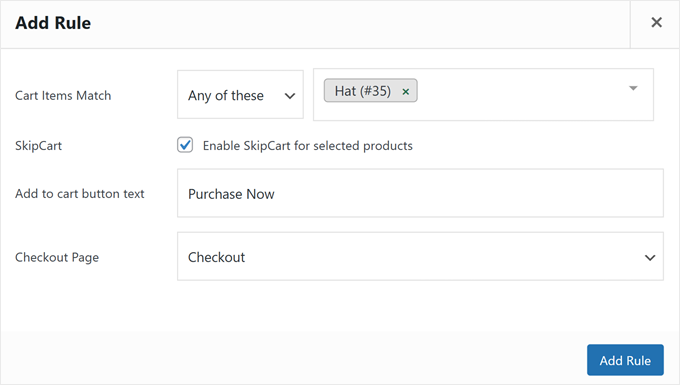
The configuration window will close.
Remember to select 'Save Changes' to implement your new settings.