Two Effective Methods for Building Multilingual WordPress Forms
By WordPress Experts |
When building a multilingual WordPress website, forms often receive insufficient attention. Properly translating these interactive elements requires minimal time investment but can significantly increase completion rates and user satisfaction.
Multilingual forms extend beyond simple text translation. They create a cohesive experience that respects each visitor's language preference. When users can engage with your website in their native language, they demonstrate higher participation rates and form completion.
Through extensive testing, experienced developers have identified two reliable approaches for implementing multilingual forms. The first method prioritizes simplicity and automation, while the second offers greater control for complex requirements. Both solutions are accessible to beginners and can be implemented within an hour.
This guide will demonstrate both techniques, enabling you to effectively communicate with international audiences while maintaining technical simplicity.
Understanding Multilingual Forms and Their Benefits
Multilingual forms dynamically display content in different languages based on user preferences. These forms are essential for websites serving international audiences, ensuring visitors can interact with your content in their preferred language.
Key advantages of implementing multilingual forms include:
- Enhanced user engagement. By eliminating language barriers, multilingual forms help users understand questions and instructions clearly, reducing form abandonment and increasing participation.
- Improved conversion metrics. Conversion rates measure the percentage of users completing desired actions, such as newsletter signups or purchases. Native language forms streamline this process, making conversions more likely.
- Superior user experience. Multilingual forms contribute to positive user experiences by allowing interaction in familiar languages, increasing comfort and trust in your website.
Implementing multilingual forms makes your website more accessible and user-friendly for diverse audiences. The following sections detail two implementation methods. Use these quick links to navigate directly to your preferred approach:
- Method 1: Creating Multilingual Forms Using WPForms (Automated Translation)
- Method 2: Creating Multilingual Forms Using Formidable Forms (Manual Translation)
Let's begin exploring these methods.
Method 1: Creating Multilingual Forms Using WPForms
The simplest approach to multilingual forms combines WPForms with a translation plugin. This method utilizes automated translation technology, eliminating manual translation work.
WPForms provides a drag-and-drop form builder with numerous templates and an intuitive interface for creating various form types. Many WordPress professionals utilize this plugin for their form requirements due to its reliability and feature set.
To translate WPForms content, you'll need to integrate it with a translation plugin. Weglot represents one of the most user-friendly translation solutions, employing machine learning to automatically translate website content including pages, posts, and forms.
While premium versions offer expanded capabilities, the free trial provides translation for up to 2,000 words on a single website.
Begin by installing both WPForms and Weglot on your WordPress installation.
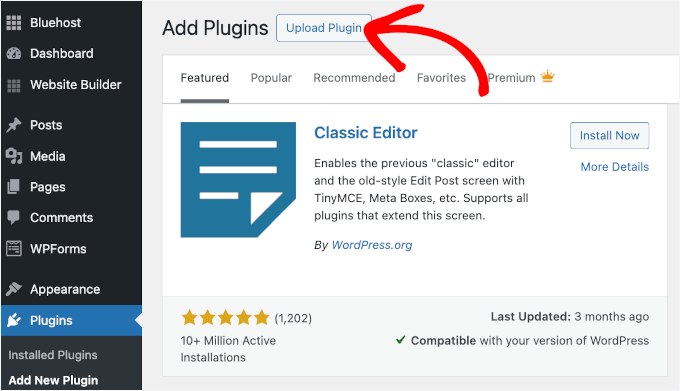
Navigate to Plugins» Add New Plugin and upload each plugin's ZIP file separately. If you require installation assistance, consult standard WordPress plugin installation documentation.
After activation, create forms by accessing WPForms » Add New. Once your form is complete, proceed with translation setup.
From your WordPress dashboard, select the 'Weglot' menu item to access the main configuration area. Here you'll need to enter your Weglot API key, which requires creating a Weglot account if you haven't already.
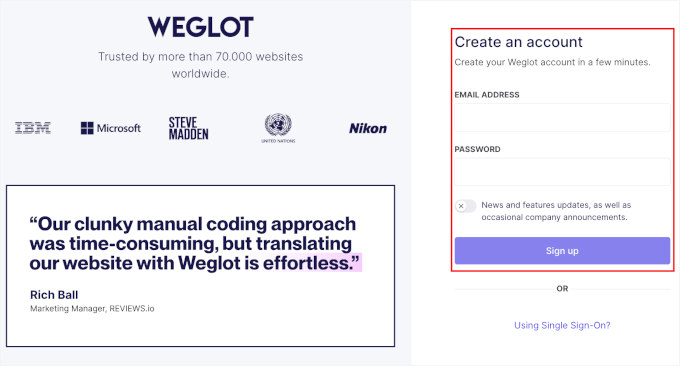
After account creation, locate your API key in the Weglot dashboard and paste it into the configuration field. Following verification, select your target languages from the destination languages dropdown menu.
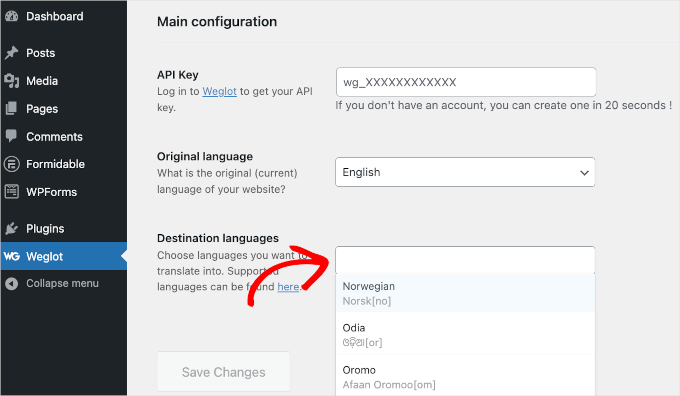
Weglot supports over 100 languages, allowing selection of multiple target languages relevant to your audience. Remember to save your configuration changes.
After saving, a confirmation message should appear indicating successful multilingual setup. Visit your website's front page to test the translation functionality.
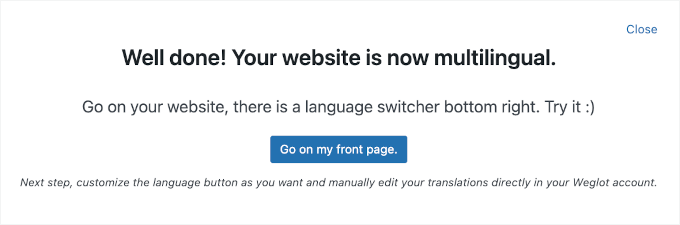
Locate the language selector typically positioned at the bottom right of your screen. Selecting an alternative language like Norwegian will automatically translate all page content, including your forms.
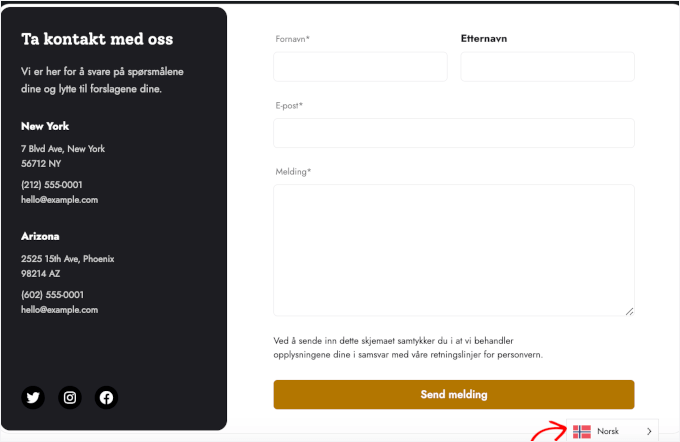
Your WPForms are now successfully translated using automated technology.
Method 2: Creating Multilingual Forms Using Formidable Forms
An alternative approach utilizes Formidable Forms with its Polylang integration. This method provides manual translation control, allowing precise customization for each target language.
Formidable Forms serves as a comprehensive form creation solution. To access multilingual capabilities, the Business plan or higher is required.
The Polylang add-on enables manual translation entry for website content including forms. This approach supports translation into multiple languages with complete editorial control.
Begin by installing both Formidable Forms and Polylang. From your WordPress dashboard, navigate to Plugins » Add New and upload each plugin's ZIP file individually.



