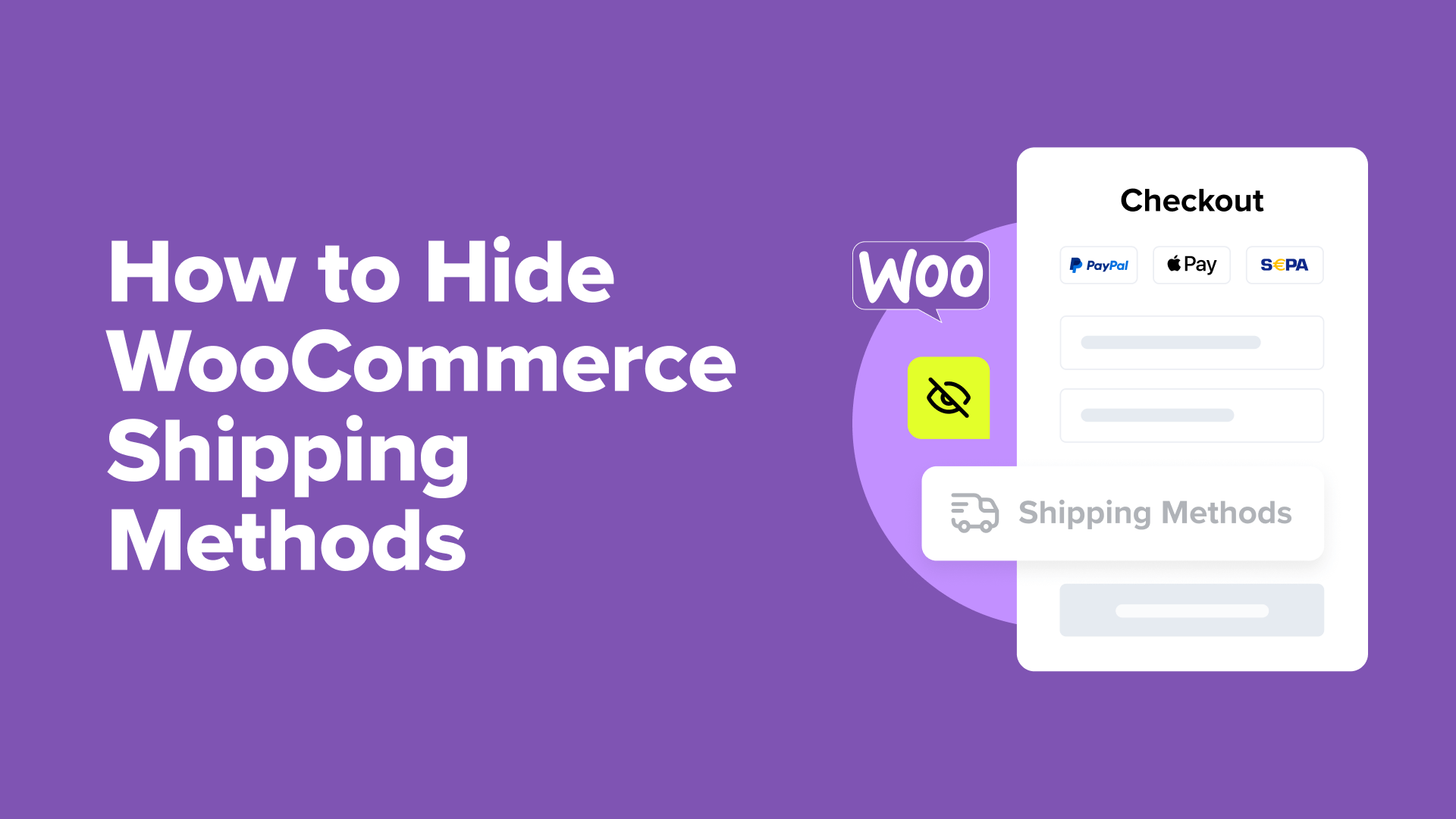
Two Effective Methods to Control WooCommerce Shipping Method Visibility
Managing shipping options effectively can significantly impact the success of your online store. Learning to control which shipping methods appear to customers can optimize both profitability and customer satisfaction.
Consider this scenario: providing free shipping on all orders might seem appealing, but it can quickly reduce profit margins. Displaying shipping options that aren't available for a customer's location often leads to frustration and abandoned shopping carts.
Additionally, during peak business periods, such as holiday seasons, temporarily disabling certain shipping methods ensures you can fulfill orders reliably.
Many e-commerce specialists recommend strategically hiding shipping methods to balance business needs with customer expectations. This approach helps maintain profitability while delivering a positive shopping experience.
This guide demonstrates how to precisely manage which WooCommerce shipping methods your customers can access and under what conditions.
When to Hide Shipping Methods in WooCommerce
Several common situations justify hiding specific shipping methods in your store. Many store owners implement these strategies to address practical business challenges and often improve conversion rates.
- Protecting Profit Margins: If free shipping on low-value orders isn't sustainable, hide that option until orders reach a predetermined profitable threshold.
- Location-Based Shipping: For international customers, display only shipping methods available for their specific region to avoid confusion.
- Managing High-Volume Periods: During sales events, temporarily hide expedited shipping options to maintain manageable order fulfillment.
- Simplifying Checkout: Presenting fewer, more relevant shipping options can reduce decision fatigue and potentially decrease cart abandonment.
Beyond hiding shipping methods, many experienced developers suggest implementing a free shipping indicator on your website. This transparently communicates available shipping options and requirements to customers.
The following sections outline two proven approaches to hide WooCommerce shipping options. Use the quick links below to navigate directly to your preferred method.
- Method 1: Configure Free Shipping Settings in WooCommerce (Built-in Solution)
- Method 2: Use Hide Shipping Method for WooCommerce (Enhanced Customization)
- Bonus Tips to Optimize WooCommerce Cart and Checkout
Method 1: Configure Free Shipping Settings in WooCommerce (Built-in Solution)
This approach requires no additional plugins or extensions to hide the free shipping method based on order value requirements. It's ideal if your primary goal is to conceal the free shipping option until customers meet specific criteria.
Note that this method won't automatically hide other paid shipping methods when free shipping becomes available. For that functionality, proceed to Method 2.
Begin by accessing your shipping configuration. Navigate to your WordPress admin panel and select WooCommerce » Settings. Locate the 'Shipping' tab at the top of the settings page.
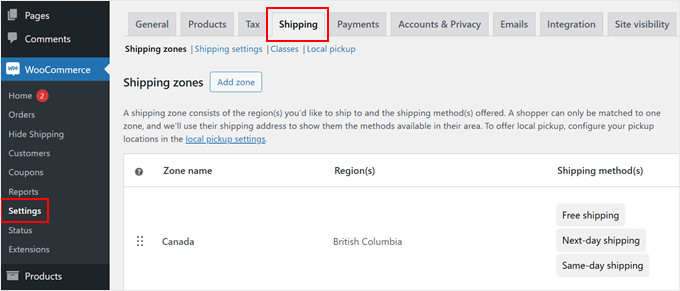
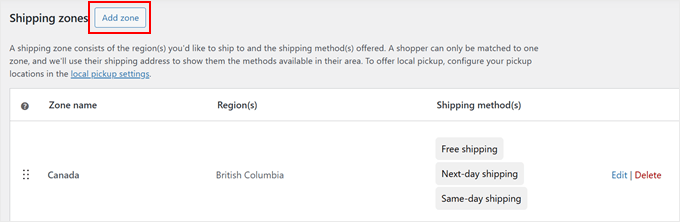
You'll find options to manage shipping zones. You can either create a new zone by clicking 'Add zone' or modify an existing one. This guide demonstrates creating a new shipping zone.
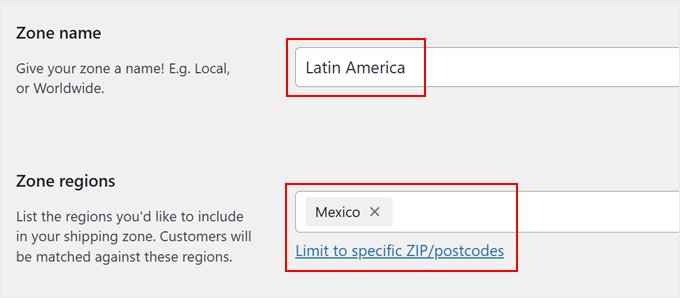
Assign a descriptive name to your shipping zone that reflects its coverage area, such as 'North America,' 'European Union,' or 'Asia Pacific.'
Next, define the zone's geographical scope by selecting specific countries, states, or cities.
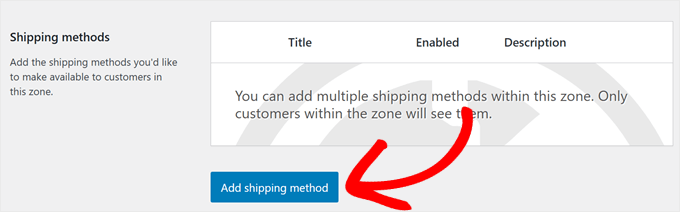
After configuring the zone, locate the 'Add shipping method' button. Click this button to view available shipping options.
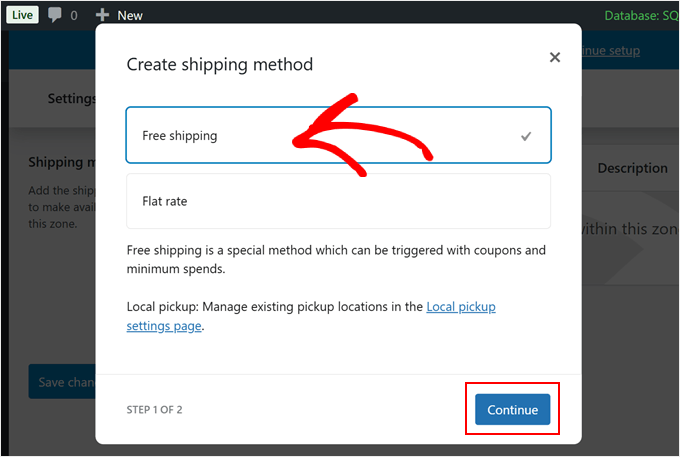
The system will present basic shipping choices. Select 'Free shipping' from the available options and click 'Continue.' This action opens a configuration window where you can define when free shipping becomes available.
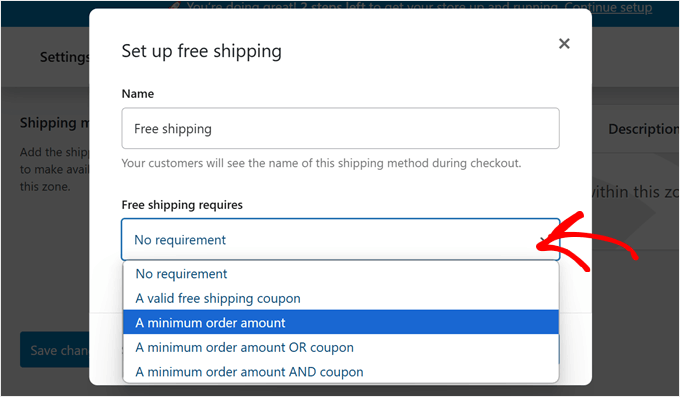
Now configure the qualification criteria for free shipping. The dropdown menu offers several options, including no requirements, coupon-based access, minimum order amounts, or combined conditions.
To hide free shipping until customers reach a specific order value, select 'Minimum order amount' and enter your threshold. Common amounts include $50 or $100.
Optionally, enable 'Apply minimum order rule before coupon discount' if you want the minimum calculated prior to any promotional reductions.
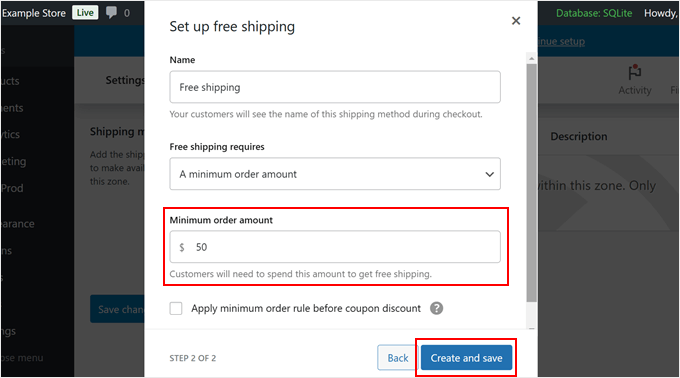
Click 'Create and save' to apply your settings.
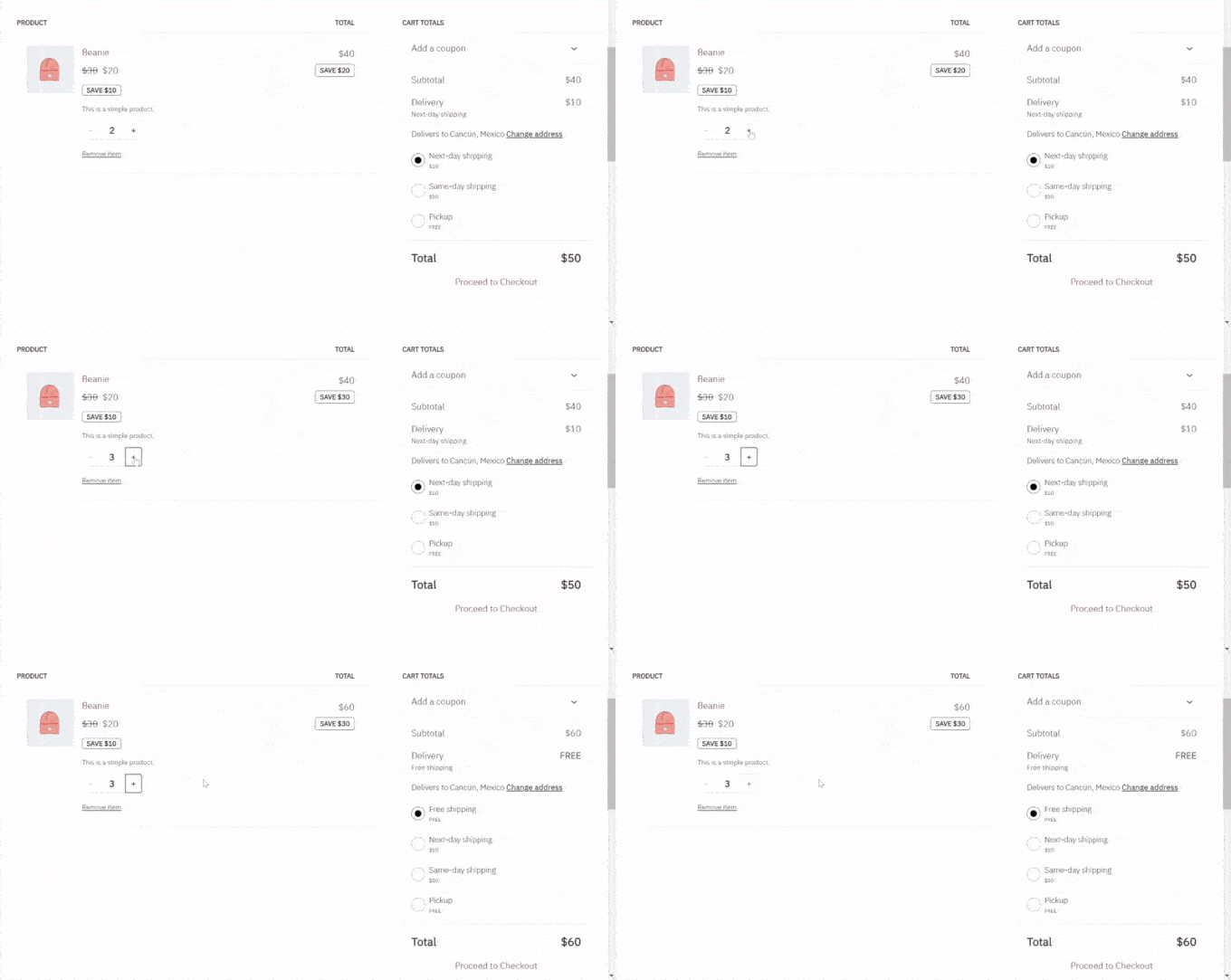
The free shipping method will now remain hidden from customers who haven't met your requirements, appearing only when they qualify according to your specified conditions.
Method 2: Use Hide Shipping Method for WooCommerce (Enhanced Customization)
While WooCommerce's native settings handle basic scenarios, they offer limited flexibility. This method provides more granular control using a dedicated plugin to hide shipping methods based on product categories or cart contents.
The Hide Shipping Method for WooCommerce plugin enables advanced rule creation for displaying or concealing shipping options during checkout. The free version addresses common requirements, while premium versions offer additional features like hiding specific methods when free shipping is available or creating rules based on product SKUs.
Begin by installing the Hide Shipping Method for WooCommerce plugin through your WordPress dashboard. Once activated, navigate to the plugin's settings to configure your shipping visibility rules.