2 Effective Methods to Restrict Page Access in WordPress
Many website administrators frequently ask how to make specific pages accessible only to registered users. This is a common requirement for various types of WordPress sites.
Fortunately, implementing login requirements for page access is straightforward and doesn't require advanced technical skills. With the right approach, you can secure your content quickly and efficiently.
Based on practical experience with numerous WordPress installations, two reliable methods consistently deliver results for restricting page access.
When Should You Implement Login Requirements?
While not every page needs protection, certain scenarios benefit significantly from access restrictions.
Here are common situations where requiring user authentication is beneficial:
- Membership Platforms & Online Learning Systems– When offering exclusive educational materials or premium content, login requirements ensure only authorized subscribers can access these resources.
- Confidential Client Areas– For sharing sensitive documents, project updates, or financial information, access restrictions maintain privacy and security.
- Premium Content Sections– Websites offering specialized articles, research reports, or exclusive guides to registered users can use login requirements to manage access.
- Private Community Platforms– Members-only forums and discussion boards benefit from login requirements to maintain relevant, focused conversations.
- Internal Business Resources– Companies using WordPress for internal documentation, training materials, or announcements can secure this information with login requirements.
If your website falls into any of these categories, implementing access controls is a practical security measure.
Let's explore two straightforward approaches to requiring login authentication for WordPress pages. These methods work for both individual pages and entire websites.
- Method 1: Restricting Specific Pages with Membership Plugins
- Method 2: Securing All Pages with Privacy Plugins
Method 1: Restricting Specific Pages with Membership Plugins
For precise control over individual pages or posts, membership plugins offer comprehensive solutions. These tools allow you to manage access based on user roles, subscription levels, or membership status.
Many experienced developers consider membership plugins among the most effective content protection solutions for WordPress. They simplify the process of requiring user authentication before granting page access.
To begin, install and activate your chosen membership plugin. Most quality plugins follow similar implementation patterns.
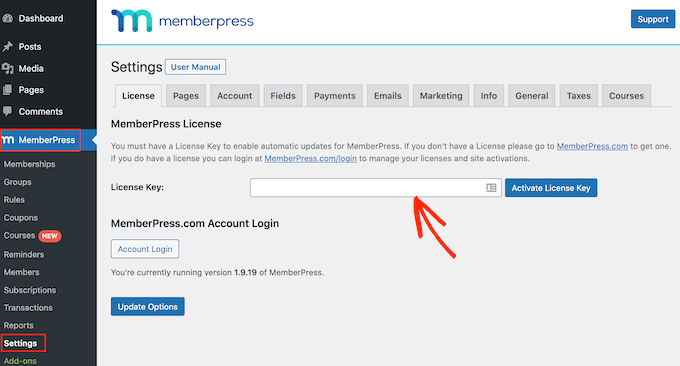
After activation, navigate to the plugin's settings area to configure your license and basic preferences. This typically involves entering authentication details provided by the plugin developer.
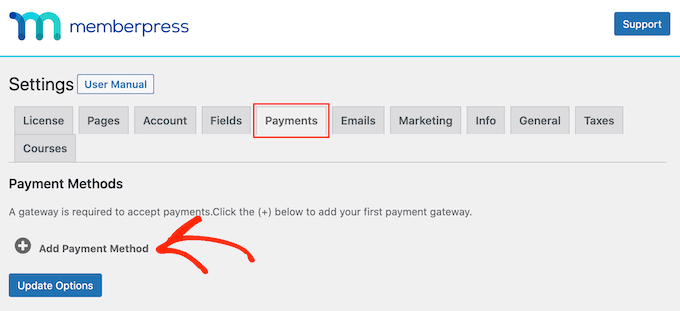
Next, configure payment processing if your membership includes paid tiers. Most plugins support popular payment gateways like PayPal and Stripe.
Select your preferred payment method and complete the necessary configuration steps according to the plugin's documentation.
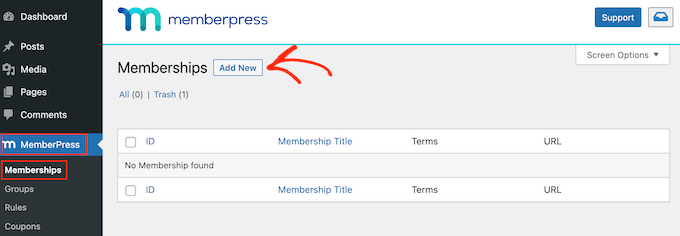
Create membership levels that correspond to different access privileges. Each level can specify which content users can view based on their subscription status.
Access your plugin's membership management section and create new membership tiers as needed.
Configure each membership level with appropriate names, descriptions, pricing structures, and duration settings. Options typically include one-time payments or recurring subscriptions with various billing intervals.
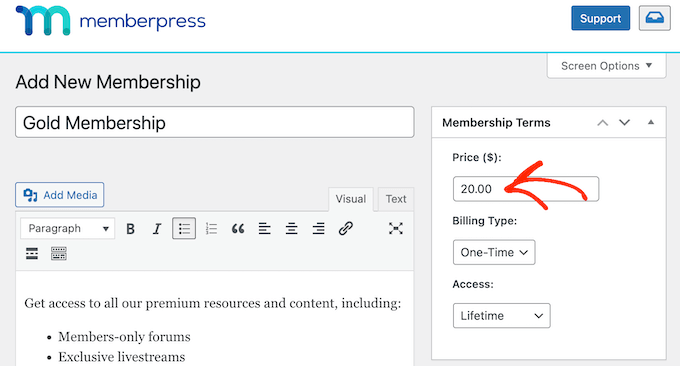
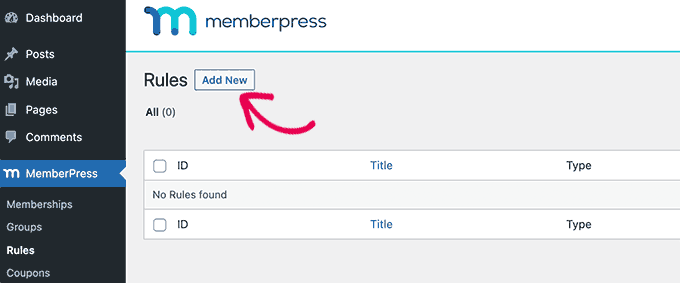
Once membership levels are established, implement access rules to restrict content visibility. Navigate to your plugin's rule management section.
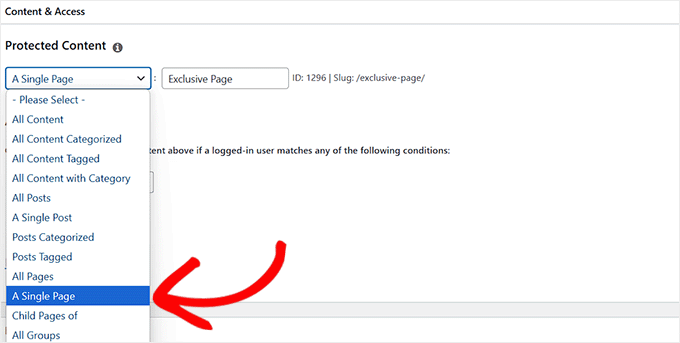
Create a new rule and select the specific page you want to protect from the content selection options.
Begin typing the page title in the designated field, and the plugin will typically auto-suggest matching pages for selection.
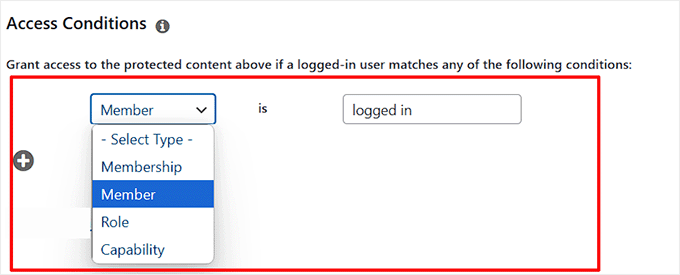
Define access conditions by specifying which user roles or membership levels can view the protected content. Typically, you would select options indicating logged-in users or specific membership tiers.
Configure how unauthorized access attempts are handled. Most plugins allow you to display login forms, redirect users, or show custom messages when access is denied.
Save your rule configuration to activate the protection settings. The page will now require user authentication according to your specified conditions.



