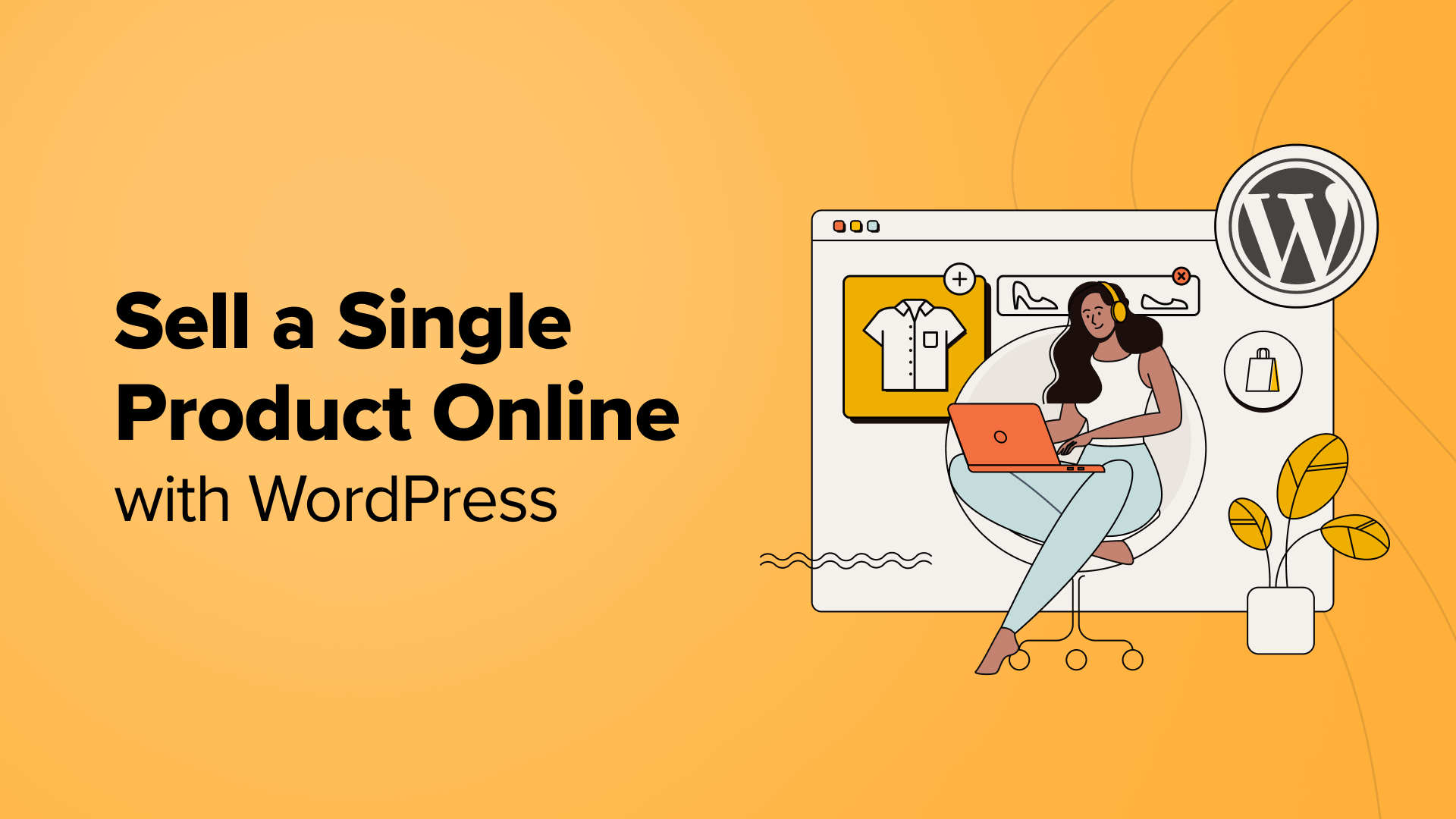
3 Effective Methods to Sell a Single Product Online Using WordPress
Many entrepreneurs and small business owners focus on selling a single physical or digital product. This approach simplifies operations and reduces overhead, but some may be uncertain about the best way to establish their online presence.
Based on extensive experience with various eCommerce platforms, many WordPress experts recommend specific plugins as optimal solutions for single-product stores. These include WooCommerce, Easy Digital Downloads, and WP Simple Pay.
This guide will demonstrate three practical approaches to selling a single product through WordPress.
Advantages of Operating a Single-Product Store with WordPress
Managing a store with only one product significantly reduces operational complexity. There's no need to track multiple inventory items, update numerous product pages, or develop complex processes for handling various goods.
Financially, this approach is more economical. Operating costs remain lower since fewer resources are required to build and maintain the online store. For instance, you can select a cost-effective WordPress hosting plan that meets your eCommerce needs.
Focusing on a single product allows you to establish authority within a specific niche. This specialization enables better understanding of customer needs, continuous product improvement, and targeted marketing campaigns that typically yield higher conversion rates.
Let's explore three distinct methods for selling a single product through WordPress. You can navigate directly to any section using the links below:
- Method 1: Sell Physical Products with Shipping Using WooCommerce
- Method 2: Sell Digital Products with Easy Digital Downloads
- Method 3: Sell Products or Services with WP Simple Pay
- Alternative Approach: Using WPForms for Single Product Sales
- Common Questions About Single-Product Online Stores
Method 1: Sell Physical Products with Shipping Using WooCommerce
WooCommerce stands as the world's most widely used eCommerce platform, serving millions of businesses across various scales. Originally developed as a WordPress extension, it enables users to sell products and services online.
This platform proves ideal for selling physical goods that require shipping. It offers extensive functionality and integrates seamlessly with numerous WordPress plugins and tools.
Many experienced developers find WooCommerce exceptionally user-friendly for beginners. To begin, you'll need WordPress hosting, a domain name, and an SSL certificate.
Web hosting stores your website files and data, while a domain name serves as your online address. An SSL certificate ensures secure transactions by encrypting payment information.
You can consult comprehensive WooCommerce setup guides to select appropriate hosting and properly install the platform on WordPress.
Here's a basic overview of steps for creating a single-product store with WooCommerce:
Configuring Payment Methods in WooCommerce
After securing hosting and installing WooCommerce, proceed to configure payment methods. Navigate to WooCommerce » Settings from your WordPress dashboard, then select the 'Payments' tab.
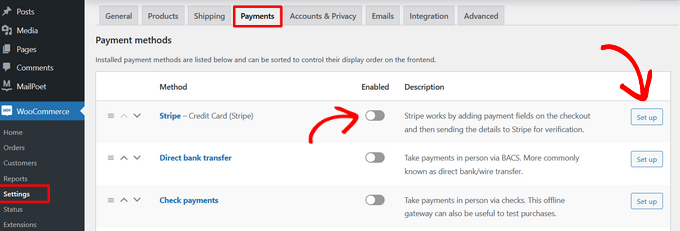
Next, configure various payment gateways to accept online payments. Available options typically include Stripe, PayPal, Apple Pay, Google Pay, bank transfers, and other methods.
Establishing Shipping Zones for Your Store
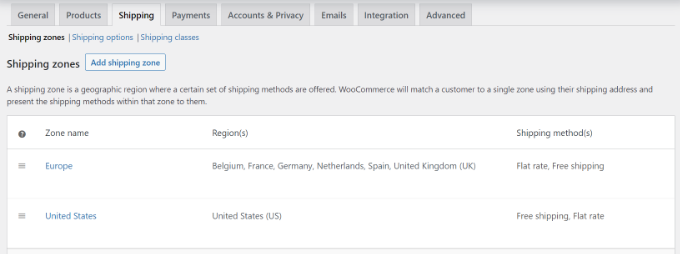
WooCommerce allows configuration of multiple shipping zones for your single-product store. Access WooCommerce » Settings from your dashboard and click the 'Shipping' tab.
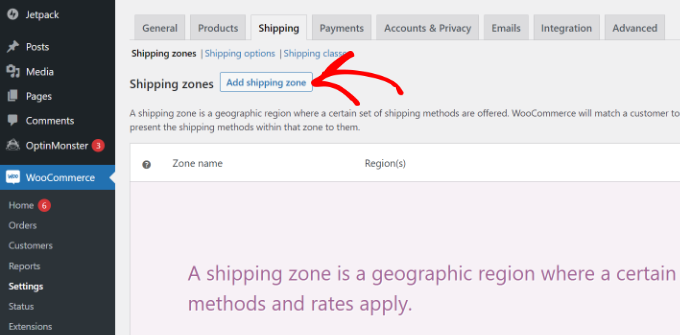
Select 'Shipping zones' under the Shipping tab, then click 'Add shipping zone.' Enter relevant details including zone name, geographic regions, and shipping methods.
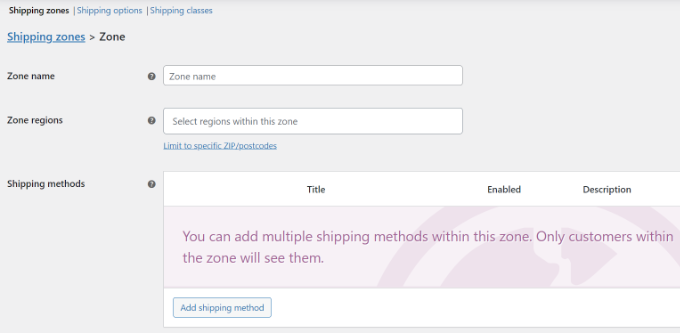
The platform offers three primary shipping method types: free shipping, flat rate charges, and local pickup options.
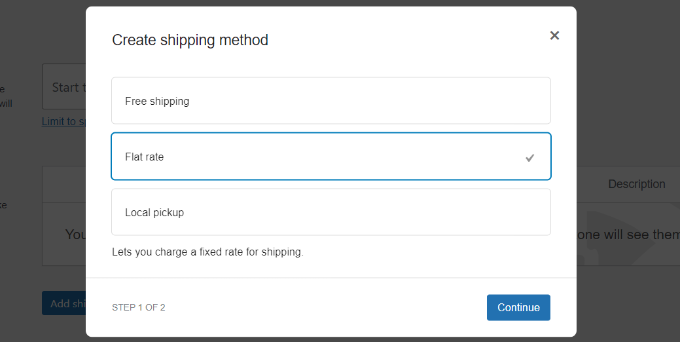
For demonstration purposes, we'll select the 'Flat rate' option. Enter the necessary details and click 'Save Changes.'
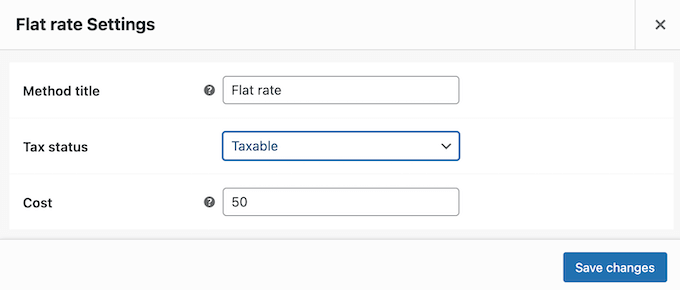
Repeat this process to establish additional shipping regions as needed. Return to the Shipping Zones page to review all configured regions.
Choosing and Customizing a Suitable Theme
Selecting an appropriate theme represents the next crucial step for your single-product store. Numerous free and premium themes are available, though the abundance of choices can sometimes overwhelm decision-making.
Many WordPress experts have compiled lists of recommended WooCommerce themes to simplify selection. If you require additional guidance, consider reviewing comprehensive theme selection guides that outline key considerations.
Additionally, various WordPress theme builders and landing page creators offer alternative approaches for designing custom eCommerce stores. These tools typically provide templates, drag-and-drop editing functionality, WooCommerce block integration, and customization options without requiring coding knowledge.