A Complete Guide to Selling Canva Templates on Your WordPress Site
By Editorial Team |
Monetizing your design abilities by offering Canva templates through a WordPress website presents an excellent opportunity to generate revenue while expanding your reach to potential customers.
Many individuals and businesses are eager to purchase design templates that can streamline their workflow and save valuable time.
Numerous WordPress professionals have successfully utilized Canva for creating visual content and have observed how digital product sales can be effectively managed through dedicated e-commerce solutions.
This guide will walk you through the process of establishing a Canva template business on WordPress, enabling you to build a source of recurring revenue.
Benefits of Selling Canva Templates
Canva distinguishes itself from complex design software like Adobe Photoshop through its intuitive interface that allows users of all skill levels to produce professional-quality graphics. This accessibility means you don't need extensive graphic design experience to create and market templates to others.
The platform offers a free version with substantial functionality, while the Pro subscription provides access to over one million premium assets and advanced features for a monthly or annual fee.
Canva templates have gained significant popularity as both individuals and organizations seek efficient design solutions. Here are several advantages to consider:
- Recurring Revenue: Digital products can generate income continuously after the initial creation phase.
- Growth Potential: You can scale your business by gradually adding more products to your online store.
- Low Overhead: Primary expenses typically involve website development, with optional investments in premium tools that enhance your selling capabilities.
- Versatility: Template creation spans numerous niches, from fitness planners and social media graphics to business documents and educational materials.
While third-party marketplaces exist for selling templates, these platforms often charge commission fees and limit your control over branding and customer experience. Operating your own WordPress site provides complete autonomy over your business presentation and customer interactions.
Popular Canva Template Categories
Before launching your template business, consider which types of designs will resonate with your target audience. The possibilities are extensive, but these categories represent some of the most sought-after options:
- Blog graphics and featured images
- Social media content (posts, stories, banners)
- Organizational tools (planners, calendars)
- Presentation slides and decks
- Educational worksheets and workbooks
- Event materials (invitations, menus)
- Professional documents (resumes, contracts)
- Marketing collateral (business cards, brochures)
- Seasonal designs (holiday cards)
- Digital stickers and decorative elements
- Productivity templates
To identify promising opportunities, analyze your potential customers' challenges and determine which templates could simplify their tasks. Research existing marketplaces to gauge demand and review patterns for similar products.
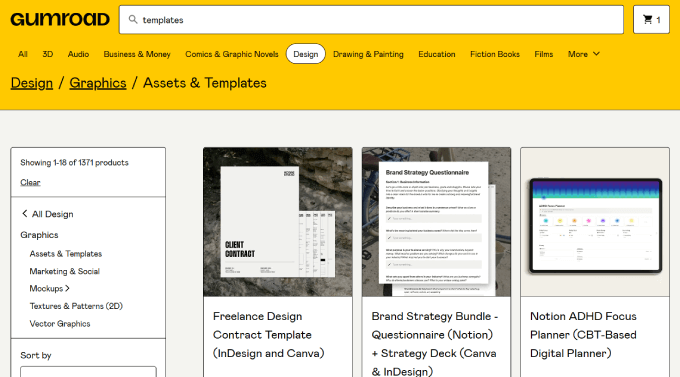
Once you've selected your template focus, you'll need a Canva account to begin creating. After registration, follow these implementation steps.
Step 1: Establishing Your WordPress Foundation
The initial requirement for selling templates is a properly configured WordPress website. This involves securing three essential components: web hosting, a domain name, and an SSL certificate.
Web hosting provides server space for your website files, while your domain serves as the online address visitors use to find your site. The SSL certificate ensures secure data transmission between users and your server.
Selecting a reliable hosting provider is crucial for your store's performance. Many experienced developers recommend managed WordPress hosting solutions that include pre-installed e-commerce functionality for digital products.
Such hosting packages often include automatic WordPress installation, security certificates, backup systems, and optimization tools as standard features.
The setup process typically begins by visiting your chosen hosting provider's website and selecting an appropriate plan for your needs.
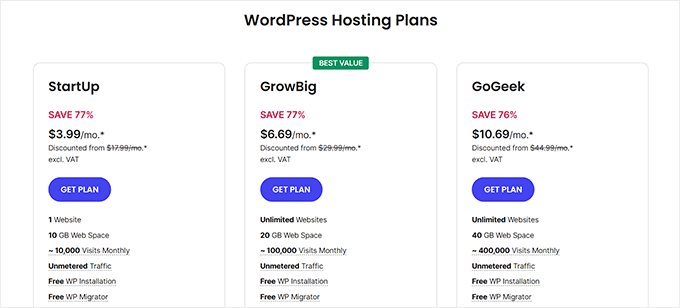
After choosing your plan, you'll register your domain name during the checkout process.
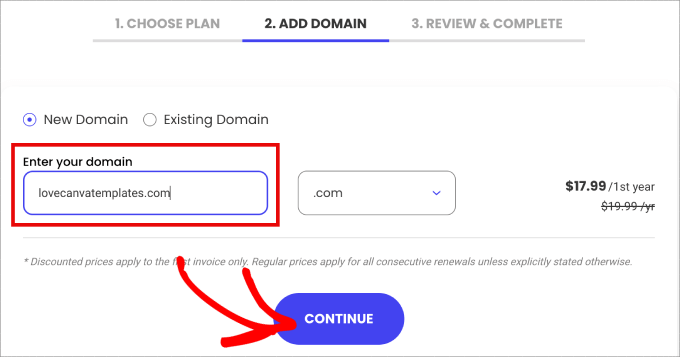
The registration continues with account information entry and optional service selections before payment completion. Following purchase confirmation, you'll receive login credentials via email.
Access your hosting dashboard and locate the website management section for your domain.
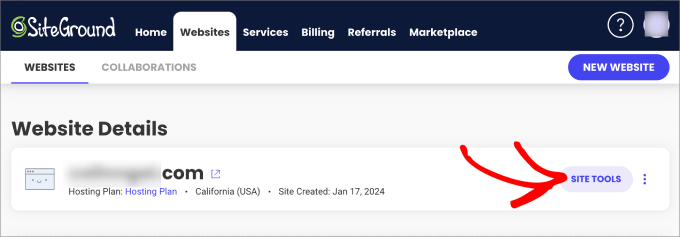
This interface provides access to essential site management functions, including email configuration and file organization.
Navigate to the WordPress installation section within your hosting tools.
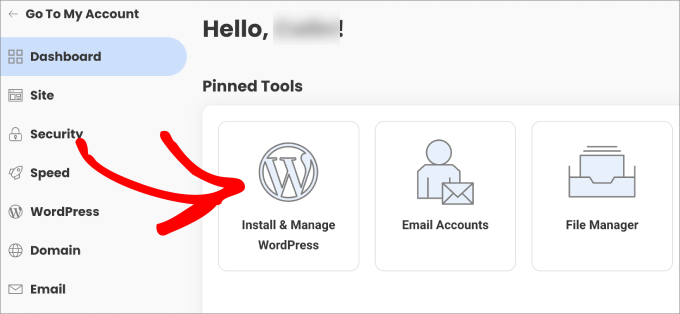
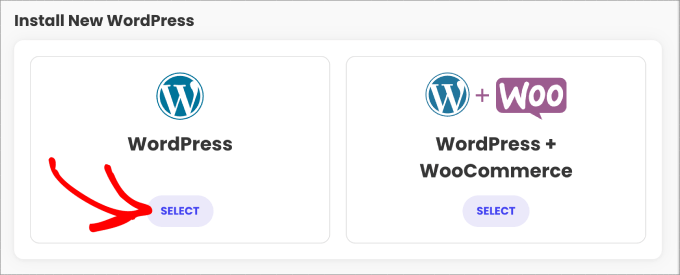
You'll typically encounter installation options for standard WordPress or WordPress with integrated e-commerce functionality.
Select the standard WordPress installation option.
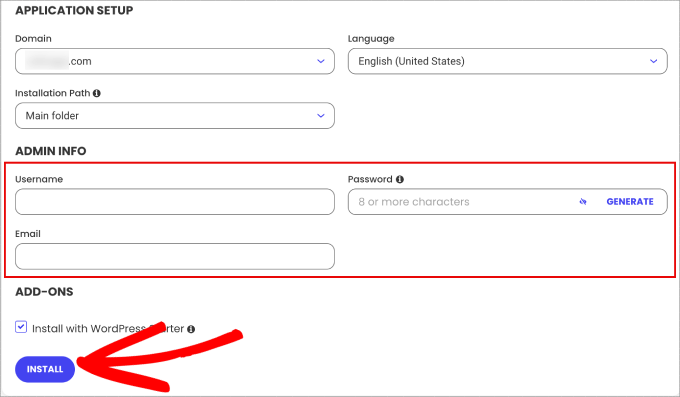
Complete the installation form with your preferred administrative credentials and contact email address.
Finalize the installation to access your WordPress dashboard, where digital product management extensions may be pre-configured.
Step 2: Developing Your Marketable Canva Template
Access your Canva account and navigate to the template section within the platform's interface.



