Building a Customer-to-Affiliate Program for Your WooCommerce Store
Referral marketing remains a highly effective strategy for business growth. However, a common challenge lies in identifying authentic brand advocates who genuinely connect with your products.
Many programs inadvertently attract participants motivated solely by quick financial gain, resulting in promotional efforts that lack sincerity and often fail to convert. Consider the frequent scenario where numerous online personalities promote identical products using identical messaging—does this approach truly inspire confidence?
Fortunately, WooCommerce store owners possess a significant strategic advantage: an existing customer base that has already demonstrated appreciation for your offerings. Transforming these satisfied customers into affiliate partners allows you to harness the power of genuine, trusted word-of-mouth recommendations.
This guide will walk you through the process of cultivating a dedicated network of brand ambassadors by leveraging the individuals who already purchase from your online store.
Establishing a Customer Affiliate Program
Implementing a referral system is a proven method for expanding your business reach. To maximize effectiveness, however, collaboration with individuals who have a sincere appreciation for your brand is essential.
Your existing loyal customers represent an ideal pool of potential advocates. Their firsthand experience with your products lends an authenticity to their promotions that is difficult to replicate, thereby fostering trust and credibility with prospective new buyers.
A significant benefit is the elimination of extensive recruitment efforts. You can seamlessly integrate a registration form into key areas of your WooCommerce store, such as the customer account dashboard.
Utilizing a dedicated affiliate management plugin, such as AffiliateWP, allows you to create this registration form and begin onboarding customers within minutes.

An added advantage is the ability for these plugins to display the registration form exclusively to users who have completed a purchase. This targets individuals already engaged with your store and familiar with your product line.
Qualified customers can then enroll with minimal effort. The system automatically generates a unique affiliate link, enabling them to commence promotional activities immediately.
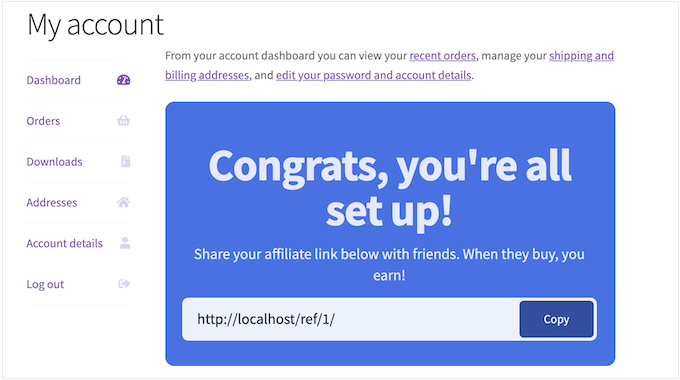
The following steps outline how to implement an affiliate program within WooCommerce, facilitating one-click registration for your customers.
Step 1. Configure Your Affiliate Management Plugin
AffiliateWP is a comprehensive tracking and management solution designed for businesses launching referral initiatives. As a native WordPress plugin, it integrates directly with your website infrastructure.
Many experienced developers favor this plugin for its robust functionality. Its seamless integration with WooCommerce is particularly noteworthy for store owners.
Once configured, the plugin can automatically position your signup form on critical store pages, including the My Account area, user dashboard, and order confirmation screens.
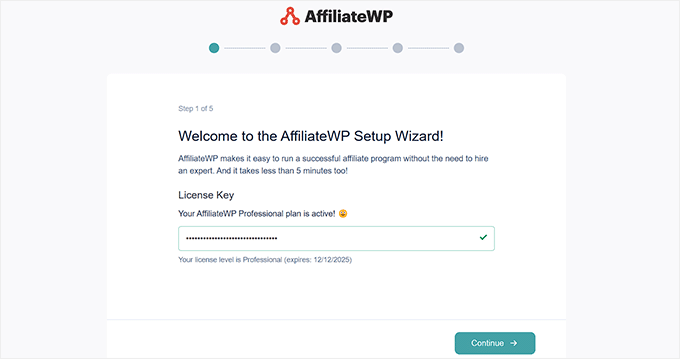
Begin by installing and activating the AffiliateWP plugin. Following activation, the setup wizard will prompt you to enter your license key, which is obtained from the plugin provider's website.
After entering the key, proceed by clicking the 'Continue' button.
The plugin will then scan your site and recommend potential integrations to enable.
On this screen, ensure you select 'WooCommerce' to establish the connection with your online store.
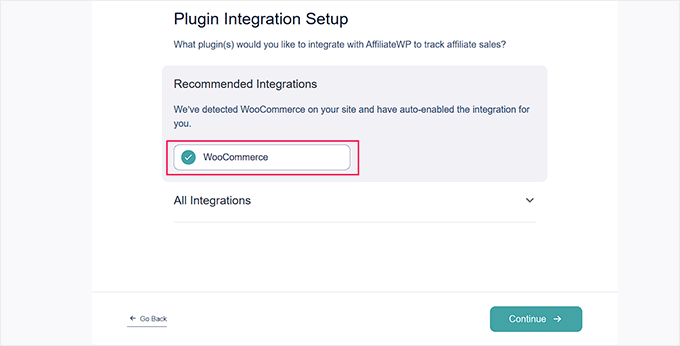
Click 'Continue' to proceed.
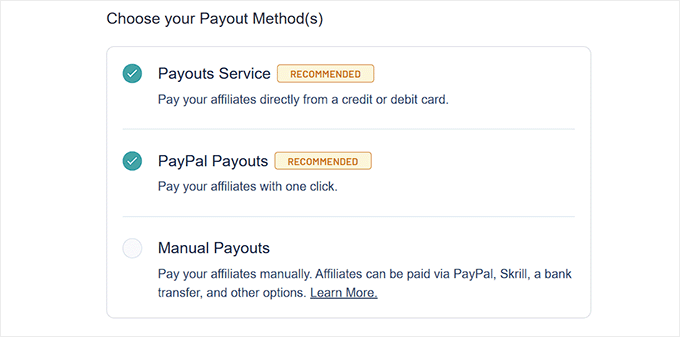
Next, select your preferred affiliate payment method. Options typically include standard payout services for credit card transactions or dedicated PayPal integration for streamlined payments.
Make your selection and advance to the next configuration step.
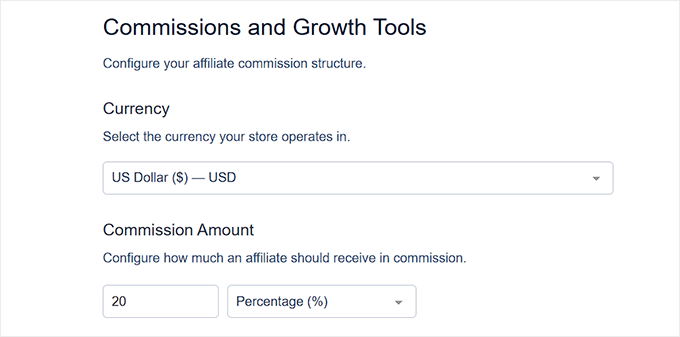
Here, you will define the primary currency for your program.
You can also establish a default commission rate for all affiliates. This setting is flexible and can be adjusted for individual partners at any time.
Finally, click the 'Finish Setup And Exit' button to complete the initial configuration.
You can now manage email notifications, customize registration forms, and monitor affiliate activity directly from your WordPress admin panel.
Step 2. Activate Affiliate Registration
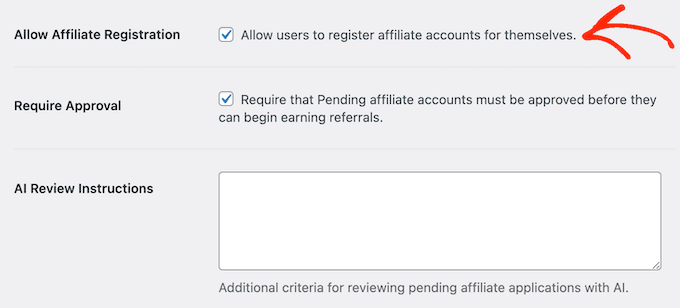
To open registration, navigate to the plugin's settings area, typically found under AffiliateWP » Settings. Select the 'Affiliates' tab within this menu.
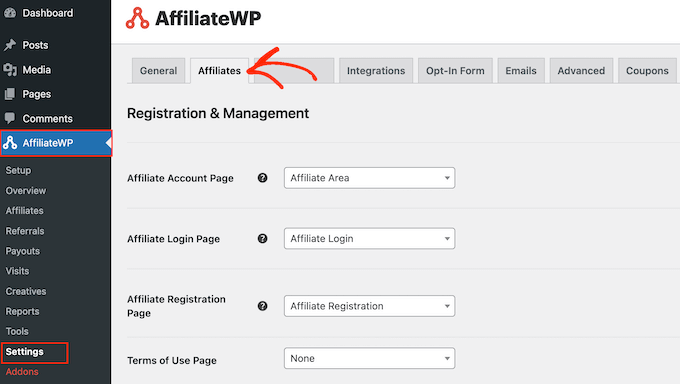
On this screen, locate and enable the option labeled 'Allow Affiliate Registration.'
This action makes your referral program accessible for sign-ups.
Step 3. Implement the Affiliate Signup Form
With registration enabled, the next phase involves deploying the signup form.
Remaining on the same settings screen, scroll to find the setting: 'Convert customers into affiliates using the affiliate signup widget.' Select the corresponding radio button to activate this feature.

Activating this widget will reveal additional customization options for your registration form, allowing you to tailor its appearance and messaging.