Essential Guide: How to Verify Your Domain Expiration Date and Prevent Website Loss
Few experiences are as unsettling for a website owner as discovering their online presence has suddenly vanished. This scenario occurs more often than many realize, leaving businesses without their site, email functionality, and digital identity overnight.
Allowing a domain registration to lapse is a common oversight with potentially severe consequences. Fortunately, monitoring your renewal date and avoiding this situation is straightforward with the right knowledge.
Many WordPress experts manage numerous domains and have established reliable systems to keep them active. This guide outlines proven techniques for tracking expiration dates, ensuring your website remains accessible.
Why Monitoring Your Domain Expiration Matters
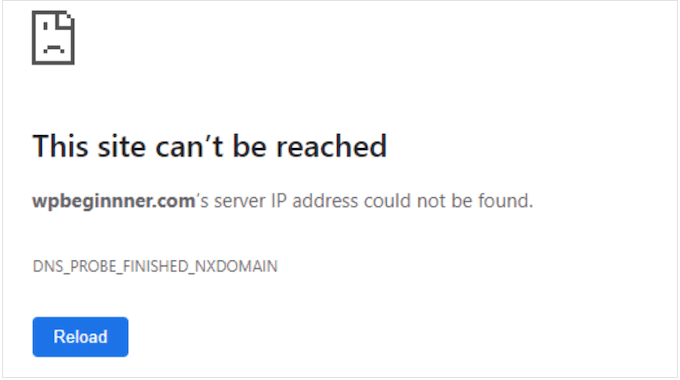
Imagine preparing to visit your website only to encounter an error message instead. This exact situation happened during a recent project launch when a previously registered domain became unavailable weeks later due to a missed renewal.
What occurs when a domain expires? Your website effectively disappears from the internet, resulting in costly downtime. Industry analysis indicates the average expense of website downtime can reach thousands per minute.
Visitors typically encounter error messages or placeholder pages, while email addresses associated with the domain cease functioning, potentially causing missed client communications.
Beyond technical issues, your domain represents your online identity. Losing it can significantly impact brand reputation and customer trust.
Can Expired Domains Be Recovered?
Recovering an expired domain is sometimes possible but not guaranteed, often involving complexity and additional costs.
Following expiration, domains typically enter a grace period lasting several weeks, during which you can usually renew at standard rates. Missing this window leads to a redemption phase where recovery remains possible but incurs substantial fees beyond normal renewal costs.
While this process applies to common extensions like .com and .org, country-specific domains may follow different protocols. Always verify policies with your specific registrar.
If redemption periods pass, the domain becomes publicly available for registration by anyone, including competitors or domain investors.
Proactive monitoring and renewal setup prove far simpler than attempting to reclaim a lapsed domain. Below are effective methods for checking your domain's expiration date.
- Accessing Your Domain Registrar's Account Dashboard
- Utilizing WHOIS Lookup Tools
- Configuring Domain Expiration Notifications
- Activating Automatic Renewal Features
- Frequently Asked Questions About Domain Expiration
- Further Recommendations and Next Actions
1. Accessing Your Domain Registrar's Account Dashboard
Your domain registrar's account interface serves as the primary resource for expiration information. This method provides quick access to comprehensive details about your registration.
Registrars are services where domains are originally registered, such as Network Solutions, Bluehost, GoDaddy, or Namecheap.
Most providers clearly display expiration dates within account dashboards. Begin by logging into your registrar's website and navigating to sections labeled "Domain Management," "My Domains," or similar terminology.
Expiration dates typically appear alongside each domain listing or within individual domain management screens. Many interfaces present this information directly on the main overview page.
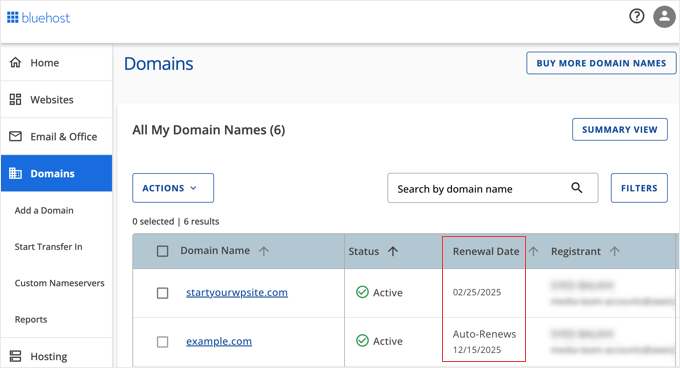
Additionally, renewal options are commonly located near expiration dates, streamlining the extension process.
2. Utilizing WHOIS Lookup Tools
WHOIS functions as a public directory for domain registrations, maintaining records about domain ownership, registration dates, and expiration information.
Numerous websites provide WHOIS lookup capabilities. Recommended services include:
- ICANN Lookup (the official tool from the global domain management organization)
- DomainTools
- Whois.com
These services generally feature straightforward search interfaces. Enter the domain name (e.g., "example.com") into the search field and initiate the lookup process.

The service retrieves and displays domain registration details. Within the results, locate entries labeled "Registry Expiry Date" or "Expires On" to identify the expiration information.
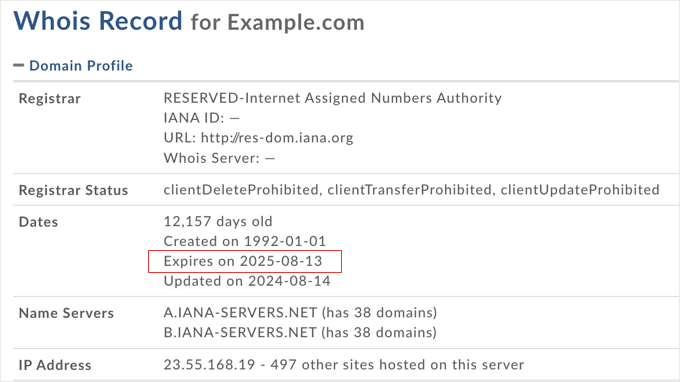
WHOIS lookup services, particularly ICANN Lookup, offer convenient solutions for quick expiration checks without requiring account logins.
Note Regarding WHOIS Privacy
Many domain owners utilize privacy services to protect personal information from public WHOIS listings.
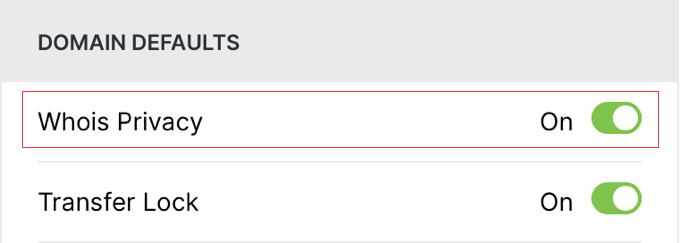
When privacy services are active, certain contact details may appear masked or replaced with generic information. However, expiration dates typically remain visible within WHOIS records, making these tools reliable for checking renewal dates regardless of privacy settings.
3. Configuring Domain Expiration Notifications
While checking expiration dates is important, establishing notification systems ensures you never miss renewal deadlines. These alerts function as protective measures for your online assets.
Domain renewals are easily overlooked, particularly when managing multiple domains or registrations made years earlier. Expiration notifications provide timely reminders to take necessary actions before deadlines pass.
Establishing Notifications Through Your Domain Registrar
Most domain registrars include built-in notification systems within their platforms. For instance, Bluehost automatically sends expiration reminders via email, typically providing alerts at 60 days, 30 days, and 5 days before expiration.
Some registrars allow customization of notification schedules, enabling you to select reminder intervals such as 60-day, 30-day, or 7-day warnings. You may also specify which email addresses receive these alerts, ensuring relevant team members are informed.


