Transforming Your WooCommerce Customers into Brand Advocates: A Practical Guide
By Editorial Team |
Referral marketing remains one of the most effective strategies for business growth. However, identifying authentic brand ambassadors who genuinely connect with your products can be challenging.
Many affiliate programs attract participants primarily interested in quick financial gains, resulting in promotional efforts that lack authenticity and fail to convert potential customers. Consider how often you encounter influencers promoting identical products with identical messaging—does this approach truly inspire confidence?
As a WooCommerce store owner, you possess a significant advantage: an existing community of customers who already appreciate and utilize your products. By transforming these satisfied customers into affiliates, you can harness the power of genuine word-of-mouth marketing.
This guide will demonstrate how to build a network of enthusiastic brand ambassadors directly from your existing customer base.
Building Your Customer Affiliate Network
Customer referral programs represent a proven method for expanding your business reach. To maximize effectiveness, you should collaborate with individuals who have genuine appreciation for your brand.
Your existing customers represent ideal candidates for this role. These individuals already demonstrate enthusiasm for your products, and their authentic experiences will naturally enhance their promotional efforts. This approach effectively builds trust and credibility with prospective customers.
Furthermore, you can eliminate the time-consuming process of recruiting external affiliates. Instead, you can implement a registration form on key pages within your WooCommerce store, such as the customer account dashboard.
Using specialized affiliate management plugins, you can establish this registration system and begin converting customers within minutes.
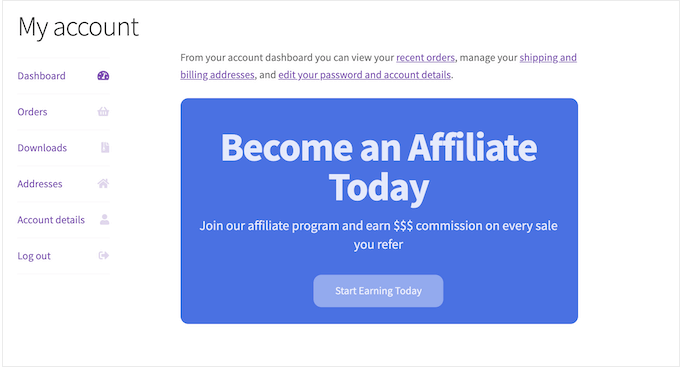
Advanced affiliate management solutions can be configured to display registration forms exclusively to customers who have completed purchases. This targeting ensures you engage with individuals already familiar with your product offerings.
These qualified customers can then enroll with minimal effort. The system automatically generates unique affiliate links, enabling immediate promotional activity.
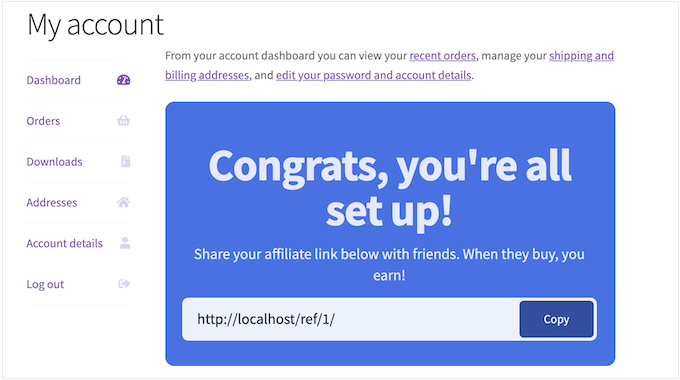
Let's explore the practical steps for implementing a customer affiliate program within WooCommerce.
Step 1. Configure Your Affiliate Management System
Specialized affiliate tracking and management tools provide comprehensive solutions for businesses establishing referral programs. These WordPress-native plugins integrate seamlessly with your existing website infrastructure.
Many experienced WordPress developers utilize these solutions across multiple projects with positive outcomes. For detailed evaluations, consult independent reviews from reputable sources.
When converting customers into affiliates, these systems offer direct integration with WooCommerce. After configuring your registration form, the system automatically deploys it to strategic locations including customer account pages, dashboard sections, and checkout confirmation screens.
Begin by installing and activating your chosen affiliate management plugin. For installation guidance, reference standard WordPress plugin installation documentation.
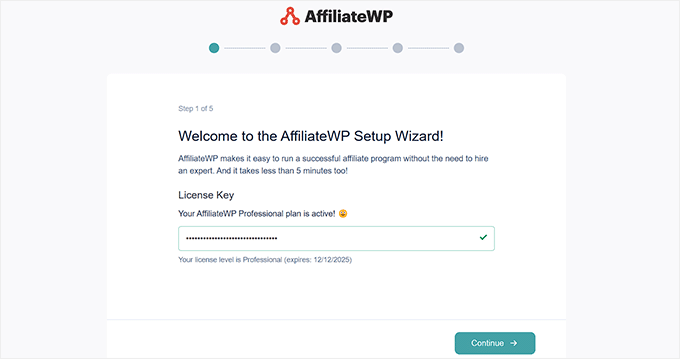
Following activation, the setup wizard will request your license credentials. Retrieve this information from your account on the plugin provider's website.
After entering your credentials, proceed to the next configuration step.
The system will analyze your website and suggest relevant plugin integrations for activation.
Select 'WooCommerce' to establish connection with your online store.
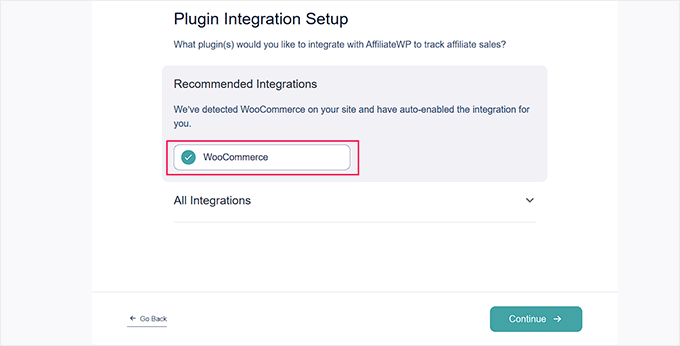
Continue to the next configuration screen.
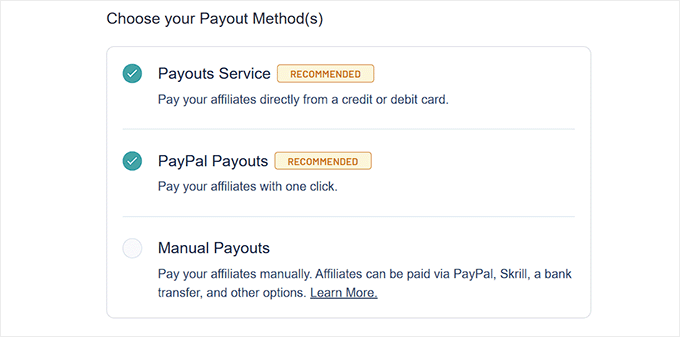
Next, establish your affiliate payment methodology. Select 'Payout Service' for credit card transactions or 'PayPal Payouts' for streamlined payment processing.
After selecting your preferred method, advance to subsequent configuration steps.
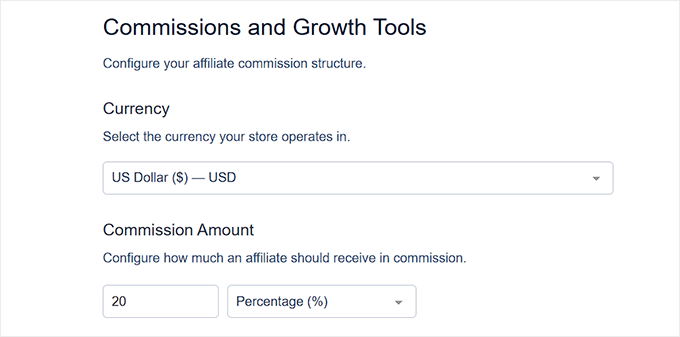
Configure your preferred currency settings for the store.
Establish a default commission rate for all affiliates. This setting remains adjustable for individual affiliates at any time.
Complete the setup process by selecting the appropriate completion option.
You can now manage email communications, implement registration forms, and monitor affiliate performance directly through your WordPress administration panel.
Step 2. Activate Affiliate Registration
Enable affiliate registration by navigating to your affiliate management plugin's settings area. Select the 'Affiliates' configuration tab.
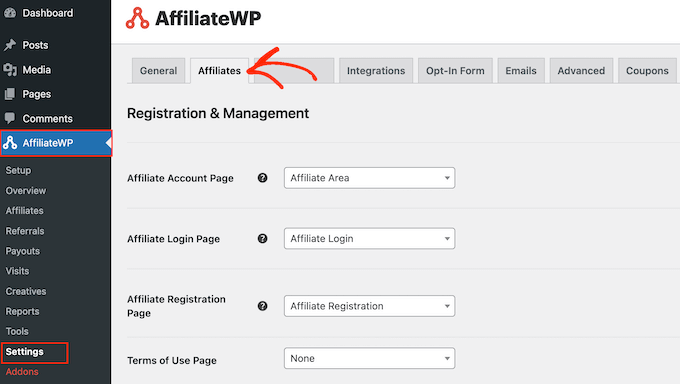
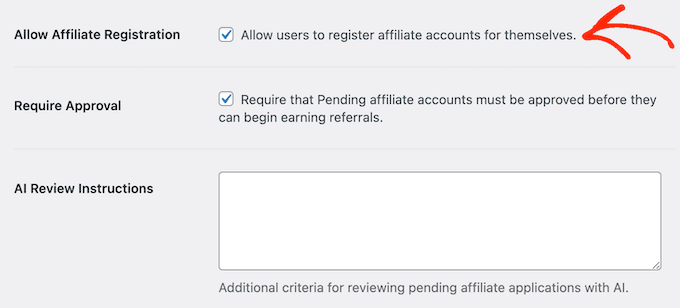
Locate and enable the 'Allow Affiliate Registration' option.
This action activates your referral program for customer participation.
Step 3. Implement the Affiliate Registration Interface
With registration enabled, proceed to configure your affiliate signup form.
Scroll to locate the configuration option for converting customers using the registration widget. Activate this feature by selecting the corresponding option.

This activation creates a dedicated configuration section where you can customize your registration form according to your specific requirements.