
Two Effective Methods for Accepting Deposit Payments on Your WordPress Website
By WordPress Experts |
Securing payment before beginning work is a professional practice that benefits both service providers and clients. Many professionals, however, feel uncomfortable requesting upfront payments.
Fortunately, implementing a deposit system is straightforward and enhances business operations. Collecting partial payments upfront safeguards your revenue and can improve client relationships.
When clients invest financially at the start, they typically demonstrate greater engagement, provide more constructive feedback, and respect project timelines more diligently. This approach has proven successful for numerous WordPress business owners.
This guide presents two practical approaches to implementing deposit payments on your WordPress site. Both methods are designed to be user-friendly while providing the financial stability needed to deliver quality work.
Benefits of Accepting Deposit Payments in WordPress
Implementing partial payment options on your WordPress site provides significant advantages, particularly for businesses offering high-value products or customized services.
Industry experience indicates that requiring deposits can dramatically reduce last-minute cancellations, with many businesses reporting decreases of up to 80%.
Key advantages include:
- Financial Protection: Deposits ensure your time and resources are compensated even if projects are canceled. They provide immediate working capital for initial expenses like materials or vendor deposits.
- Enhanced Client Commitment: When clients make a financial investment upfront, they demonstrate serious intent and are more likely to remain engaged throughout the project.
- Professional Credibility: Offering structured payment plans makes premium services more accessible while establishing your business as trustworthy and well-organized.
For instance, event planners commonly request 25% to 50% deposits to secure dates and cover preliminary planning costs, ensuring they work only with committed clients.
Now let's explore two effective methods for accepting deposits. Use the links below to navigate directly to your preferred approach.
Method 1: Accept Deposit Payments for Services
This method demonstrates how to create a payment form specifically for collecting deposits. This approach works well for subscription services, premium products, appointment-based services, bookings, and similar offerings.
We'll use a popular Stripe payment plugin that offers pre-designed templates, an intuitive form builder, and compatibility with multiple payment processors.
To collect deposits, we'll utilize the 'Setup Fee' feature available in one of the subscription form templates.
Step 1: Install And Activate the Payment Plugin
Begin by installing and activating your chosen payment plugin. If you need guidance, consult standard WordPress plugin installation documentation.
Step 2: Configure the Initial Setup
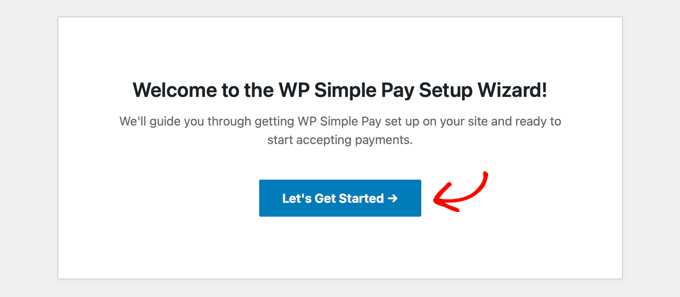
After activation, a setup wizard should appear. Click the 'Get Started' button to proceed.
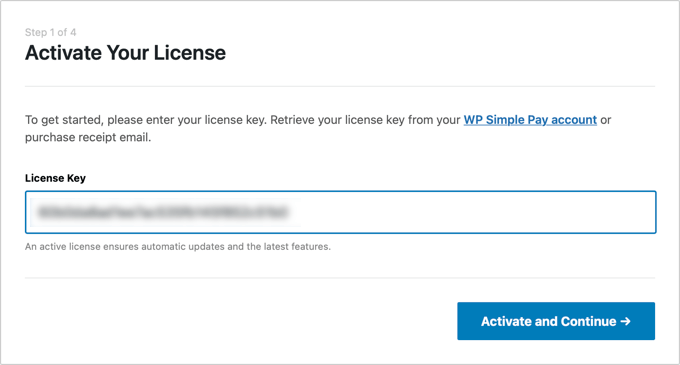
Next, enter your plugin license key, which you can obtain from the plugin provider's website.
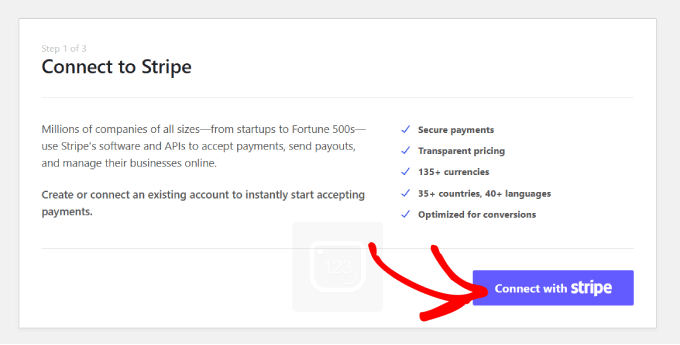
Now connect your Stripe account with the plugin. Since this is a Stripe-specific plugin, proper functionality requires connecting to either a new or existing Stripe account.
Click the 'Connect with Stripe' button to initiate the connection process.
Log in to your Stripe account to complete the connection. For detailed Stripe integration instructions, consult standard WordPress payment processing documentation.
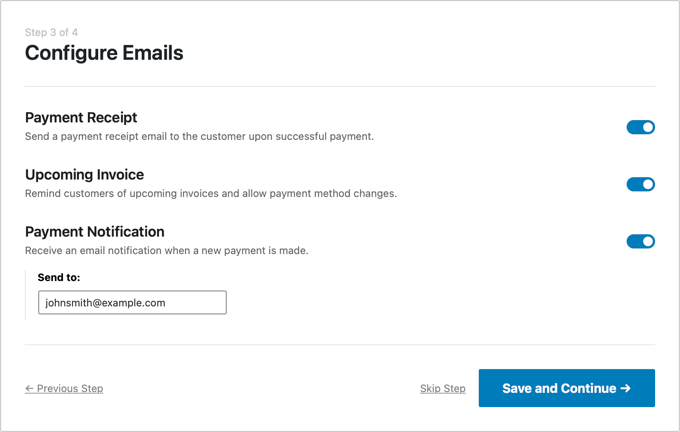
After successful connection, configure your email notification preferences in the setup wizard.
Enable options for payment receipts, upcoming invoice alerts, and payment notifications, then specify the email address where these messages should be delivered.
Click 'Save and Continue,' complete any remaining setup steps according to your preferences, then exit the wizard.
Step 3: Create a Payment Form
Navigate to the payment forms section from your WordPress admin sidebar.
Click the 'Create New Payment Form' button to begin.
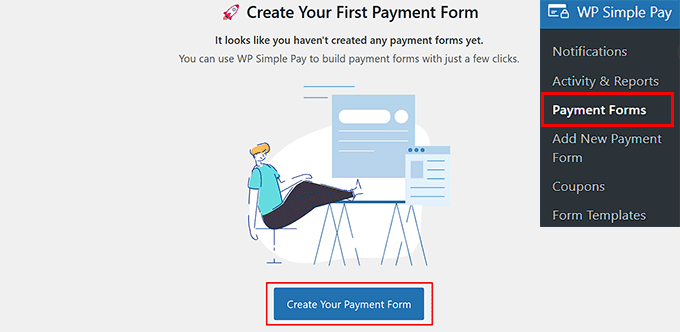
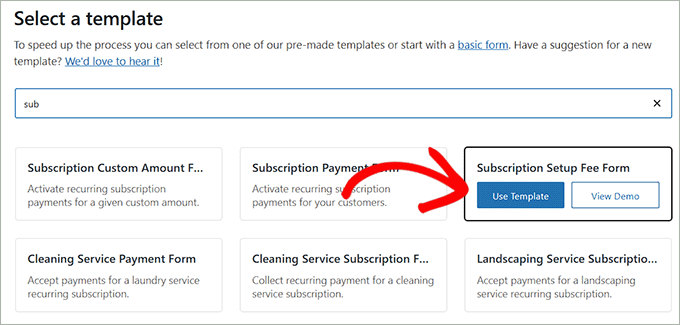
You'll be directed to a template selection page displaying various pre-designed payment form options.
Locate the 'Subscription Setup Fee Form' template and click the 'Use This Template' button beneath it.
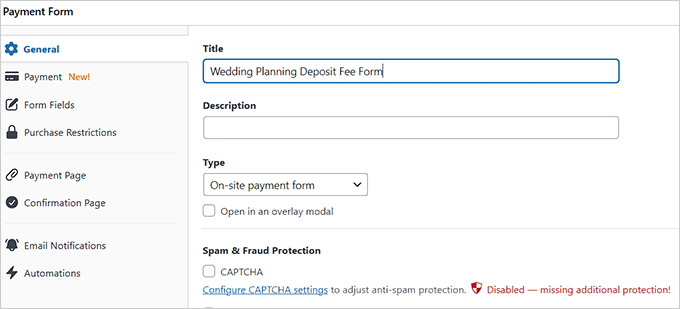
The form builder interface will now open.
Here you can customize your form's title and description. For example, if you're creating a deposit form for wedding planning services, you might title it 'Wedding Planning Deposit.'
Select 'On-site payment form' as your form type and consider enabling the spam protection option if available.
Step 4: Configure Pricing in the Form
Switch to the 'Payment' tab in the left column and configure your tax collection settings according to your business requirements.
Next, establish pricing for the product or service you're offering through this form.
For subscription-based services, choose the 'Subscription' option and click 'Add Price' to create different subscription tiers or packages.
For instance, you could create multiple wedding planning packages with varying deposit amounts and payment structures.




