Two Effective Methods for Building Lead Magnet Optin Forms in WordPress
By WordPress Experts |
Research indicates that approximately 70% of first-time website visitors never return. For site owners, collecting email addresses provides a valuable opportunity to maintain contact and encourage repeat visits. However, visitors typically require an incentive to share their personal information—a lead magnet such as an ebook or PDF guide serves as an effective motivator.
Whether you already have a lead magnet prepared or plan to create one soon, you'll need an optin form to capture leads, grow your email list, and deliver immediate access to your valuable content.
This guide presents two distinct approaches for creating high-converting lead magnet optin forms within the WordPress environment.
Advantages of WordPress-Based Optin Forms
While numerous methods exist for creating optin forms, many don't integrate seamlessly or display properly on WordPress sites. This guide focuses on tools specifically designed for WordPress with dedicated plugins, ensuring forms that blend naturally with your website design while simplifying lead generation.
WordPress-based solutions typically offer straightforward integration with existing services, particularly email marketing platforms. This connectivity enables effective lead nurturing, automated workflow management, visitor behavior tracking, and other essential marketing functions.
Additionally, you benefit from WordPress's inherent advantages, including extensive customization capabilities and complete data ownership. Although alternatives exist, creating optin forms within WordPress provides superior control, customization options, and integration possibilities.
Use the following quick links to navigate directly to your preferred method:
- Method 1: Using OptinMonster (Advanced Optin Creation)
- Method 2: Using Beacon (Comprehensive Solution)
- Lead Magnet Creation Frequently Asked Questions
- Additional Lead Generation Resources
Let's begin exploring these approaches.
Method 1: Using OptinMonster (Advanced Optin Creation)
If you already possess a lead magnet for your campaigns, OptinMonster offers a robust solution. This platform enables creation of various sophisticated optin forms, including floating bars, popups, and gamified spin-to-win designs. Its template library contains over 400 conversion-optimized designs customizable through a drag-and-drop interface.
Many experienced WordPress users employ this tool for pop-ups, slide-ins, and header banners, confirming its extensive capabilities for optin creation.
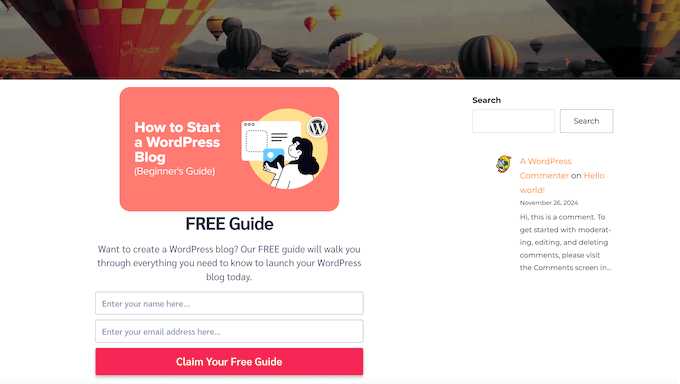
OptinMonster allows lead magnet delivery via email, direct download, or both methods, providing subscribers with choice flexibility. While its gated content feature can transform blog posts into lead magnets, the platform excels particularly at creating highly effective optin forms.
This solution is recommended when you have existing lead magnets and require maximum lead capture efficiency.
Step 1: Configure OptinMonster
Begin by registering on the OptinMonster website. Select your preferred plan and complete the purchase process following on-screen instructions.
Next, install and activate the free OptinMonster WordPress plugin to connect your website with your OptinMonster account. After activation, access the welcome screen and setup wizard, then click the 'Connect Your Existing Account' button.
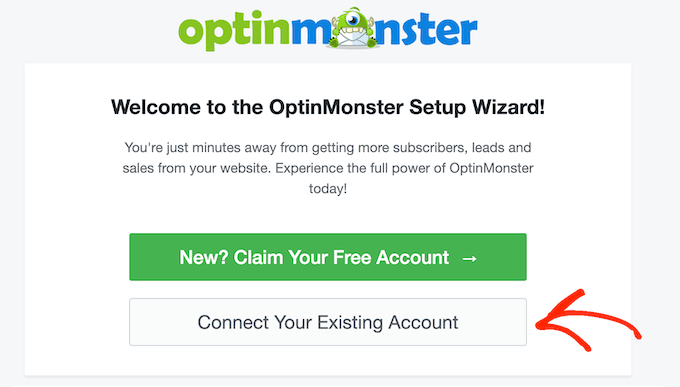
A small window will appear for signing into your OptinMonster account. Within this popup, click 'Connect to WordPress' to establish the website connection.

Step 2: Select Campaign Type
Navigate to the OptinMonster » Campaigns section in your WordPress dashboard to create your lead magnet campaign. Click the 'Add New' button to proceed.
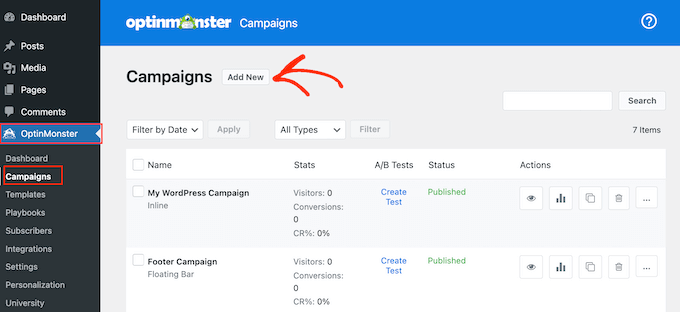
OptinMonster will prompt you to choose between templates or playbooks. Playbooks offer pre-built campaigns based on successful strategies from leading brands, facilitating rapid campaign creation. For this guide, select 'Templates.'
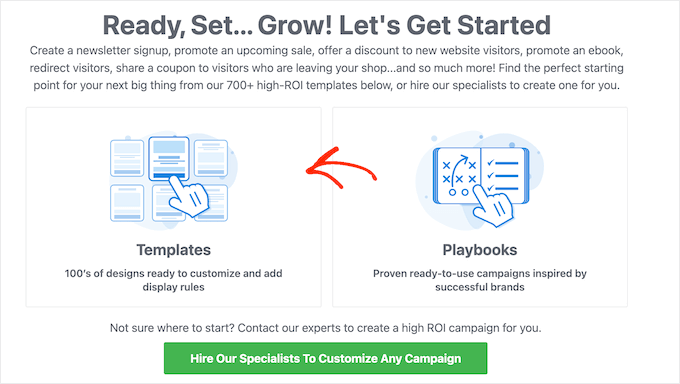
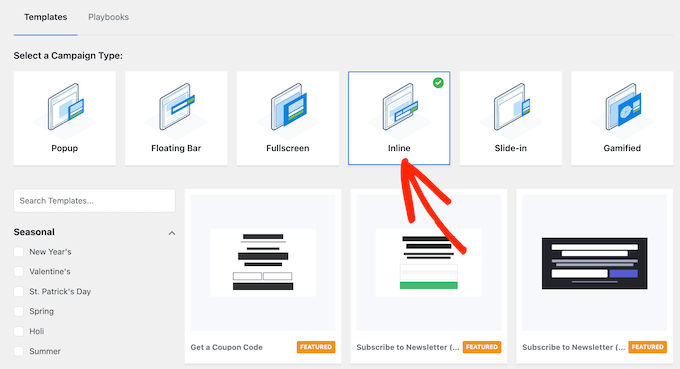
The platform displays various campaign types including slide-ins, floating bars, and gamified popups. While procedures remain similar across types, this guide focuses on inline forms due to their easy integration into pages, posts, or widget areas. Select 'Inline' to continue.
Step 3: Choose Template
Select your preferred template from the available options. All OptinMonster templates are fully customizable, but choosing one that closely matches your desired form design saves time. Hover over any template and click 'Preview' to examine its appearance.
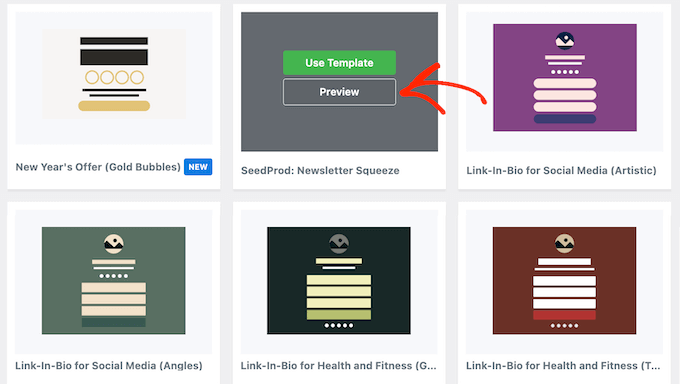
The template opens in a popup window. When you identify a suitable design, click 'Use Template.' This guide utilizes the Unlock Gated Content template for demonstration, but you may select any design. Name your campaign in the appearing popup, then click 'Start Building.'



