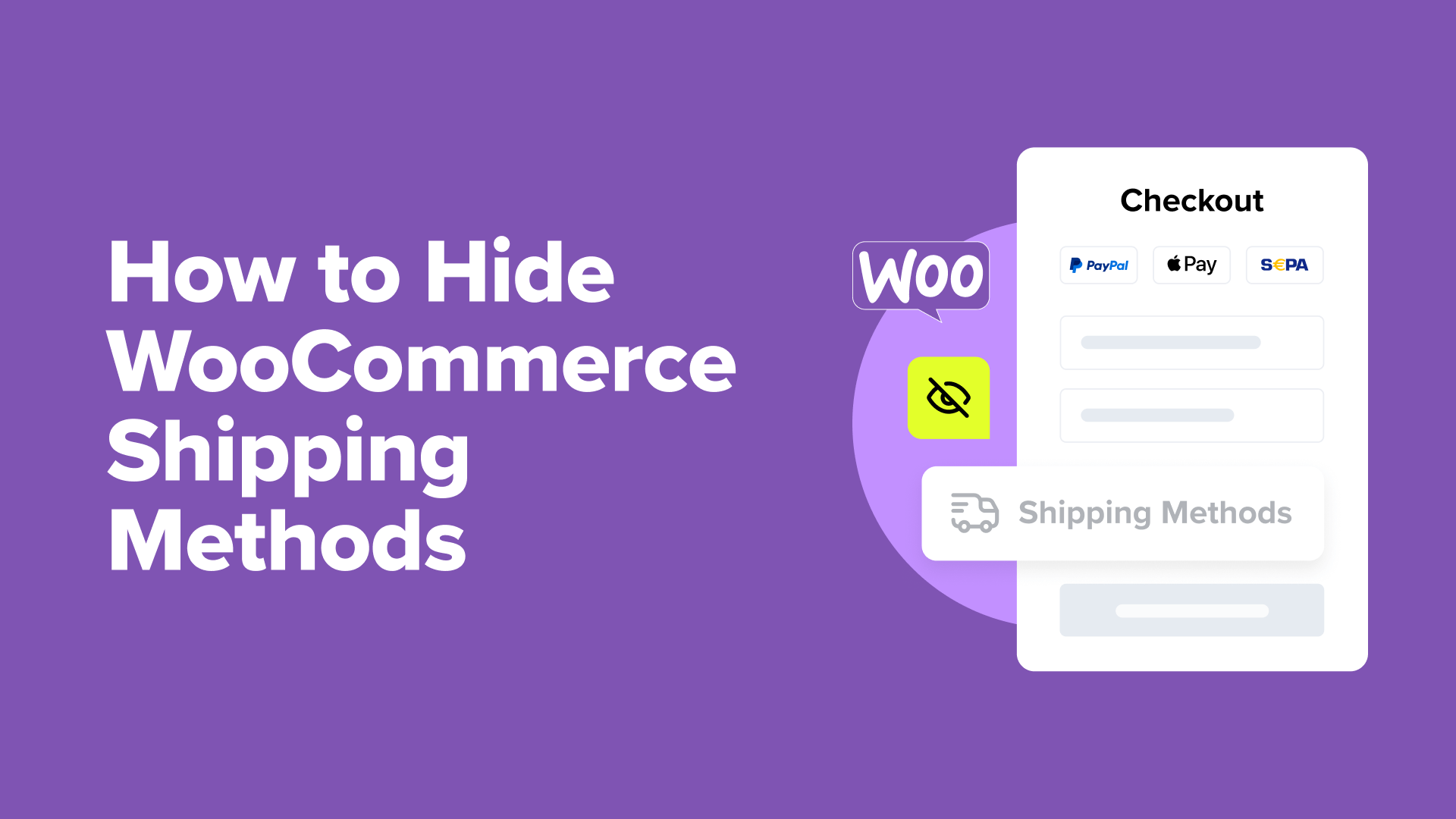
Two Effective Methods to Hide WooCommerce Shipping Options
Shipping management plays a crucial role in e-commerce success, and controlling which shipping methods appear to customers can significantly impact both profitability and customer satisfaction.
Consider this scenario: providing free shipping on all orders may seem appealing, but it can quickly erode profit margins. Displaying shipping options that are unavailable for a customer's location often leads to frustration and abandoned carts.
During peak periods, such as holiday seasons, temporarily disabling certain shipping methods ensures you can fulfill orders according to promised timelines.
Many WordPress experts recommend hiding specific shipping methods to balance business needs with customer expectations. This approach helps maintain profitability while delivering a smooth shopping experience.
This guide demonstrates how to control exactly which WooCommerce shipping methods customers see and under what conditions.
When to Hide Shipping Methods in WooCommerce
Several common situations justify hiding shipping methods to improve store operations and customer experience.
Experienced developers frequently implement these strategies to address business challenges and potentially increase conversion rates:
- Profit Protection: Hide free shipping options until orders reach a minimum value that maintains profitability.
- Geographic Restrictions: Display only shipping methods available to customers in specific regions, eliminating irrelevant options.
- Seasonal Management: Temporarily hide expedited shipping during high-volume periods to maintain delivery commitments.
- Checkout Optimization: Presenting fewer, more relevant shipping options can reduce confusion and decrease cart abandonment.
Beyond hiding shipping methods, many store owners implement shipping bars to clearly communicate available options and qualification requirements.
We will explore two proven approaches to hide WooCommerce shipping options. Use the following links to navigate directly to your preferred method:
- Method 1: Configure Free Shipping Settings in WooCommerce (Built-in Solution)
- Method 2: Use Hide Shipping Method for WooCommerce (Advanced Customization)
- Bonus Tips to Optimize WooCommerce Cart and Checkout
Method 1: Configure Free Shipping Settings in WooCommerce (Built-in Solution)
This approach requires no additional plugins or extensions to hide free shipping based on order requirements.
It works well when you only need to conceal the free shipping option until customers meet specific criteria.
Note that this method won't automatically hide other shipping options, such as flat rate shipping, when free shipping becomes available. For that functionality, proceed to Method 2.
Begin by accessing your shipping configuration. Navigate to your WordPress dashboard and select WooCommerce » Settings. Locate the 'Shipping' tab at the top of the settings page.
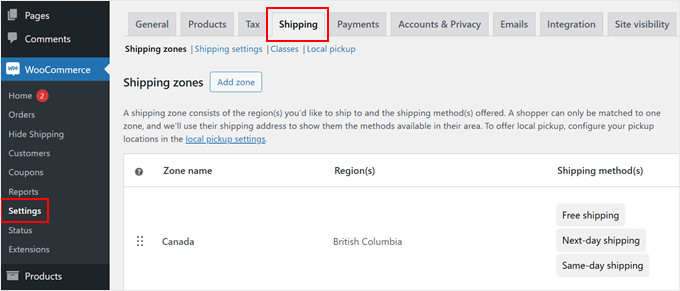
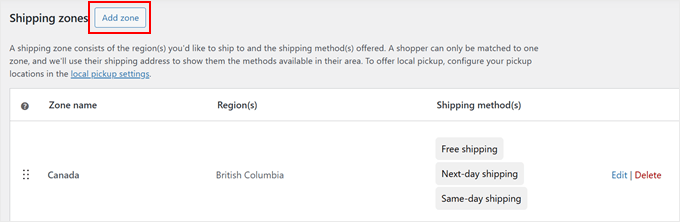
You'll find options to manage shipping zones. You can either create a new zone by clicking 'Add zone' or modify existing configurations.
For demonstration purposes, we'll create a new shipping zone.
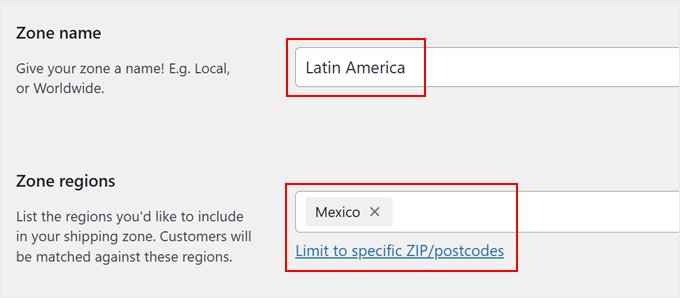
Assign a descriptive name to your shipping zone that reflects its coverage area, such as 'North America,' 'European Union,' or 'Asia Pacific.'
Next, define the zone's coverage by selecting specific countries, states, or cities.
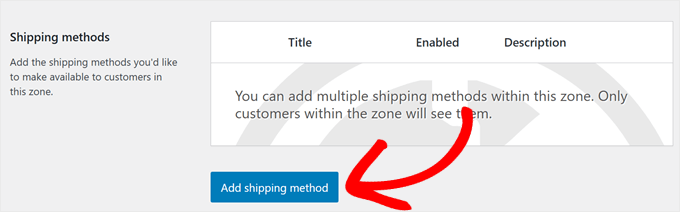
After configuring the zone, locate the 'Add shipping method' button.
Click this button to view available shipping options.
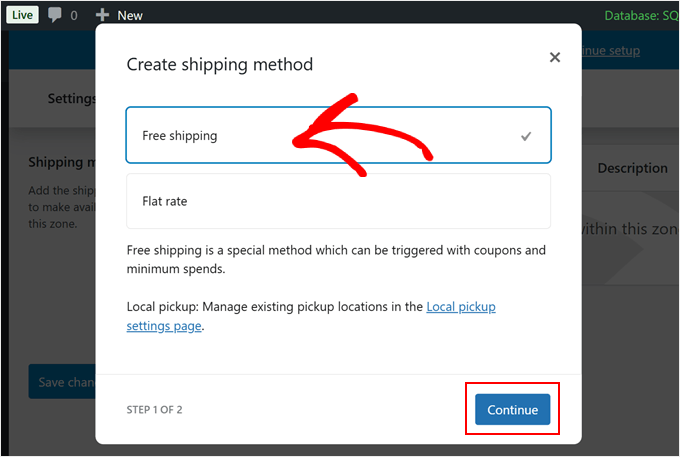
The system presents basic shipping choices between free shipping and flat-rate shipping.
Select 'Free shipping' and click 'Continue.' This action opens a configuration window where you can define when free shipping becomes available.
Now configure the qualification requirements for free shipping. The dropdown menu offers several options, including no requirements, coupon-based access, minimum order amounts, or combined conditions.
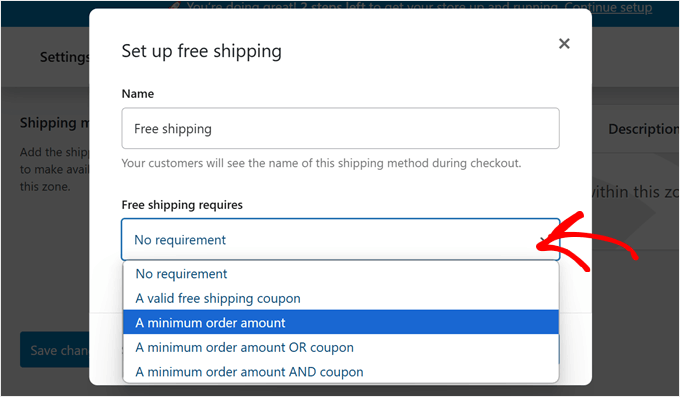
To hide free shipping until customers reach a specific order value, select 'Minimum order amount' and enter your threshold, such as $50 or $100.
You may also enable the 'Apply minimum order rule before coupon discount' option if you want the minimum calculated before applying any discounts.
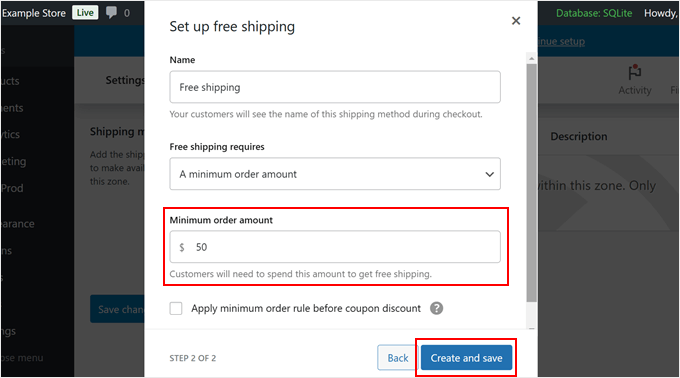
Complete the configuration by clicking 'Create and save.'
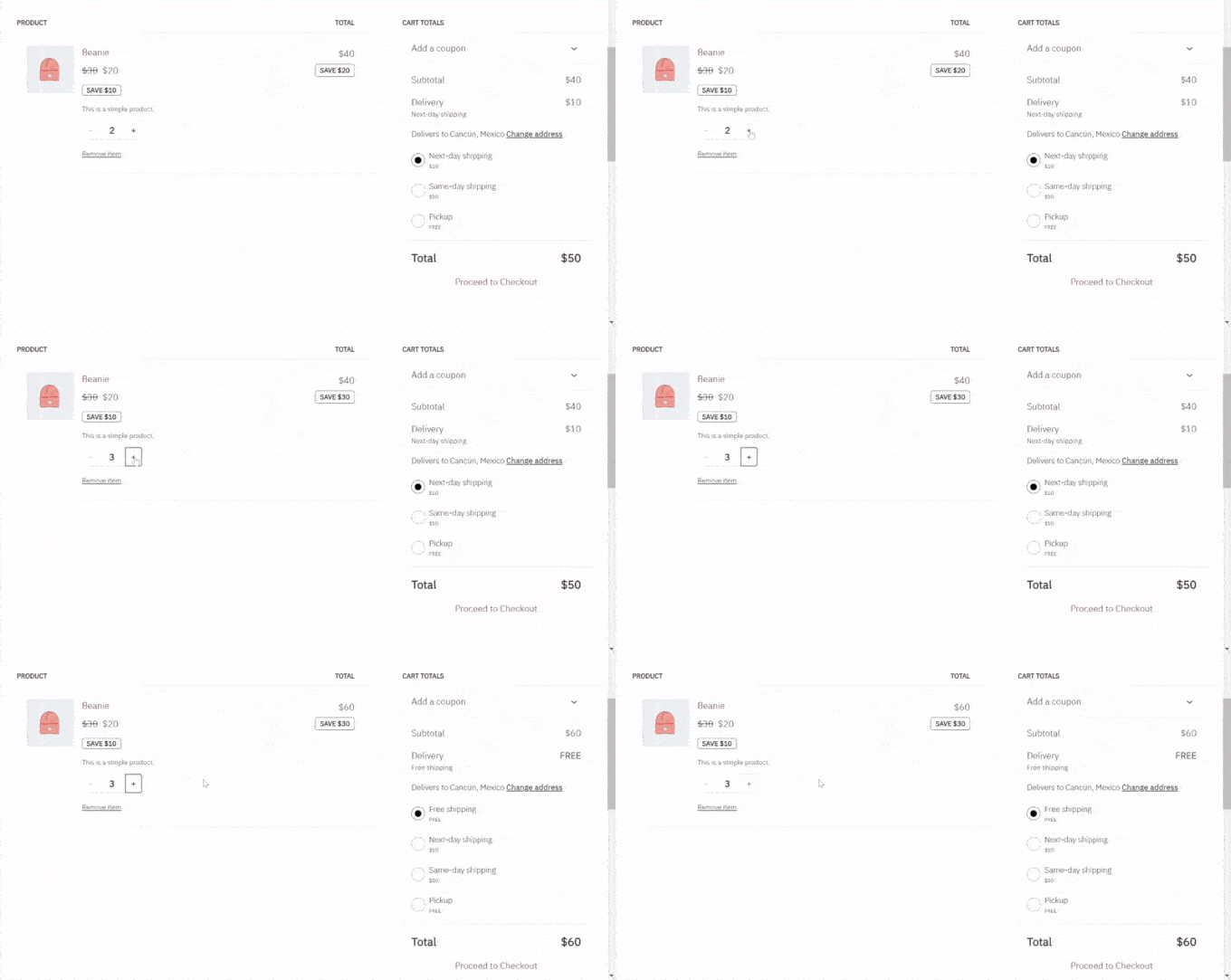
The free shipping method will now remain hidden from customers who haven't met your requirements, appearing only when they qualify according to your conditions.
Method 2: Use Hide Shipping Method for WooCommerce (Advanced Customization)
While WooCommerce's built-in settings handle basic scenarios, they offer limited flexibility.
This method provides greater control by hiding specific shipping methods based on product categories or cart contents using a dedicated plugin.
The Hide Shipping Method for WooCommerce plugin enables detailed rule creation for displaying or concealing shipping options during checkout.
We'll demonstrate using the free version, which addresses common requirements. The premium version offers additional features like hiding specific methods when free shipping is available or creating rules based on product SKUs.
Begin by installing the Hide Shipping Method for WooCommerce plugin from the WordPress repository. After activation, navigate to the plugin's settings to create your first rule.
The interface allows you to specify which shipping methods to hide under particular conditions, such as when certain products are in the cart or when customers belong to specific user roles.
Configure your rules according to business needs, then test the functionality to ensure shipping methods appear and disappear as intended during the checkout process.
Bonus Tips to Optimize WooCommerce Cart and Checkout
Beyond hiding shipping methods, consider these additional optimizations to improve your store's performance:
- Implement clear shipping cost calculators early in the shopping process
- Use conditional logic to show relevant shipping options based on cart contents
- Test different shipping configurations to identify optimal setups for conversion
- Monitor shipping-related cart abandonment rates to identify improvement opportunities
- Consider implementing real-time shipping rate calculations for accuracy
Proper shipping configuration not only protects profitability but also enhances customer experience by presenting relevant, available options throughout the purchasing journey.